
Show all pdf's with selection basket doesn't work properly. (Bug?) (9.12.7.24)
-
Hi all,
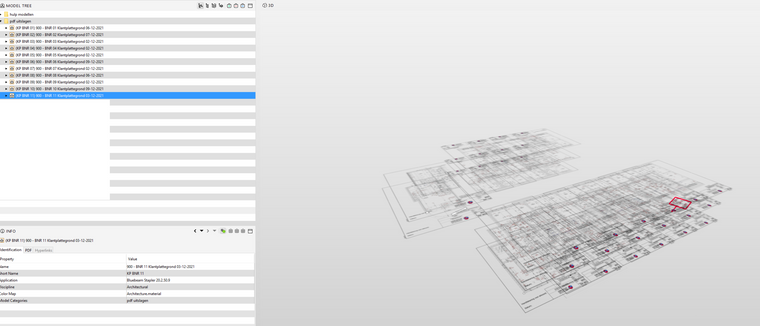
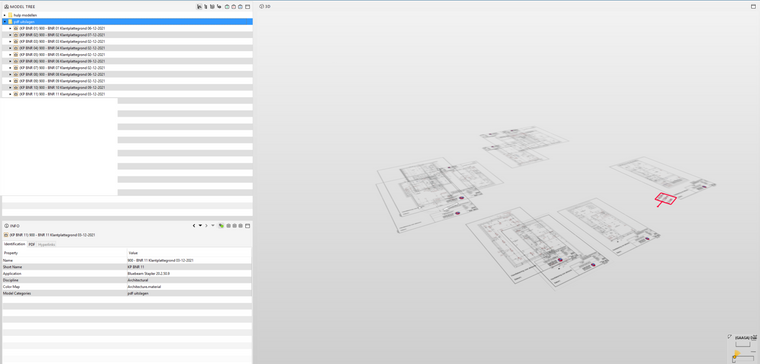
We have some kind of a bug when trying to view multiple PDF drawings at the same time using the selection basket in a project.
This is when I select the model category, or when I shift+select the list of PDF files.When I select multiple PDF drawings and use the ‘=’ button from the selection basket, it looks like Solibri just shows some random pdf’s. (Most of the PDF’s have 3 drawings, and it’s not that it just shows 1 drawing from a pdf, for some it’s 2 )
When I select each drawing indivually, it works fine.
Is this a known bug from PDF files, or could this be something from Solibri?
-
I’ve reproduced this, and will send this to our development. I’m not sure if this is what you meant about selecting individually, but I did find that if instead of selecting them all at once, you can get them all to display if you select about 5 drawings at a time and click the + rather than = to add them to the view.
If you’d like to email this issue to [email protected] I can add your email/account information to what is logged with our development.


Copyright © 2025 Solibri Inc. | Powered by NodeBB