
Result Summary (Excel Report) and the lost Gatekeeper Rules
-
Hi, below a picture of a ruleset Hierarchy which follows this logic:
Category Black
\ Subcategory Blue
\\ Entity Red (= Gatekeeper Rule)
\\\ Rule with same names for a better visual apperance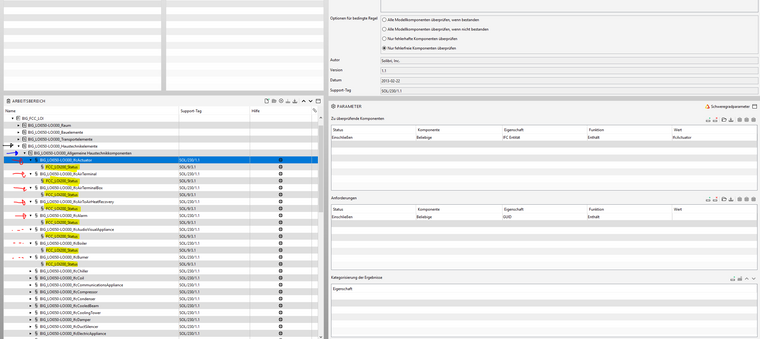
**When I export the reesult summary …
… unfortuantely the (red marked) Gatekeeper rules do not show up at all anywhere and all the Rules with the same names are listed in one long list without a desparetly needed key to match them again. So in short, I do not know which Rule belongs to which Entity (Red), which is bad.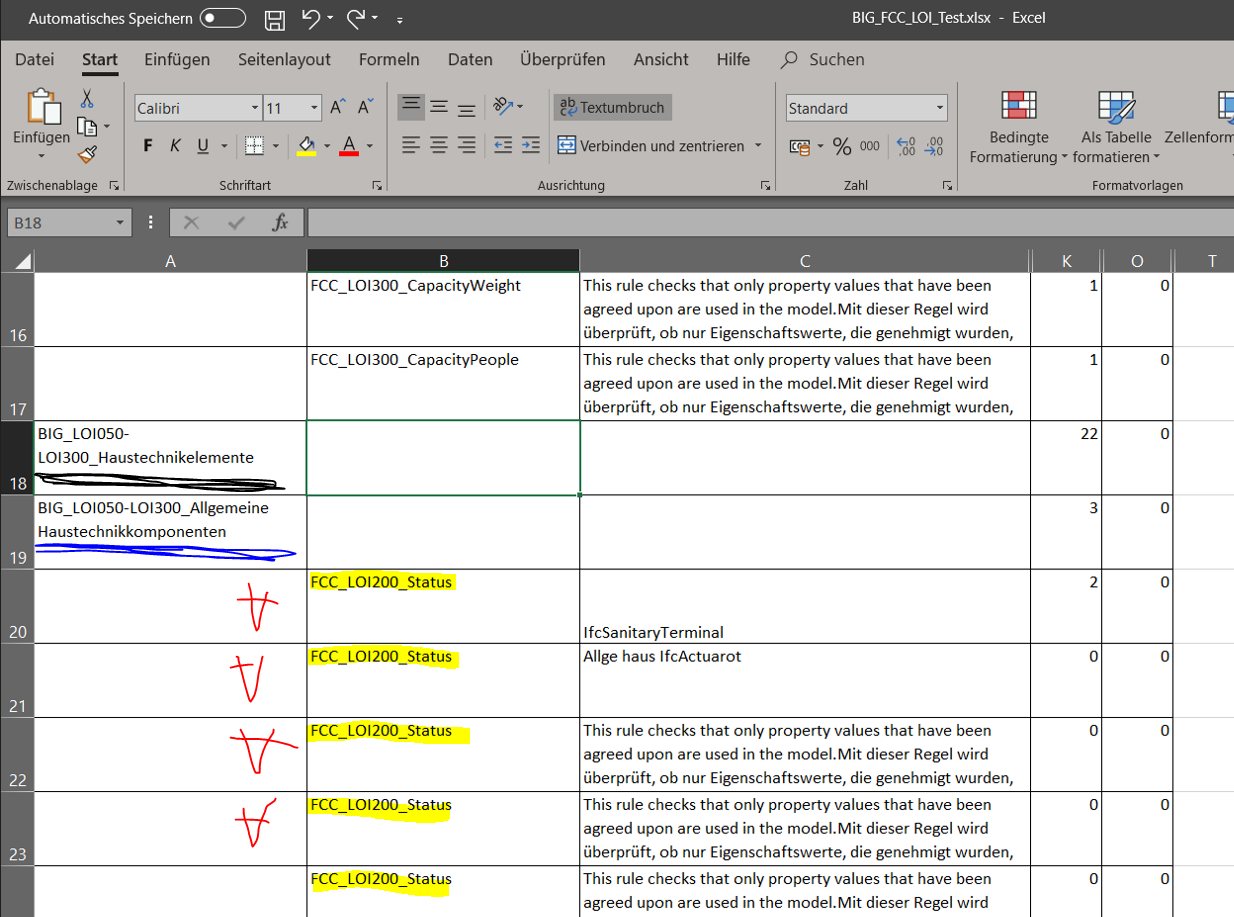
Well, I guess I have a few possibilities now …
- Renaming all rules e.g. (Category Black.Subcategory Blue.) EntityRed.RuleName which will be very cumbersome to do and to work with in the end as I get very long names (or I have to define shorter codes which I do not want either)
or - I add it to the Description of the Rule, which is not a funny task at all too and moreover a bit dangerous as the description might not be correct when a rule is changed
or
-I remove the gatekeeper and change the filter, which is somehow stupid and in some cases not even possible
or
…
… but still I am asking myself if this is really (the best way) how it should work?
Why are the Gatekeeper rules not exported to the excel … ok probably because they could distort the whole report but still I am not sure if concealing them totally is the better way to go.As always, any answers would be highly appreciated!
EDIT
My bad, just realized that they are indeed down there in the list but the whole report sort order is a complete mess compared to the ruleset … so the focus of my question lies now on this issue … so why?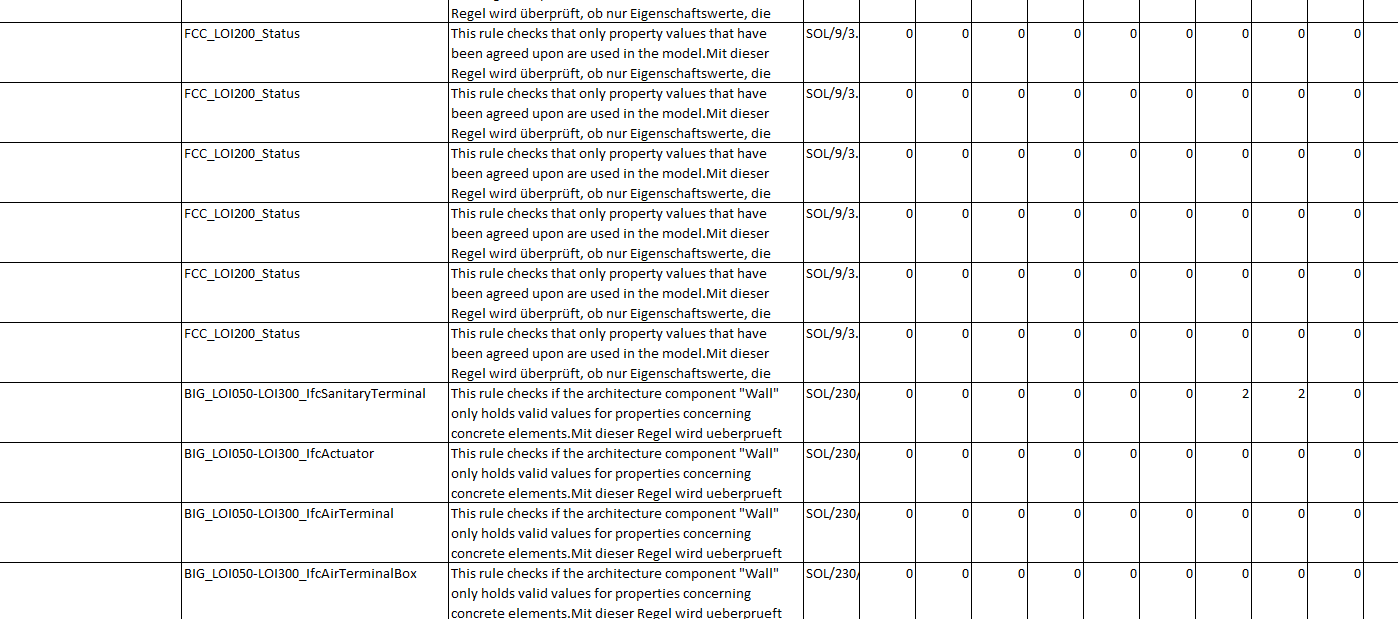
- Renaming all rules e.g. (Category Black.Subcategory Blue.) EntityRed.RuleName which will be very cumbersome to do and to work with in the end as I get very long names (or I have to define shorter codes which I do not want either)
-
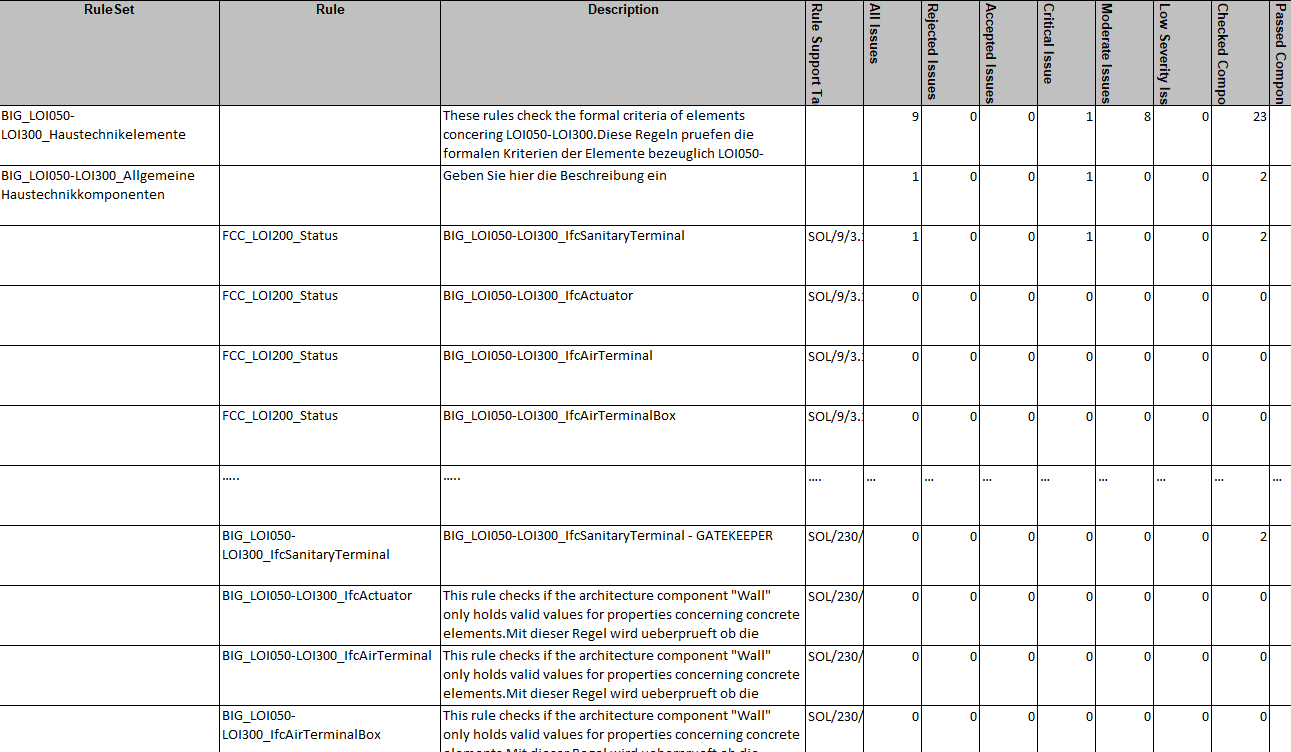
Ok, seems like the sort order is A-Z but with the following categorization:
- Rules which are IN USE as there are such components (= visible in Solibri Checking Window) e.g. for SanitaryTerminal
- Rules which are NOT in USE as there no such components (= invisible in Solibri Checking Window) e.g. for Actuator, AirTerminal …
- Gatekeeper Rules which are IN USE as there are such components (= visible in Solibri Checking Window) e.g. for SanitaryTerminal
- Gatekeeper Rules which are NOT in USE as there no such components (= invisible in Solibri Checking Window) e.g. for Actuator, AirTerminal …
See below for better understanding


So compared to the “classic” hierarchy where the rules that are within new folders where the report looks like as depicted in the following two screens …
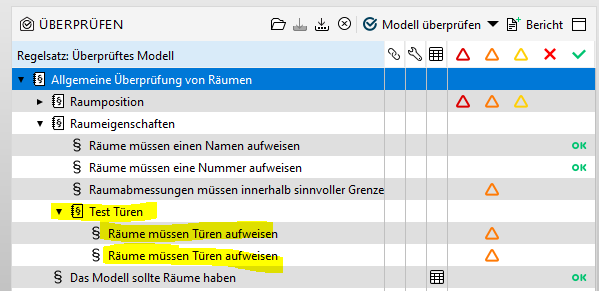
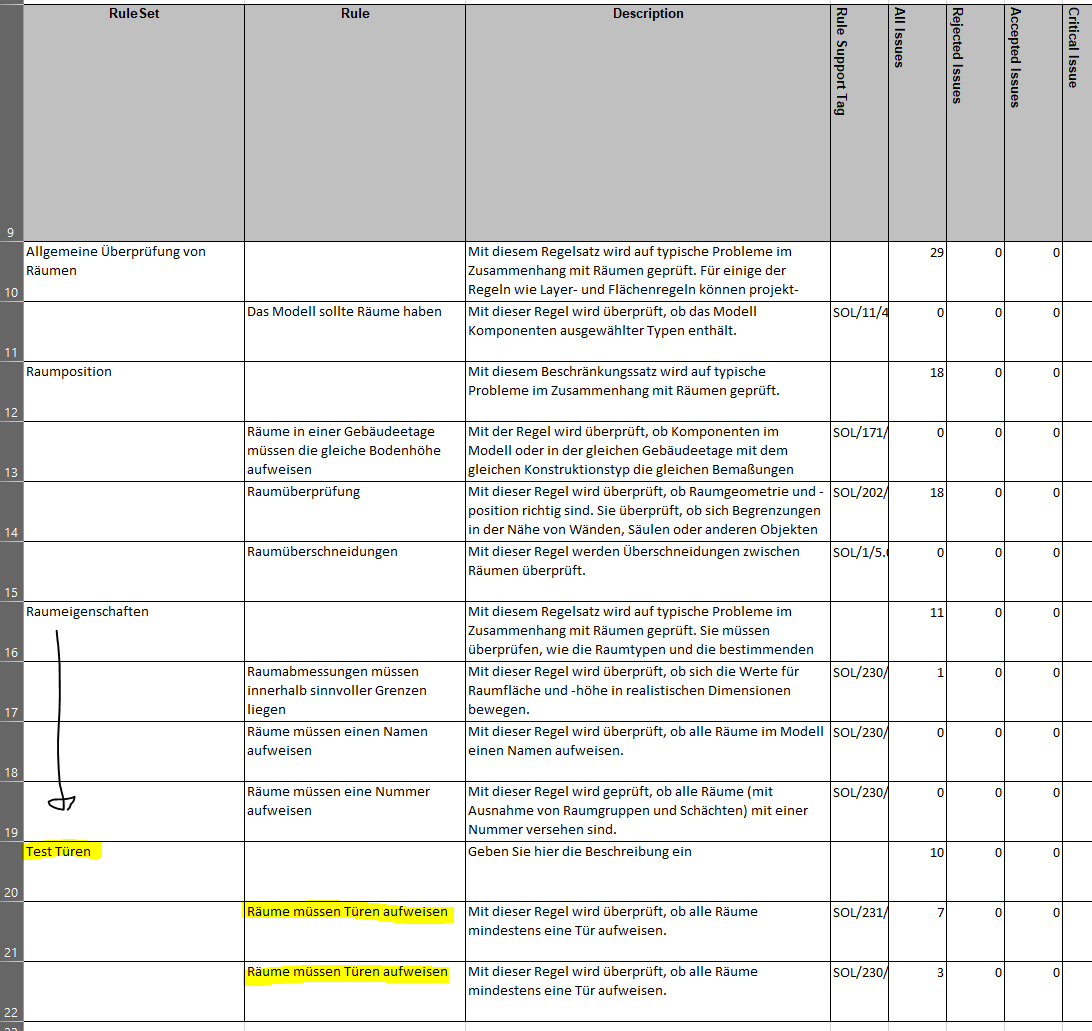
… this does not happen for when rules are Gatekeepers.
The next picture serves as a reminder what I am talking about.
Finally this last table now has been altered manually to illustrate what it actually could/should look like so that the reports are more consistent and clear to understand without having to spin your head around.
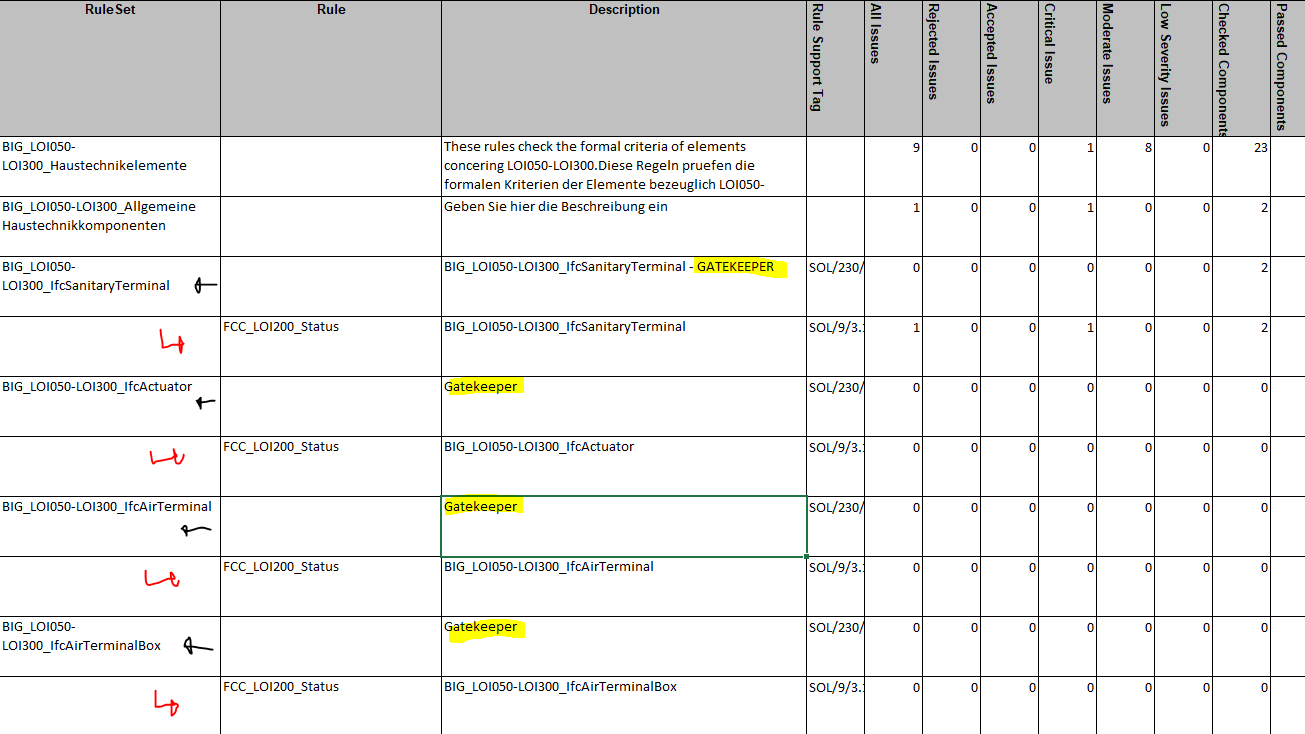
Imho the Gatekeeper Rules should act more like folders - although the total counting numbers then might need to follow a different concept. Anyhow, at least it should be clear where the rules belong to and the final result should be machine readable for further use.
@Solibrians What’s your suggestion here and why are such things not documented but users have to find it out themselves?
-
 J JSN referenced this topic on
-
@marchi said in Result Summary (Excel Report) and the lost Gatekeeper Rules:
I agree, there should be at a least the visual reference in a column if this is a gatekeeper, maybe even with an number 1-4 representing the options for gatekeepers
Just saw this after your reply to the other topic.
Yes I agree, there should be some kind of indicator which at least highlights the gatekeepers - I am not so sure anymore about the concept I provided above some time ago regarding the hierachy level (aka in which column) the gatekeepers should be as the folder structure should still be identifiable as it is - idk, but what I want to say is, that if changes are made, then it should be well thought trough.
-
J JSN referenced this topic on

Copyright © 2025 Solibri Inc. | Powered by NodeBB