Skip to content
  • Categories
Collapse
Solibri Society Forum
  1. Home
  2. Comments & Feedback
  3. Tech Talks
  4. How to generate Ruleset Report with customize hierarchy system

How to generate Ruleset Report with customize hierarchy system

Scheduled Pinned Locked Moved Tech Talks
9 Posts 4 Posters 2.0k Views
  • Oldest to Newest
  • Newest to Oldest
  • Most Votes
Log in to reply
This topic has been deleted. Only users with topic management privileges can see it.
  • X Offline
    X Offline
    Xeon
    wrote on last edited by
    #1

    Hi Experts,

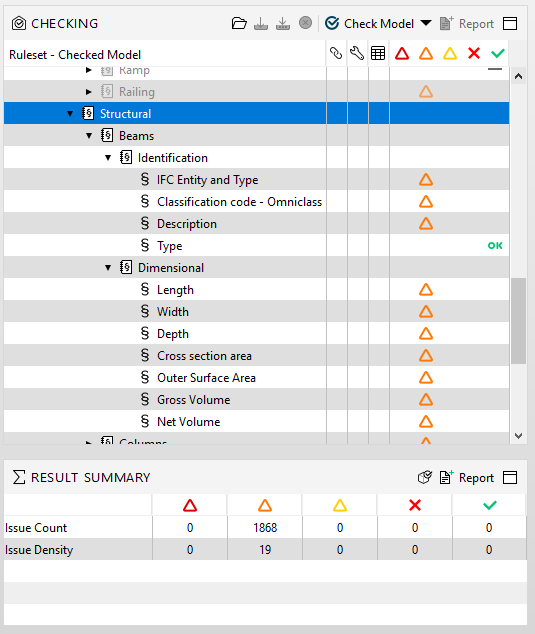
    Recently I studying on how to push the ruleset result data to PowerBI and I encounter an issue on the hierarchy system that I set in Solibri as per image below:9b42bf79-2ad6-4ad7-b559-c51e71797d32-image.png [Hierarchy should be following by Discipline>Category>Identification>Dimensional ]

    But the result seems not as what I expect after export to Excel.
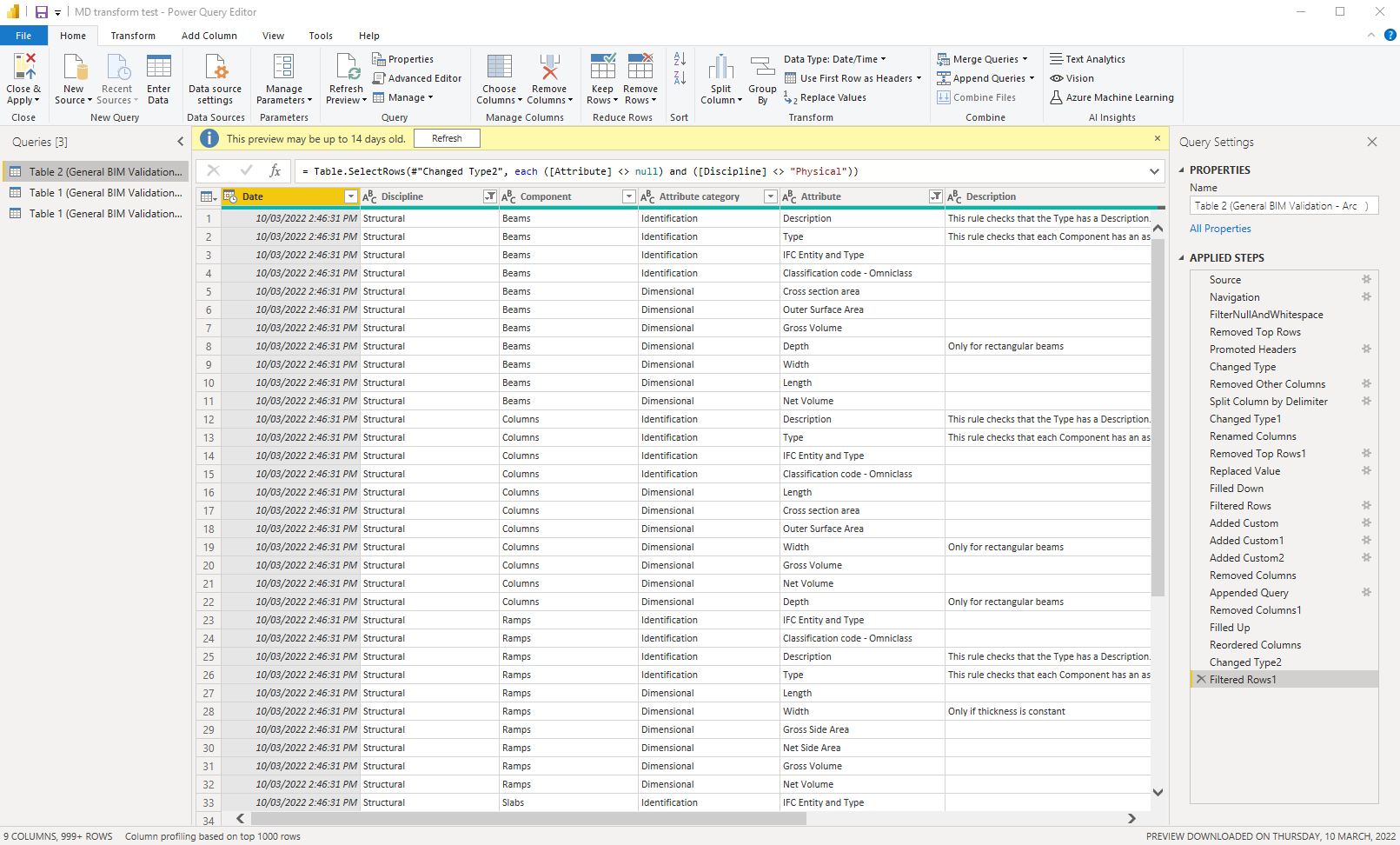
    3b0837a4-5cc8-4b5c-bfb4-7fa3bb1eabc6-image.png
    the discipline, category & info type all fall in same column.

    May I know is there a way to segregate the info base on my hierarchy system?

    Much appreciate if any expert can help out.

    JSNJ 1 Reply Last reply
    0
    • JSNJ Offline
      JSNJ Offline
      JSN
      replied to Xeon on last edited by
      #2

      @xeon

      You put the finger in an open wound. Leave the following threads here for you.

      https://society.solibri.com/topic/1309/result-summary-excel-report-and-the-lost-gatekeeper-rules
      https://society.solibri.com/topic/1748/rule-report-order

      To cut it short, this is a shortcoming and a nightmare when it comes to machine reading but I solved this issue in the meantime by setting up my ruleset accordingly with codes to assemble it again correctly in BI, but it is a stupid workflow.

      X 1 Reply Last reply
      0
      • X Offline
        X Offline
        Xeon
        replied to JSN on last edited by
        #3

        @JSN

        Thanks for the sharing! Understood but challenge will make you better! I’d resolved the issue as per your link shared.
        However, I managed to setup the hierarchy system on ruleset instead of rules just like below:
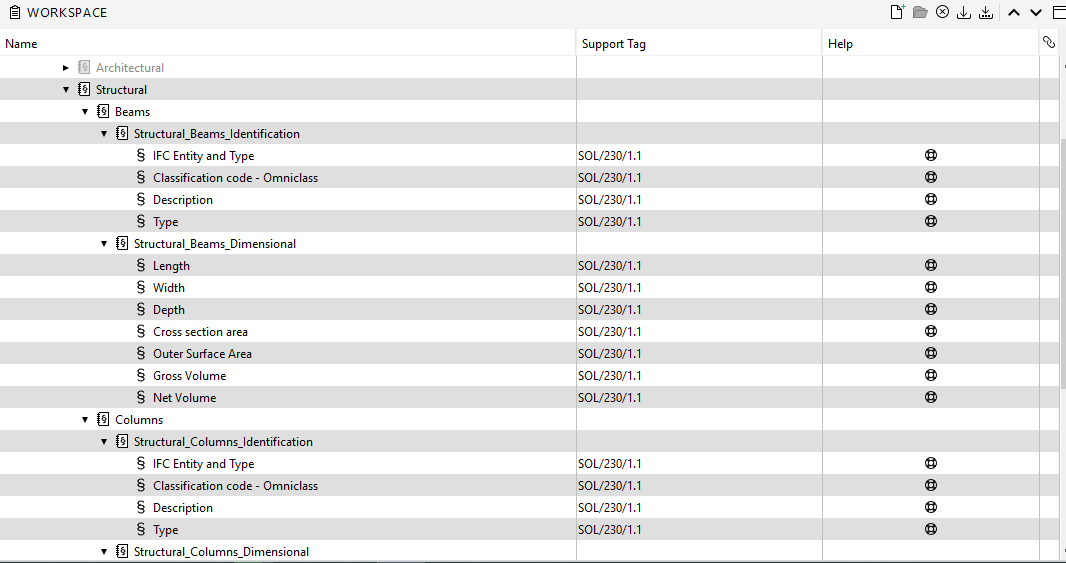
        593fec87-367f-4d5a-8006-89f0abd39bfa-image.png

        Therefore, I managed to segregate the prefix on Ruleset names based on Disciplines, Category & Attribute Category in Power BI like below:
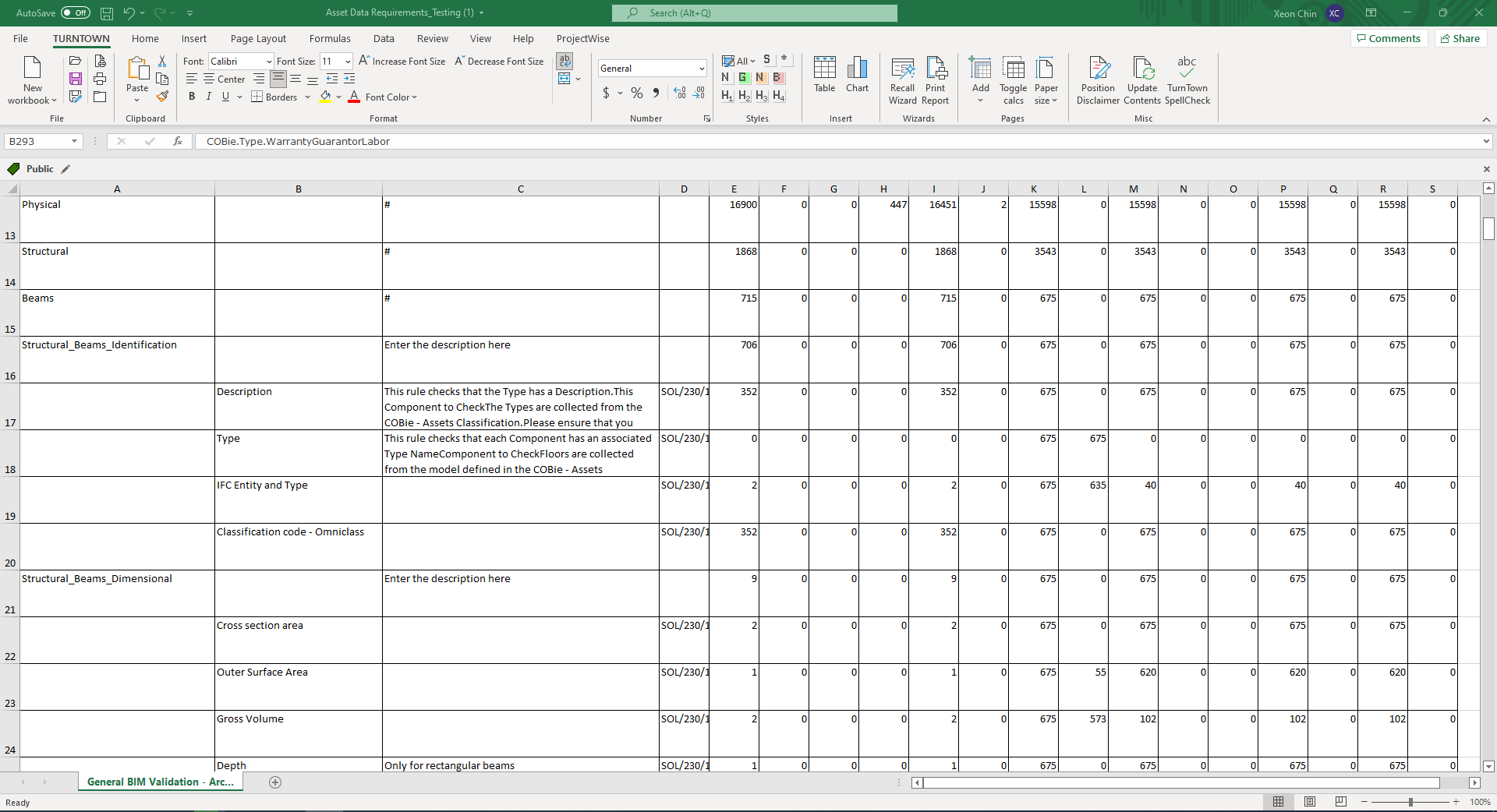
        2e170f79-7852-4670-9efc-e56a8722ece1-image.png
        71269a93-4b49-48f0-8c12-7eac7464f034-image.png

        And the results perfectly present in Power BI (report prepared by my boss)
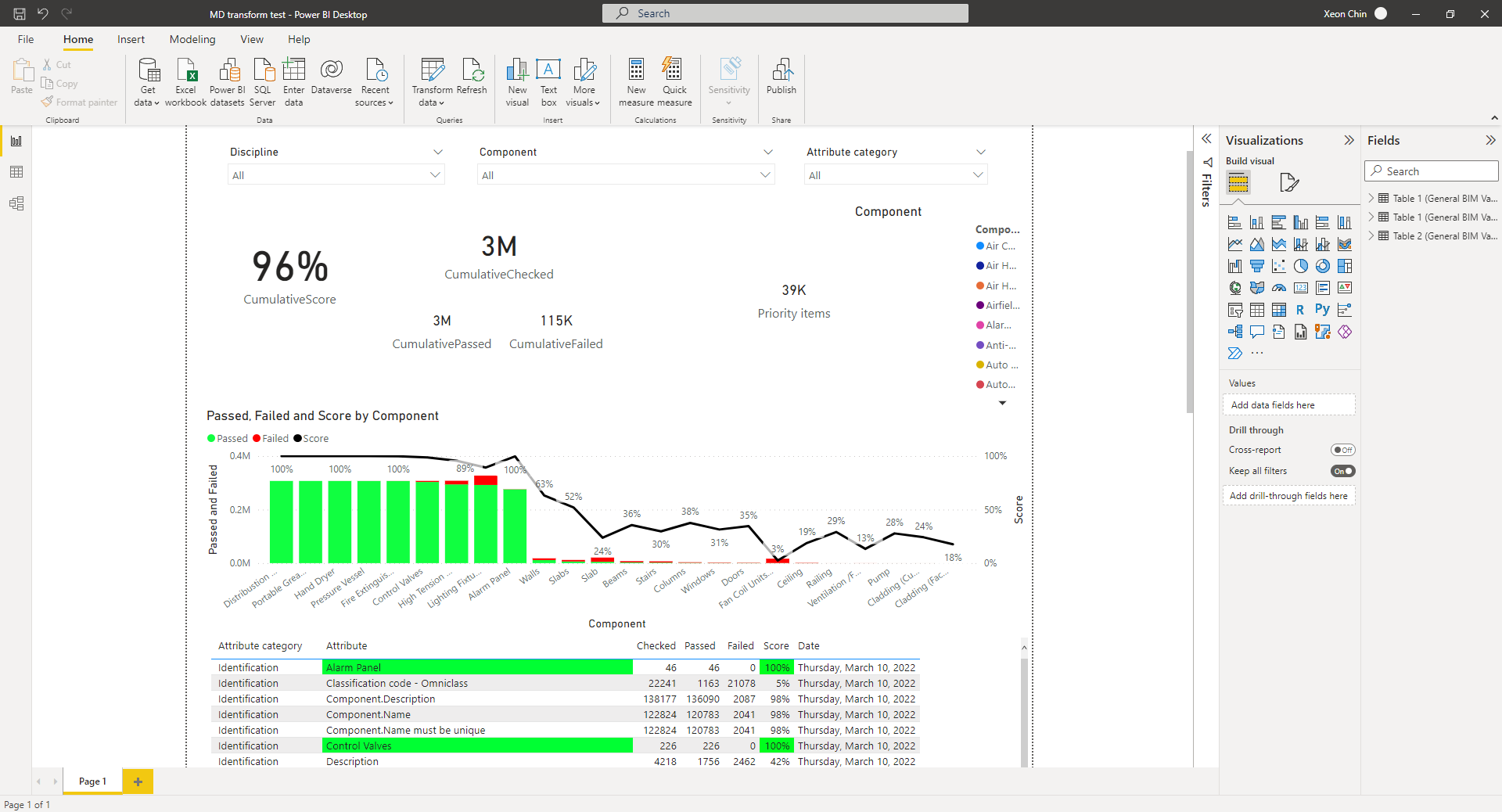
        bf5c2233-06fb-4555-ac1d-c8162c3ff432-image.png

        Hope my share are helpful to you & other whomsoever it may interested with.

        Thanks once again @JSN

        Regards,
        Xeon

        chrisC 1 Reply Last reply
        1
        • L Offline
          L Offline
          lasse.lindqvist
          wrote on last edited by
          #4

          Hi. Also note that in an upcoming version (https://society.solibri.com/topic/1623/solibri-10-0-alpha-join-the-testing-effort) you can read the Solibri project file directly in Power BI. There will be no need to go through Excel files. The new alpha version for that has been uploaded now, so if you are part of the testing group, you can try importing the Solibri projects directly into Power BI.

          JSNJ X 2 Replies Last reply
          2
          • JSNJ Offline
            JSNJ Offline
            JSN
            replied to lasse.lindqvist on last edited by JSN
            #5

            @Xeon
            Glad that it worked out for you. However the green colour looks really aggressive, you might reconsider changing it 😉

            @lasse-lindqvist
            I haven’t looked into it since end of last year and it might have made some progress already but back then I struggled a bit finding the rule results within the nested data hierachy. Is it different now and/or will there be a guide for it. I just can’t spent that much time figuring out the concept behind it on my own. I have seen there was a new snaphot version released but the changelog does not mention any news on this topic.

            X 1 Reply Last reply
            0
            • chrisC Offline
              chrisC Offline
              chris
              replied to Xeon on last edited by
              #6

              @Xeon great work!!!

              X 1 Reply Last reply
              0
              • X Offline
                X Offline
                Xeon
                replied to lasse.lindqvist on last edited by
                #7

                @lasse-lindqvist Thanks for sharing

                1 Reply Last reply
                0
                • X Offline
                  X Offline
                  Xeon
                  replied to JSN on last edited by
                  #8

                  @JSN
                  Thanks for the advice, I’m still newbie in Power BI and glad that I can learn from my boss.

                  1 Reply Last reply
                  0
                  • X Offline
                    X Offline
                    Xeon
                    replied to chris on last edited by
                    #9

                    @chris Thanks.

                    1 Reply Last reply
                    0

                    Copyright © 2025 Solibri Inc. | Powered by NodeBB

                    • Login

                    • Don't have an account? Register

                    • Login or register to search.
                    • First post
                      Last post
                    0
                    • Categories