Skip to content
  • Categories
Collapse
Solibri Society Forum
  1. Home
  2. General Discussion
  3. Rule 203/2.4 Required Property Sets --> visualization

Rule 203/2.4 Required Property Sets --> visualization

Scheduled Pinned Locked Moved General Discussion
3 Posts 2 Posters 614 Views
  • Oldest to Newest
  • Newest to Oldest
  • Most Votes
Log in to reply
This topic has been deleted. Only users with topic management privileges can see it.
  • S Offline
    S Offline
    Sander E
    wrote on last edited by
    #1

    What I am doing wrong or missing?

    I used rule 203/2.4 for the check (visual) if walls are loadbearing or not. This will help me and I think it is easyer than use another ITO or Classification.

    So I have set the rulet like the picture below:
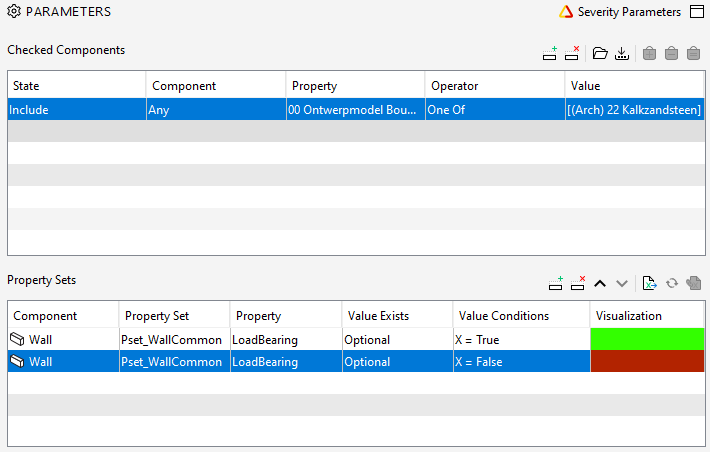
    2f653afc-8cee-48ec-b0cf-ba024d144c06-image.png

    But in the checking rule I see not a visualization:
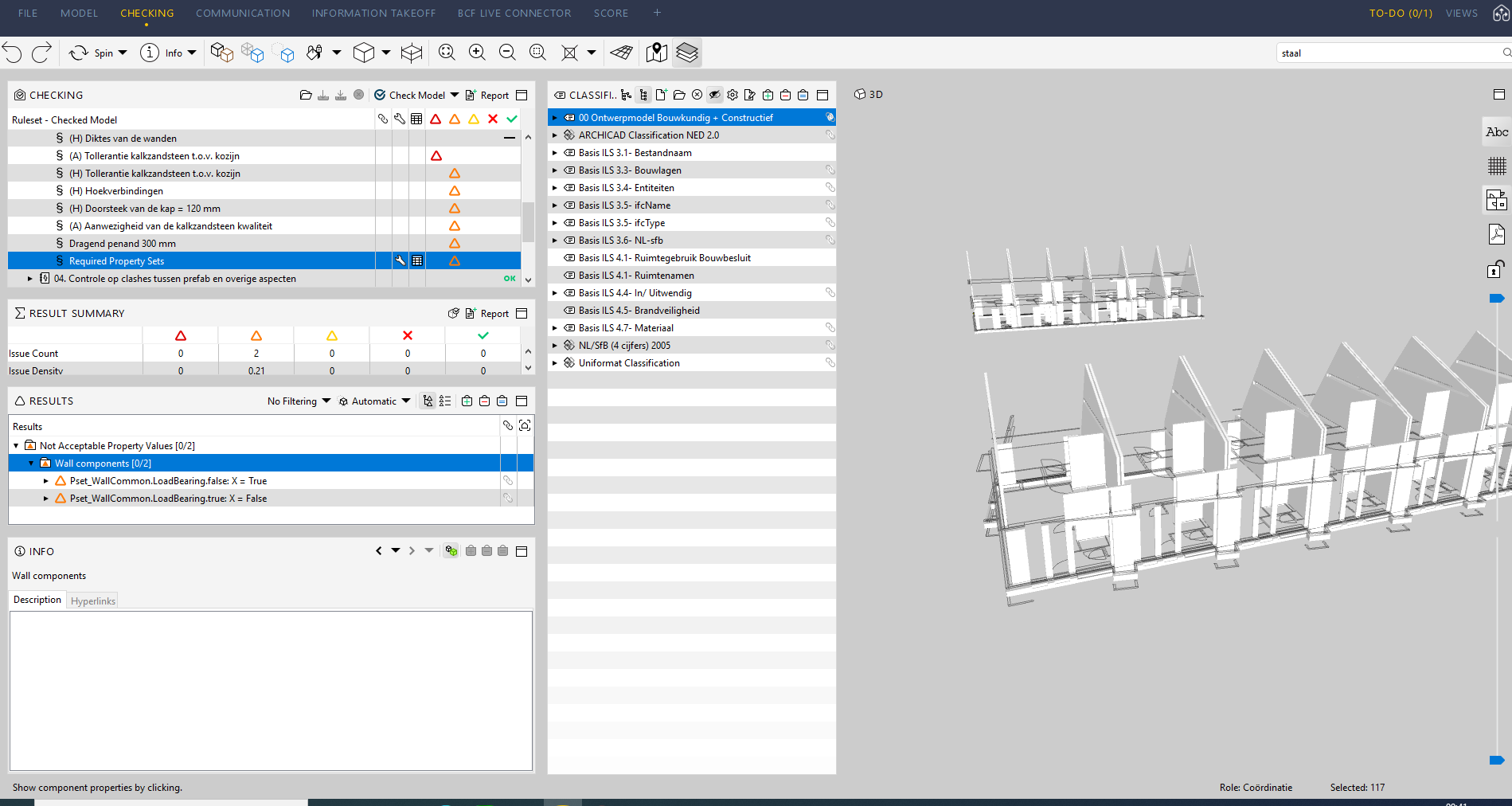
    d2d40eea-1e2e-47a7-a618-114206c040b5-image.png

    What I am doing wrong?

    1 Reply Last reply
    0
    • RicardoR Offline
      RicardoR Offline
      Ricardo
      wrote on last edited by
      #2

      Try ‘must exist’ instead of ‘optional’.

      If that also doesn’t work, perhaps check if it does when you place true/false in one filter row

      d940230e-0efa-4b11-8172-2779bbdec1b6-image.png

      1 Reply Last reply
      1
      • S Offline
        S Offline
        Sander E
        wrote on last edited by
        #3

        Thanks,

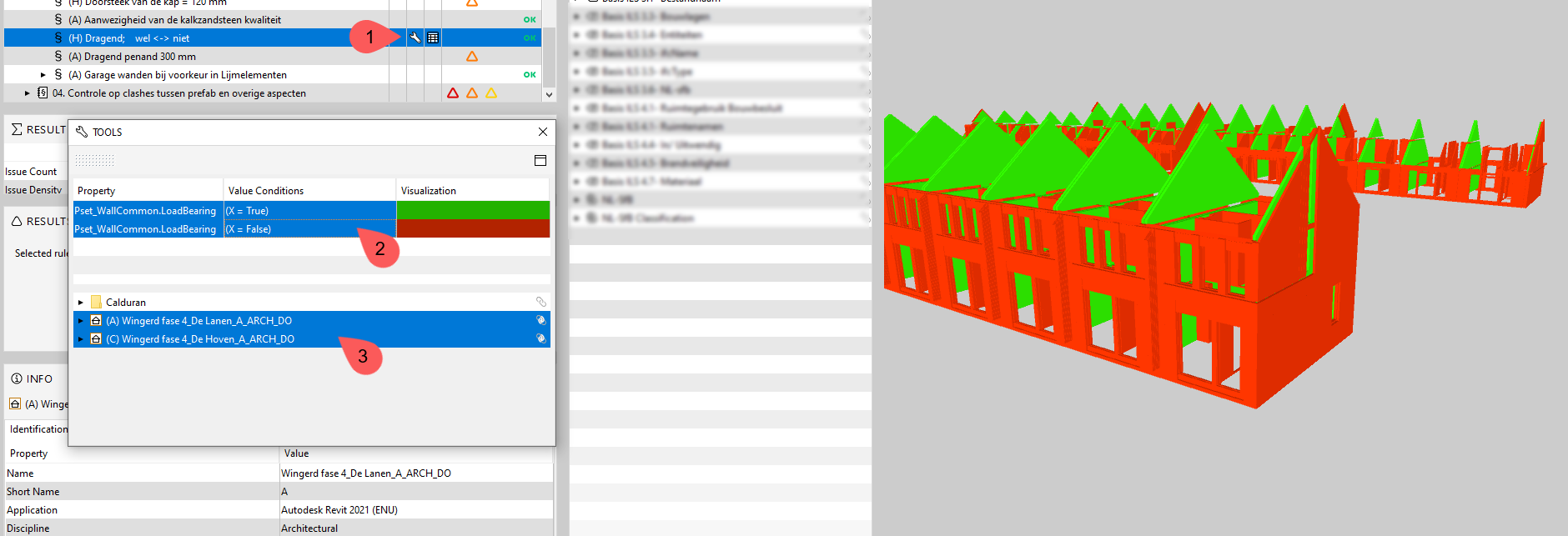
        It works, but not fine. After the check the rule says ‘ok’. But when I click on the rule tool (step 1 in picture below) I have to click on the value’s (step 2 and 3) and afther that I see my result in color.

        So I don’t know where the collors are fore,… but not for my wishes 🙂

        304a4294-14a6-4e98-a302-7ad37fb829d0-image.png

        1 Reply Last reply
        2

        Copyright © 2025 Solibri Inc. | Powered by NodeBB

        • Login

        • Don't have an account? Register

        • Login or register to search.
        • First post
          Last post
        0
        • Categories