
IFC definition of Door Swing
-
Hi,
Sweden here. Modeling doors and exporting to IFC to use in Solibri. We consider the orientation of the swing from the side to which the door opens. When I export to Solibri the hard coded folder “Identification” show the wrong orientation for me (swing from the inside). I have a project specific folder where I place the correct orientation from our localized object library but the problem arises in the Identification folder. I posted the issue on ArchiCAD-talk and got the following answer from one of the gurus:
“IFC Swing Orientation is based on US-convention. Some countries have a different convention, e.g. the DIN standards are opposite to US-standards on this matter!”
Is it really so that Solibri reads orientation in the Identification folder as defined in US? If so how do I change/delete it?
Regards,
Mats -
@Mats_Knutsson This is a known issue when we export from Revit too, and requires that we carefully handle the doors within our projects. OperationType in Revit can be overridden, but using functions like Mirror will upset the overridden values again. Its tricky…
I am not familiar enough with ArchiCAD to offer a solution, but perhaps you can override the OperationTypEnum to suit your needs. If you want to make use of the OperationType in clearance rulesets, you need to match the actual door swing in the footprint (even if it means the Swing value does not line up with your DIN definition). This means the value is mirrored from how you use it, but (to my knowledge) there is no way to change this.
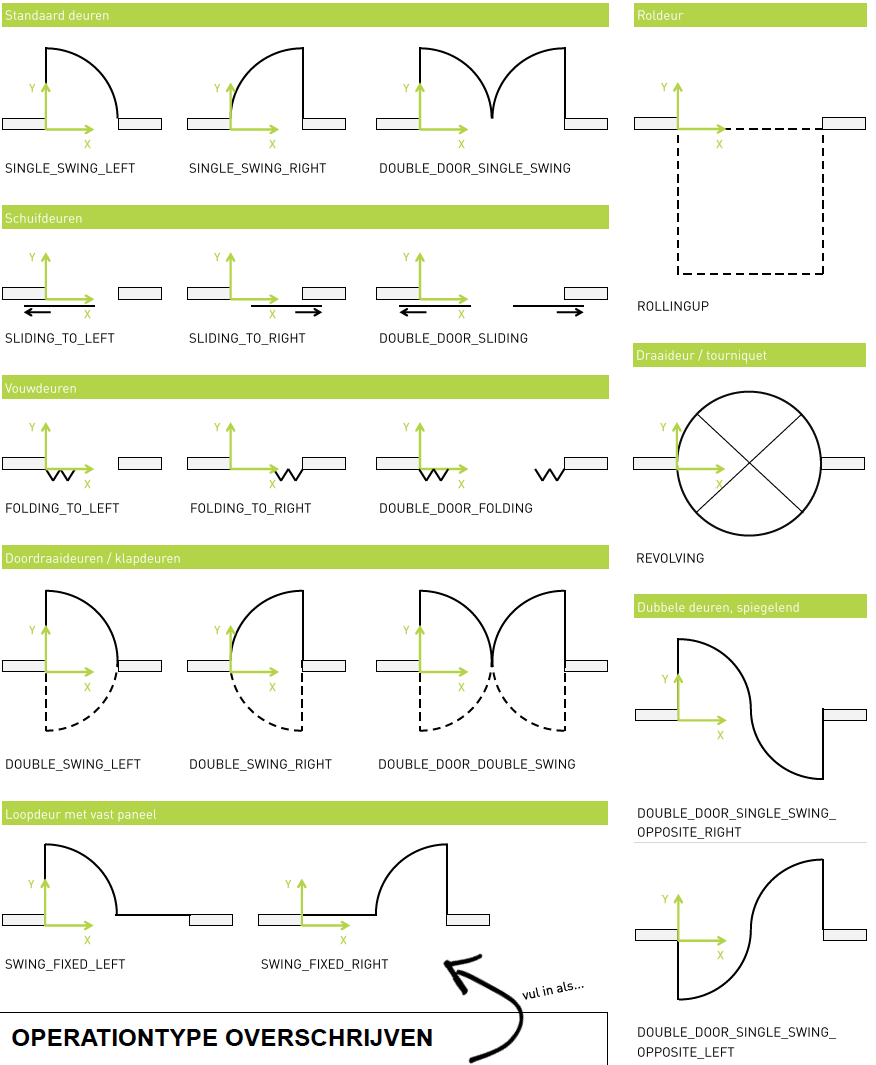
-
Re: IFC definition of Door Swing
This is pretty dumb imho. An obvious opportunity for human errors.
I can see that an AC22 the swing doesn’t export. However in 21 it does and even thoug we have specific folders for the properties actuall being used garbage properties are dangerous. More so since we try not to produce drawings but only 3D for doors/windows. When the IFC-model is accessible on the project server anyone can open it nad most likely look at the first possible summary folder which happens to be identificaton… -
@Mats_Knutsson It is an opportunity for human errors, yes, but you can try various things to shield people from making mistakes. You can…:
-
Edit the classification name to show the correct name in your DIN-standard, and instruct people to use the Classification over the Info-tab.
-
Physically model the correct door swing and set it to 80% transparancy.
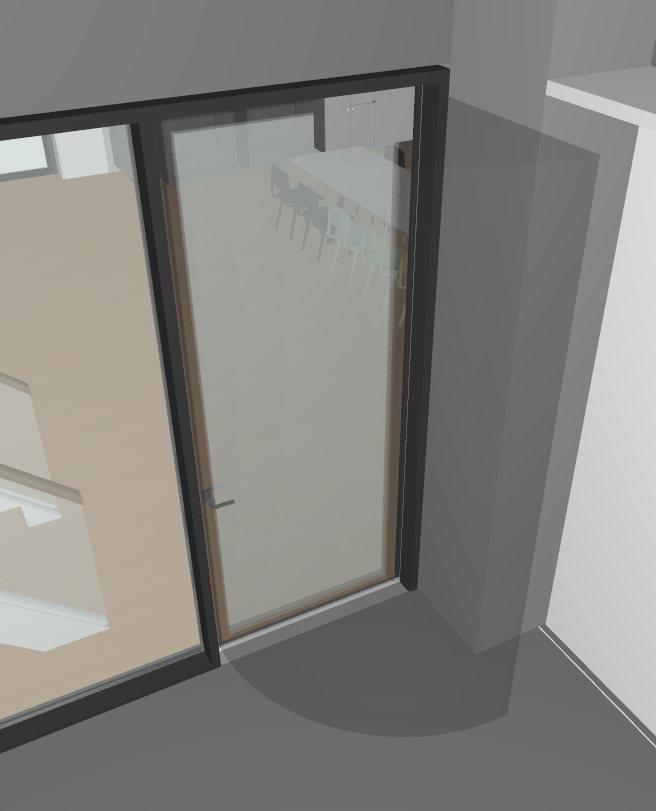
- Create a standard ITO where you ‘calculate’ the correct OperationType in a custom column
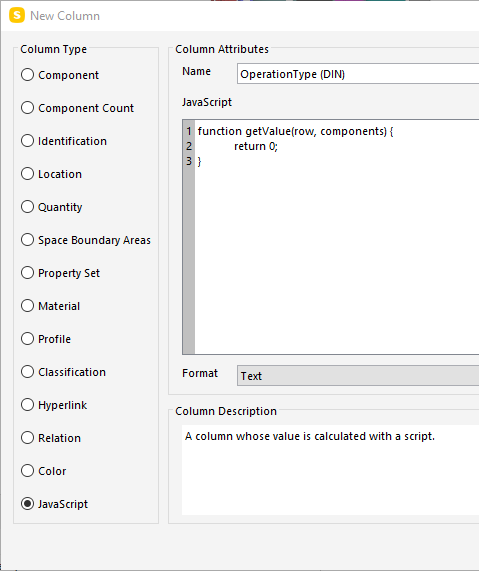
-
Set the OperationType to ‘Notdefined’, to get rid of the ‘garbage’ property values.
-
Add the floorplans to your SMC so they can manually check the door swing.
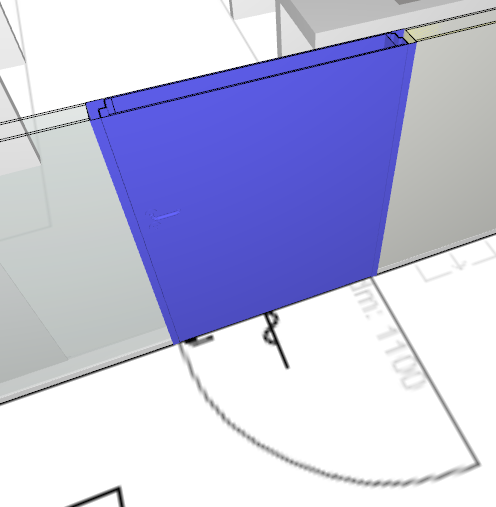
Yes, it is unpleasant, but you can work around it. Hope this helps.
-
-
@b-huijskes thanks for your reply! Interesting work around you have. I have Revit but doesn’t really use it…just for checking the IFC’s and converting families to ArchiCAD, In ArchiCAD I have set up the correct swing as it is what we use in our door schedules. It’s all pretty automatic and really easy and the folder turns up nicely in Solibri but when the Identification folder says left whereas my custom folder says right the majority of the people looking at the model will never go further that the Identification folder, It’s just something that is bound to cause problems and I’d like to hear from Solibri why they’ve set it up like this! I must download SimpleBIM and see if I can evaporate everything except my own stuff.
We’re a large office and we send out loads of IFCs every week and shouldn’t mess with more cad admin than necessary.
 Mats
Mats -
@Mats_Knutsson said in IFC definition of Door Swing:
and I’d like to hear from Solibri why they’ve set it up like this!
I don’t think Solibri is responsible for showing you the ‘incorrect’ value, because the value was displayed correctly (according to BuildingSMART). Solibri, in essence, only shows you what is in your IFC-file. There are just a few cases where they ‘sugarcoat’ native IFC with their own terminology, such as Ceiling actually being part of IfcCovering.CEILING, but OperationType is not one of them. You can check the possible values here.
-
@b-huijskes I am intrigued by the JavaScript option in your screenshot. I’ve never seen this option before, at least not in the Solibri build I am currently using (9.10.1.137). Where can I find this feature?
-
@b-huijskes Thanks for your reply.
@Solibrians is this a function we can expect in upcoming Solibri releases in the near future? And, maybe a little off topic, but being new to the Solibri Society, I was wondering if there is a roadmap of the developments and features Solibri is working on that can be shared here?

Copyright © 2025 Solibri Inc. | Powered by NodeBB