Skip to content
  • Categories
Collapse
Solibri Society Forum
  1. Home
  2. General Discussion
  3. Brain braker before holiday (ruleset)

Brain braker before holiday (ruleset)

Scheduled Pinned Locked Moved General Discussion
2 Posts 2 Posters 694 Views
  • Oldest to Newest
  • Newest to Oldest
  • Most Votes
Log in to reply
This topic has been deleted. Only users with topic management privileges can see it.
  • S Offline
    S Offline
    Sander E
    wrote on last edited by
    #1

    Hi All.
    I need a little bit help with this to check. Hopefull you can help me!

    Situation:
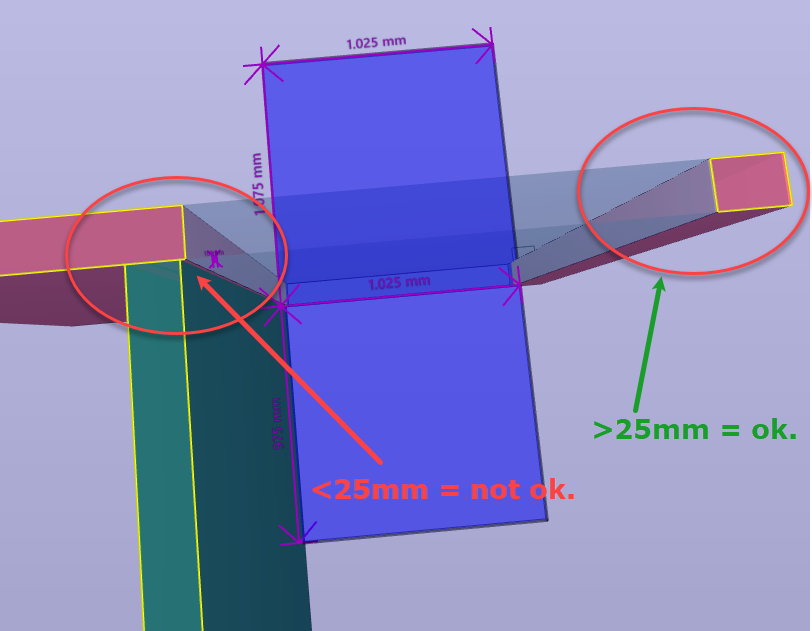
    In my company, we checked the wall nose for the grip of the windows. The wall nose is less or more than 25mm.

    This is the case:
    20cb7cdb-b952-43bb-9606-8b94995c2741-image.png

    I need a ruleset to check these noshes, but I can’t get it!
    I have tried to use the rule 216 ‘Wall Validation’. But that is only checked the right (green) side (in the picture), the left side with this rule is ‘ok’, because it did not look to the wall 90 degrees on it.

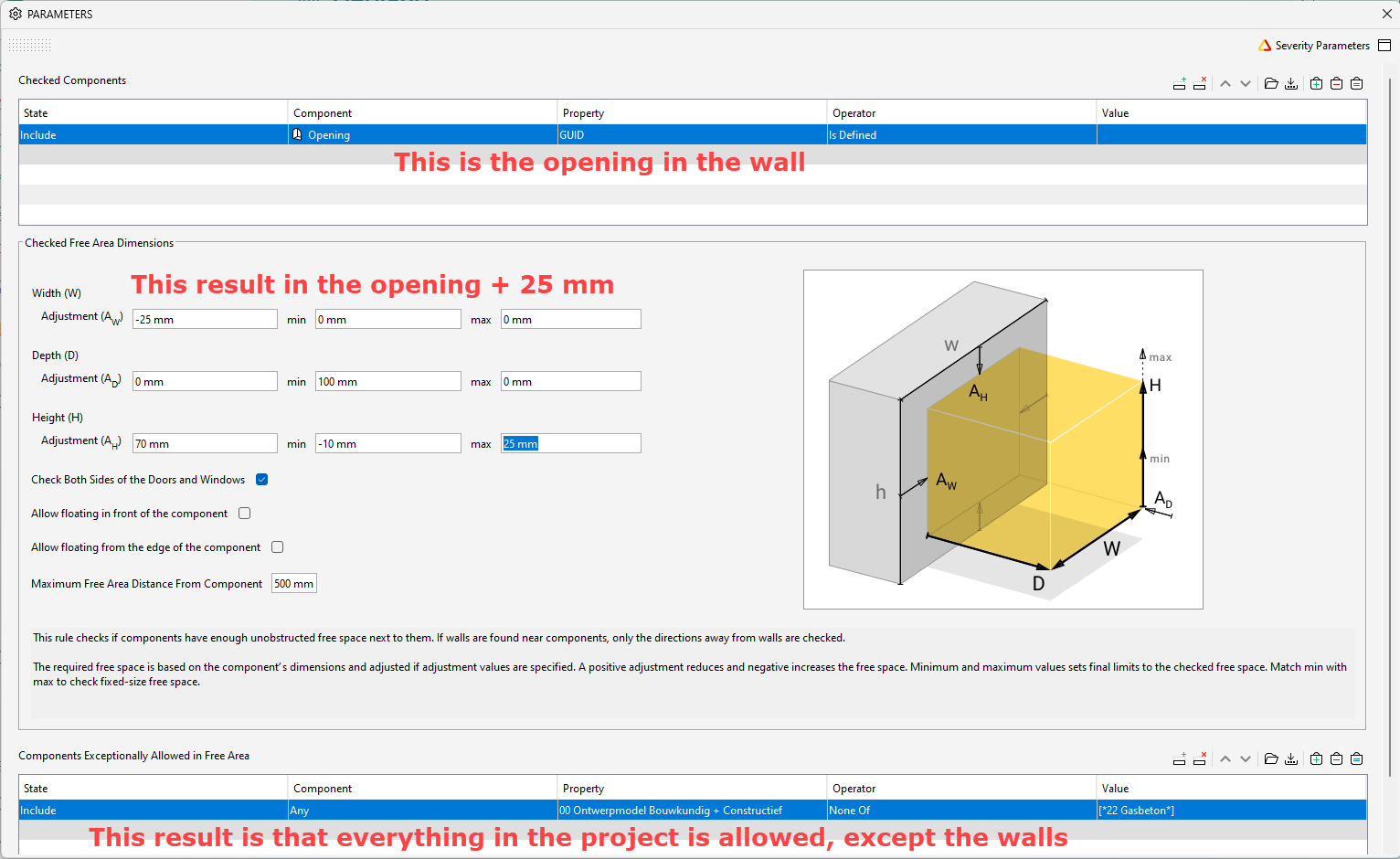
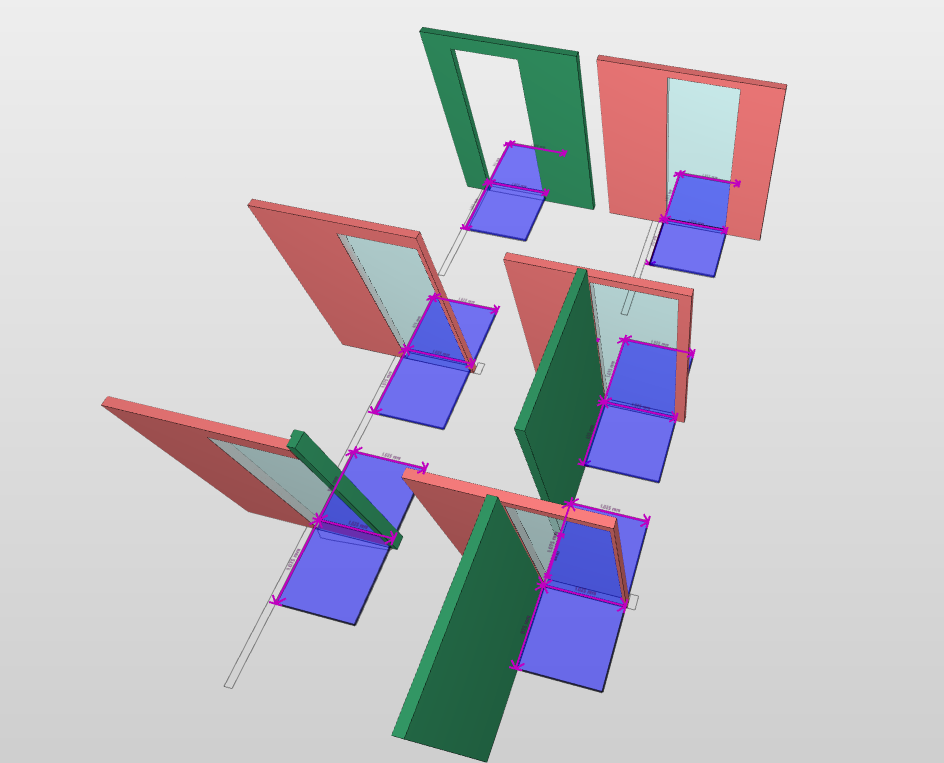
    I have used the rule 226 ‘Free Area in Front of Components’ but the problem is that it clashes with the own wall.
    What I have set in the rule:
    0b7efa89-76f8-47de-85a6-d9ae8e5ed2e5-image.png

    So far so good, BUT it clashes all my walls:
    e2e3a901-a271-4df5-95c1-50be10dbf89f-image.png

    Had anyone an idea? maybe with gatekeeper or something else,…?

    Here is the Solibri model with the rules.Test model neusjes.smc

    1 Reply Last reply
    0
    • T Offline
      T Offline
      TRS_LUD
      wrote on last edited by
      #2

      Hey there,
      have you tried changing the Operator from excluded components to “contains” instead of “none of”? This should exclude all walls classified as 22 Gasbeton

      1 Reply Last reply
      0

      Copyright © 2025 Solibri Inc. | Powered by NodeBB

      • Login

      • Don't have an account? Register

      • Login or register to search.
      • First post
        Last post
      0
      • Categories