
IFC4 Beam dimensions reversed
-
Hello,
I tried to check an IFC4-Model exported from Revit and noticed that in the quantities of some beams the profile width, profile height and the length are reversed. Width and height don’t exist in the IFC itself as a property, only the length.
In our IFC2x3-Export it works fine.
I could find out that there are two different cases.First Case: Two beams are automatically connected to each other in Revit by using the blue points at the beginning/end of the beam
In this case the length in the IFC itself and in Solibri is correct but the profile width and profile height are reversed in Solibri.
The dimensions of the bounding box are shown correctly.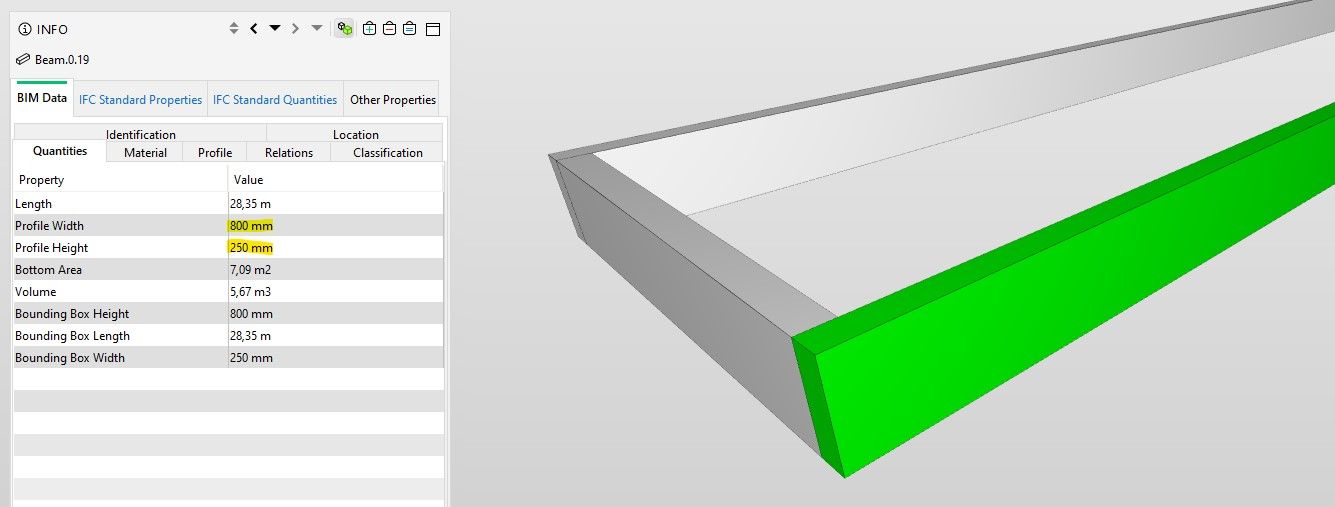
Second Case: The geometry of the beam is modified in Revit by command ‘Join Geometry’ with another element.
In this case in the IFC itself the length property contains the width of the beam. In Solibri the length property contains the width, the profile width property contains the height and the profile height property contains the length.
The dimensions of the bounding box are also shown correctly here as in the first case.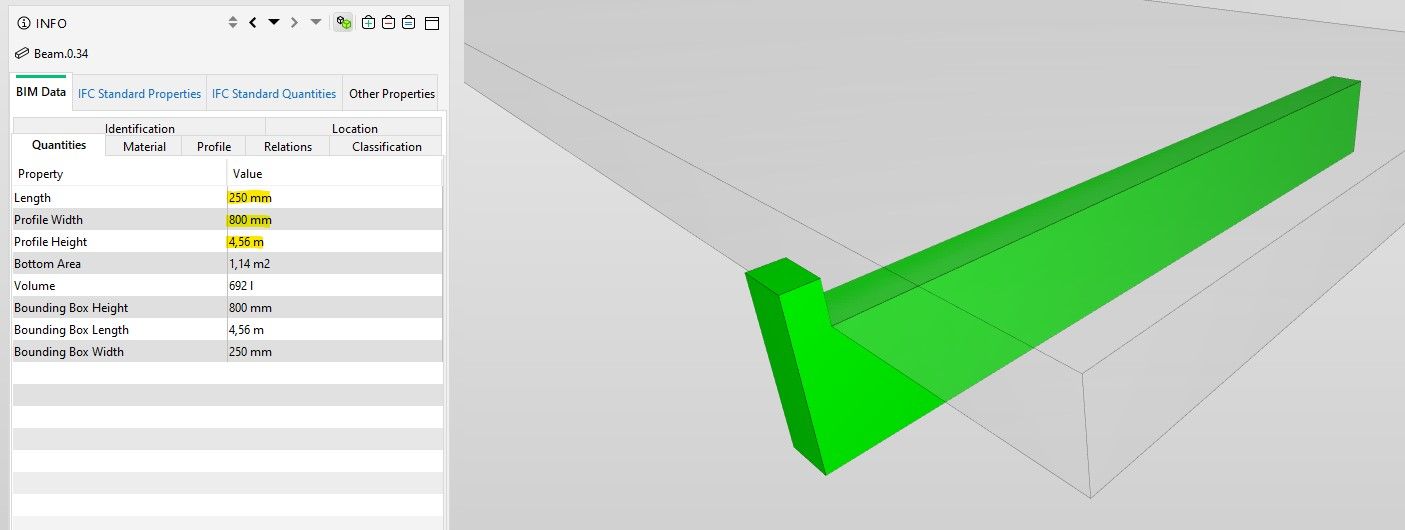
I found an old post from 2021 where someone describes the same problem but with another modeling software:
https://society.solibri.com/topic/1201/ifc-exported-from-tekla-displays-the-profile-height-and-width-reversed?_=1691125906625
Copyright © 2025 Solibri Inc. | Powered by NodeBB