
BCF Live Connector, Settings
-
Hello @Katrin,
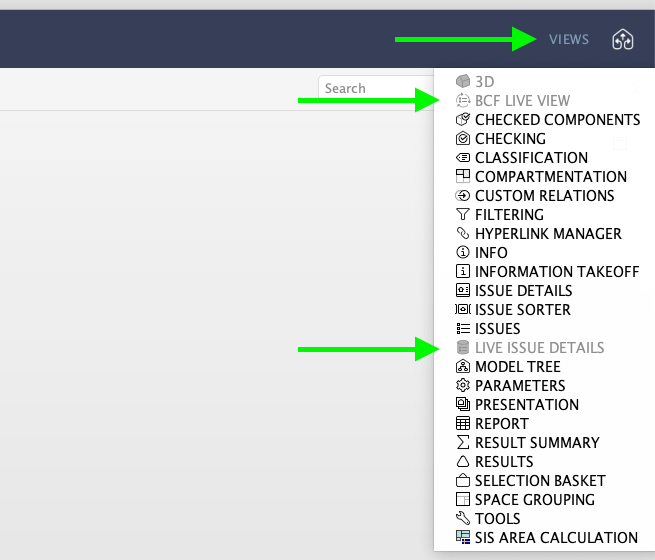
It seems that for some reason the BCF Live view as well as the Live Issue Details views have been reset. They can be added (and arranged and removed) as any other views; simply open the views selection and add the appropriate ones to your layout:
Kind regards,
Toni on behalf of the Solibri team
-
Hello @Katrin!
The server and project selection dialog is available in the BCF Live View, by simply turning the connection on. Please see the insights page for some more general information.
Kind regards,
Toni on behalf of the Solibri team -
Hello @Katrin,
It seems that for some reason the BCF Live view as well as the Live Issue Details views have been reset. They can be added (and arranged and removed) as any other views; simply open the views selection and add the appropriate ones to your layout:
Kind regards,
Toni on behalf of the Solibri team
-
@Katrin said in BCF Live Connector, Settings:
Thank you, that was the solution !!
Do you have multiple versions of Solibri installed next to each other?
I experience that the BCF live views are removed when I used an older version of Solibri in between.



Copyright © 2025 Solibri Inc. | Powered by NodeBB