Skip to content
  • Categories
Collapse
Solibri Society Forum
  1. Home
  2. Comments & Feedback
  3. Tech Talks
  4. Disappearing Rulesets in Checking view

Disappearing Rulesets in Checking view

Scheduled Pinned Locked Moved Tech Talks
8 Posts 4 Posters 1.6k Views
  • Oldest to Newest
  • Newest to Oldest
  • Most Votes
Log in to reply
This topic has been deleted. Only users with topic management privileges can see it.
  • RicardoR Offline
    RicardoR Offline
    Ricardo
    wrote on last edited by
    #1

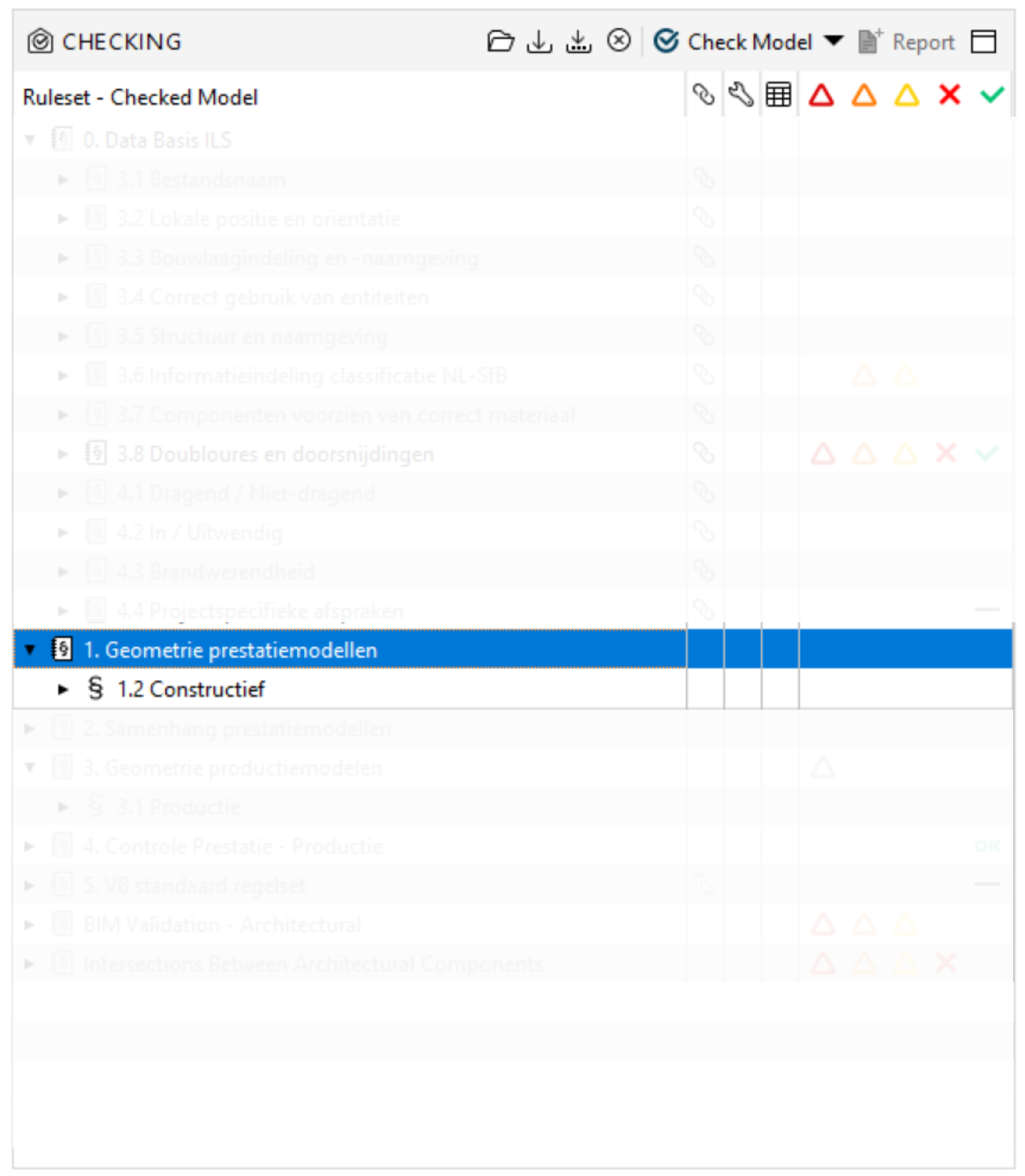
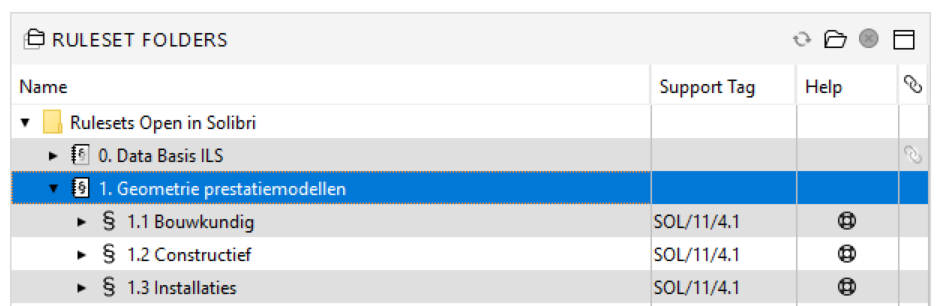
    From time to time, I have this weird issue that Rulesets disappear from my checking view. However, they still exist in the Ruleset folder from the Ruleset manager.

    Does anybody know if this is a bug? Restarting the .SMC doesnt resolve the issue. Re-adding the Ruleset does work however.
    0bf82510-3b95-4364-8994-e8d1c83c1129-image.png

    79b5dc70-bdf8-4d50-af50-7f87dbc57674-image.png

    1 Reply Last reply
    0
    • Maxime SabbaghM Offline
      Maxime SabbaghM Offline
      Maxime Sabbagh
      wrote on last edited by Maxime Sabbagh
      #2

      Yes I recently experienced the same problem with some sub-rules… But I don’t have any idea of the causes.

      https://www.parallel.digital/

      1 Reply Last reply
      0
      • AnilA Offline
        AnilA Offline
        Anil Solibrians
        wrote on last edited by
        #3

        @Ricardo, @Maxime-Sabbagh. Please contact our support at [email protected] for further investigation of this issue. Please send the log folder as well after zipping it. Log folder can be found from the installation path.
        Windows: C:\Program Files\Solibri\SOLIBRI.
        Mac: /Applications/Solibri/log

        RicardoR 1 Reply Last reply
        0
        • RicardoR Offline
          RicardoR Offline
          Ricardo
          replied to Anil on last edited by
          #4

          @anil said in Disappearing Rulesets in Checking view:

          @Ricardo, @Maxime-Sabbagh. Please contact our support at [email protected] for further investigation of this issue. Please send the log folder as well after zipping it. Log folder can be found from the installation path.
          Windows: C:\Program Files\Solibri\SOLIBRI.
          Mac: /Applications/Solibri/log

          Thanks, just done. 👍

          1 Reply Last reply
          0
          • Maxime SabbaghM Offline
            Maxime SabbaghM Offline
            Maxime Sabbagh
            wrote on last edited by
            #5

            @Ricardo please, let me know if you have any news about it 🙂
            Thank you

            https://www.parallel.digital/

            1 Reply Last reply
            0
            • Maxime SabbaghM Offline
              Maxime SabbaghM Offline
              Maxime Sabbagh
              wrote on last edited by
              #6

              @Ricardo Do you have any news about this issue ?
              Thank you for your help !

              https://www.parallel.digital/

              RicardoR 1 Reply Last reply
              0
              • RicardoR Offline
                RicardoR Offline
                Ricardo
                replied to Maxime Sabbagh on last edited by
                #7

                @maxime-sabbagh said in Disappearing Rulesets in Checking view:

                @Ricardo Do you have any news about this issue ?
                Thank you for your help !

                @maxime-sabbagh I had a first reaction of support where they said that it could be because the use of a Gatekeeper Rule. Unfortunately I have been quite busy last few days, haven’t been able to take a good look at it. Will report back if I have! 😊

                1 Reply Last reply
                0
                • Lauri LuomaL Offline
                  Lauri LuomaL Offline
                  Lauri Luoma Solibrians
                  wrote on last edited by
                  #8

                  Hello @Ricardo @Maxime-Sabbagh ,

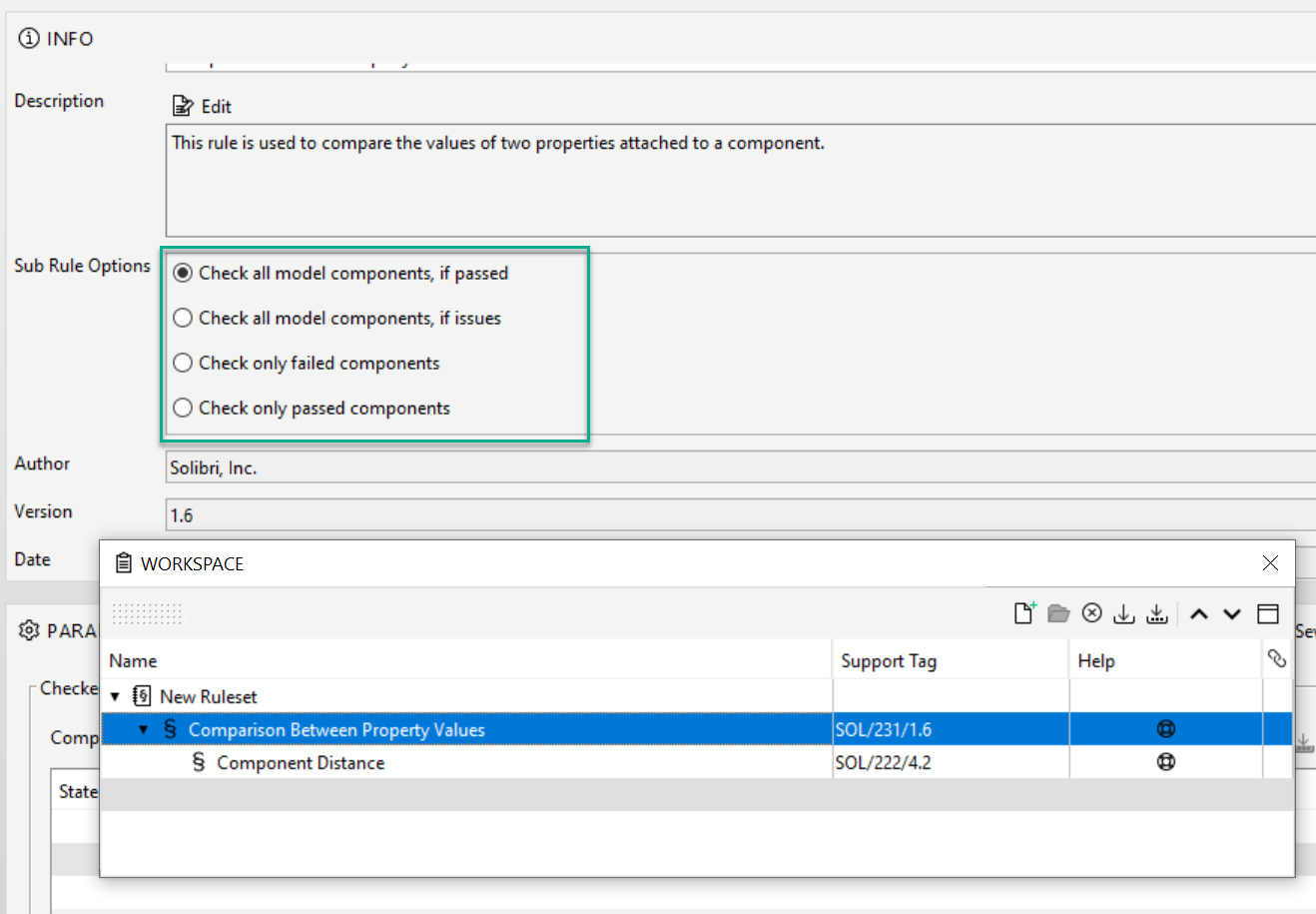
                  Like our support had informed you, this is most likely dues to the gatekeeper rules sub rule options. If there are nothing to pass from the gatekeeper rule into the sub rule, the rule is not shown in checking layout.

                  This is a feature that can be used as a “if” condition in checking.

                  This allows you to create a rule that first checks some condition of the model (e.g. amount of floors) and according to that either passes the model to the sub-rule or not. If not, the rule disappears.
                  69d7947f-f888-4b2e-b58c-f62056bf9f00-image.png

                  1 Reply Last reply
                  0

                  Copyright © 2025 Solibri Inc. | Powered by NodeBB

                  • Login

                  • Don't have an account? Register

                  • Login or register to search.
                  • First post
                    Last post
                  0
                  • Categories