
Keep Info Columns Resized
-
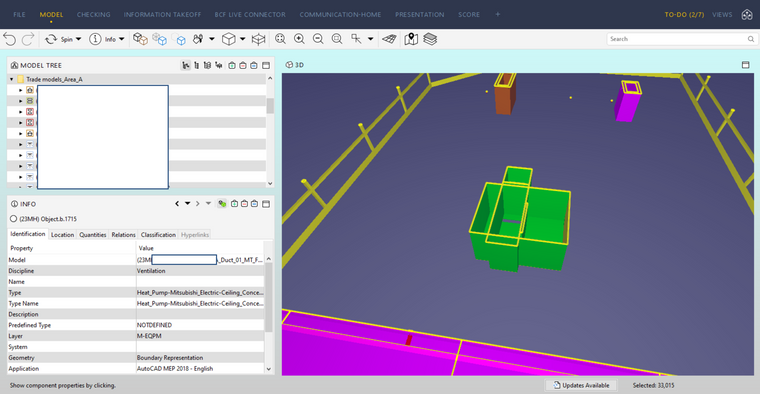
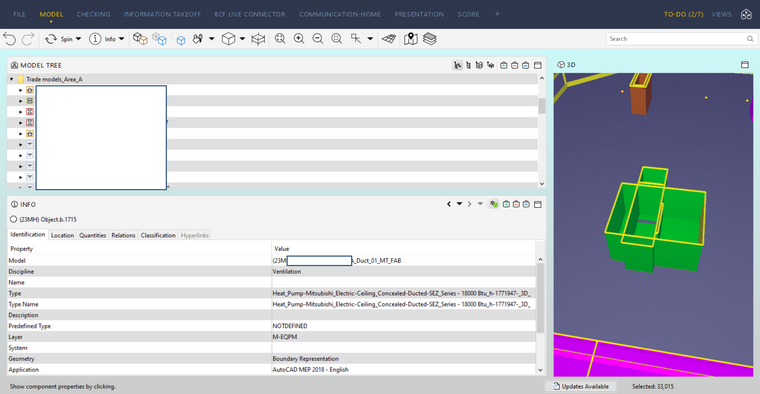
This is a minor thing, but is anyone else a little frustrated that you can’t resize the columns in INFO and have them stay that size? The default is, for instance in the “Identification” tab, that the “Property” and “Value” columns are the same width. But everything in the “Property” column is one or two words, whereas the “Value” column has file names and specific product names that are often significantly longer. You can grab the left side of the “Value” column and drag it over to reveal more of the column, but as soon as another object is selected, it snaps back to equal sized columns.
You could also just resize the INFO/MODEL window sizes, but depending on the information included in the “Value” column, you could easily end up having to take up the whole screen with the INFO window, because as you widen the window, it keeps the column sizes equal. (See attached pictures. This was full screen on my laptop, and in the bottom image the model window is reduced to about 3.5" wide.)
Is there a way to disable this default resizing? Or should I put this on a feature request?
-
I made a request for this a year back or so, it’s in this post:
Since this is also still frustrating me, it’s good to bring this back under the attention of Solibri.

Copyright © 2025 Solibri Inc. | Powered by NodeBB