
Scrolling through the Issue Sorter with the mouse wheel is an adventure with an uncertain ending
-
Using the Mouse Whell to scroll up and down does not work for me. A decent touch on the wheel and the scroll bar jumps down weirdly, skiping lots of slides. Scrolling back takes you to another totally different location but it works better than going down. Needless to say that scrolling normally works in other applications.
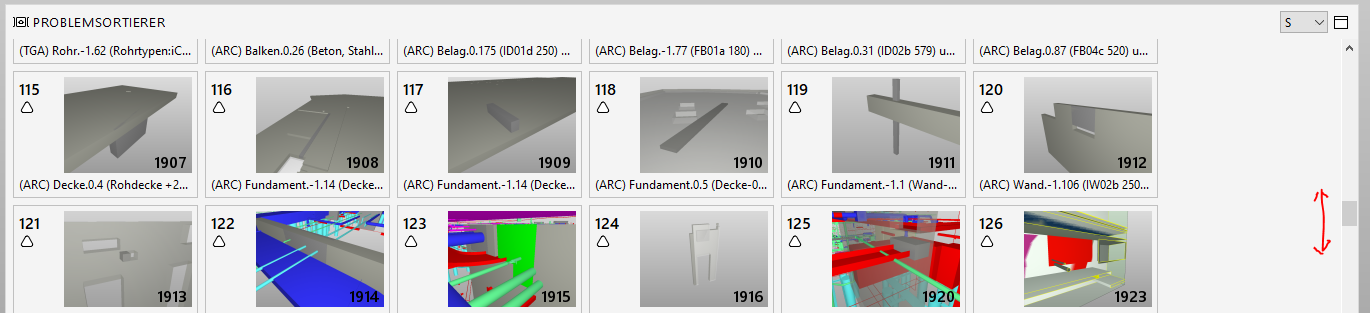
Edit: I noticed similiar behaviour also when clicking on the arrows of the scrollbar. Selecting multiple slides directly via the Issue Sorter becomes a challenging task due to that user experience as on every (multi) click the show starts jumping back again puting the first slide in the center.
That is probably my current main problem here, that it does not stay at the current position but that Solibri wants to back to the very first selected issue. The dysfunctional scroll behaviour is actually just the cherry on the top.
-
Hi @JSN
I reproduced this. It seems to skip more and more thumbnails doubling the amount each time it skips as you scroll down but not up, both with the scroll wheel and arrow. As you pointed out, multi-selecting with CTRL+ or SHIFT+ clicking jumps back to the first selected slide. I have logged this with R&D for investigation.
-
@john-lipp said in Scrolling through the Issue Sorter with the mouse wheel is an adventure with an uncertain ending:
It seems to skip more and more thumbnails doubling the amount each time it skips as you scroll down but not up, both with the scroll wheel and arrow.
So will this going to be fixed anytime soon?
-
@JSN
I’ve updated this specific issue logged with our R&D. I also referenced it in more recent work related to more consistent scrolling in the windows.Unfortunately, I’m unable to project a release version/date for a fix. I’ll update this post if that changes in the future.
-
@cecilia-wang @david-welts @Paul-Linder, please provide feedback on issue #490


Copyright © 2025 Solibri Inc. | Powered by NodeBB