
Solibri 9.12.9.13 - Possible issue with Relations, direction "Either" and operator "Is empty"
-
Good morning,
I detected a strange workflow of Solibri, using Classification tool, Relations, and the direction “Either”.
I share a ZIP file that contents:
1- A video: I explain to classify MEP elements, with only 2 conectors (like pipes or terminals), taking into account if the realtion “Connected to” is empty in one of the directions (forward and backward). Whhen I select the direction “Either”:
1.1 and the operator “Is Not empty”, it works correct: all the elements are classifyed (all the elements has “Conected to” relations in one or more direction).
1.2 and the operator “Is empty”, it seems that it not works correctly: no elements are classifyed (some elements has no “Conected to” relations in one of the directions)
2- The IFC file and the SMC file.Is there any suggestion?
Kind regards,
Xavier Coll
EiPM
Relation_Either.zip -
Hi @xaview
Here is a zip with some tests classifications in an SMC:
MEP_TEST_Support_Connection_Classification.zipThe results you see are expected. Connected To (Either) will return a set of components with a forward connection OR components with a backward connection. Every component has one or the other (or both) in your model.
I assume you want to find the ones that don’t have both.
Rows in the filter are ANDed so if you have two separate rows to check for
connections in both directions:
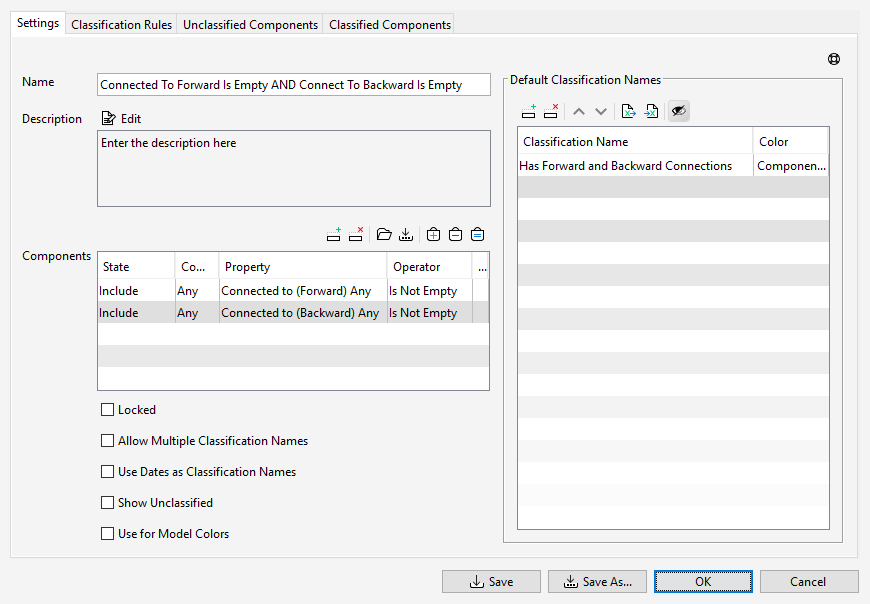
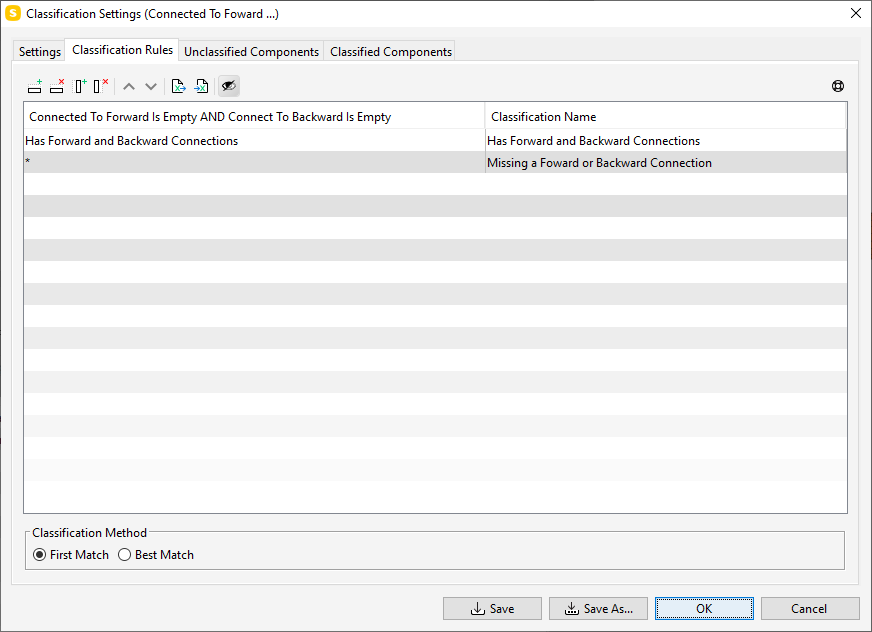
Then create another classification that checks that classification for components that have either forward or backward. If they don’t have both, they are missing one:
-
Thanks a lot @john-lipp for your support!
Fast and super detailed, as always : DWell, the idea is to create only one Classification to detect if at least any direction of the “Connected to” is empty. This strategy works when I configure a Classification, filtering elements in a specific direction, but Classification doesn’t works if I try to filter elements in backward or forward together in the same classification.
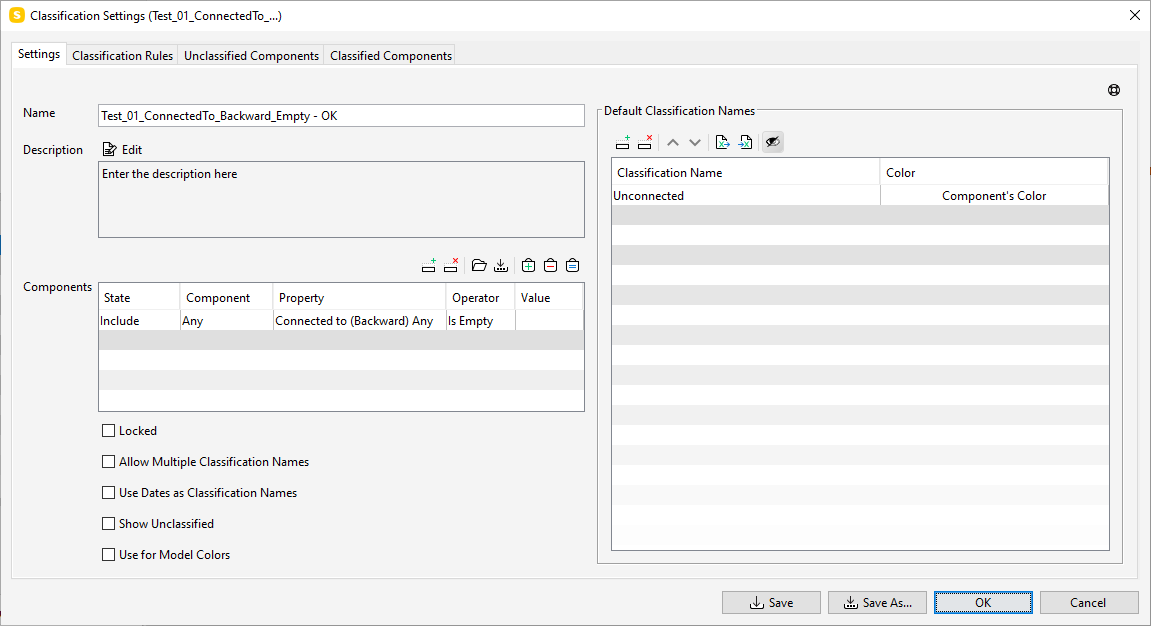
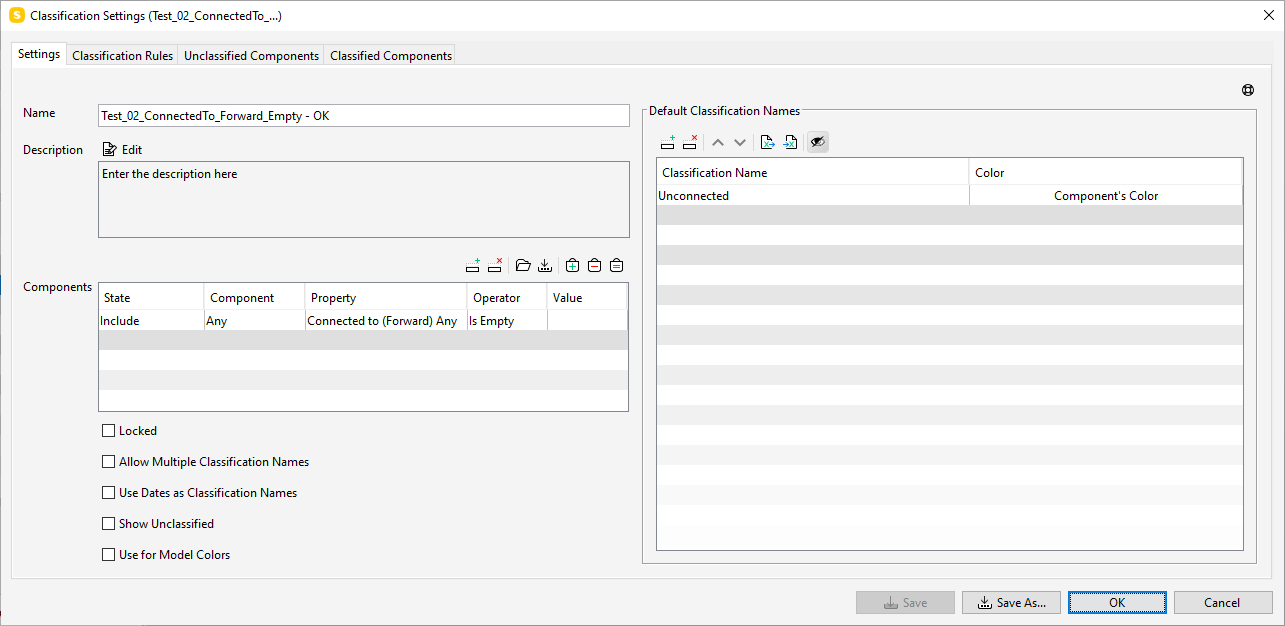
These are my tests:
- Test_01 -> ConnectedTo + Backward + Empty -> It works, filtering the elements only in the direction Backward. This test is the first step towars my idea to have a unique classification.
- Test_02 -> ConnectedTo + Forward + Empty -> It works, filtering the elements only in the direction Forward. This test is the second step towars my idea to have a unique classification.
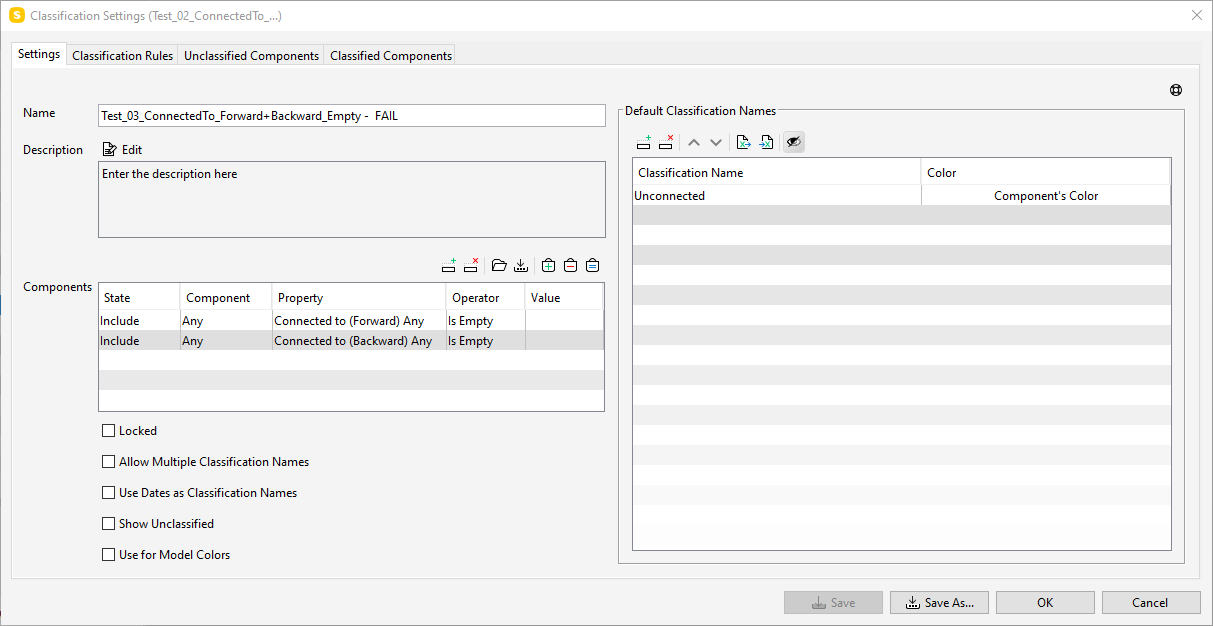
- Test_03 > ConnectedTo + Forward+Backward + Empty -> It’s a filtering setting, combining the two previous test, and the results doesn’t works, nothing it’s selected.
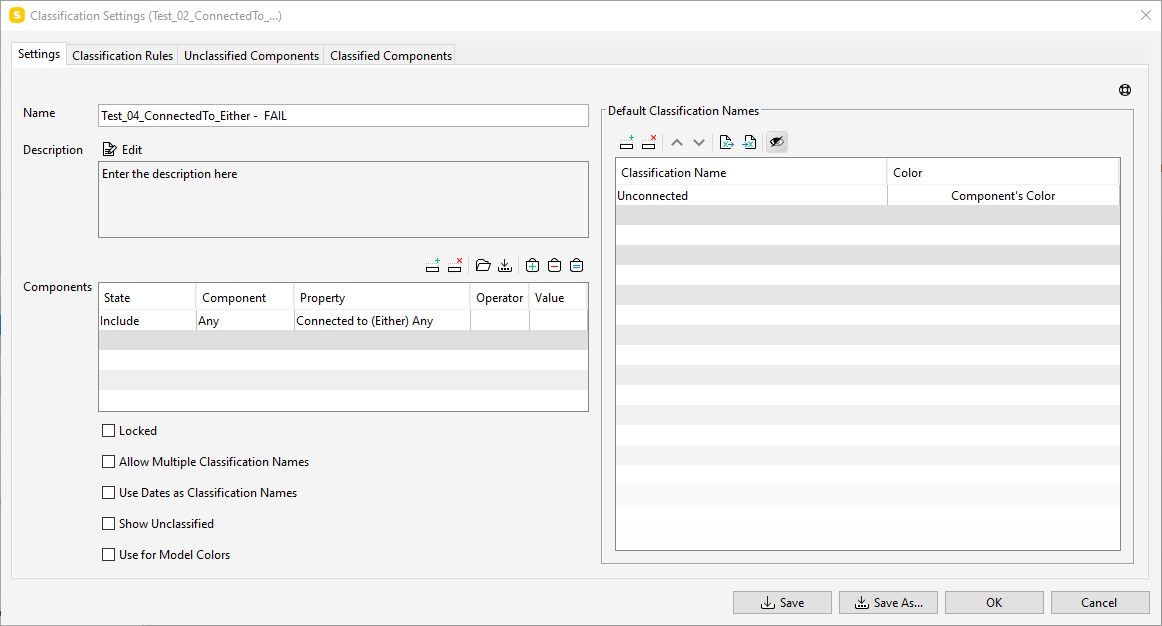
- Test_04 -> ConnectedTo + Either -> Classificator select ALL the elements that has any relation “Connected to”, so the result it’s not aligned with the required idea.
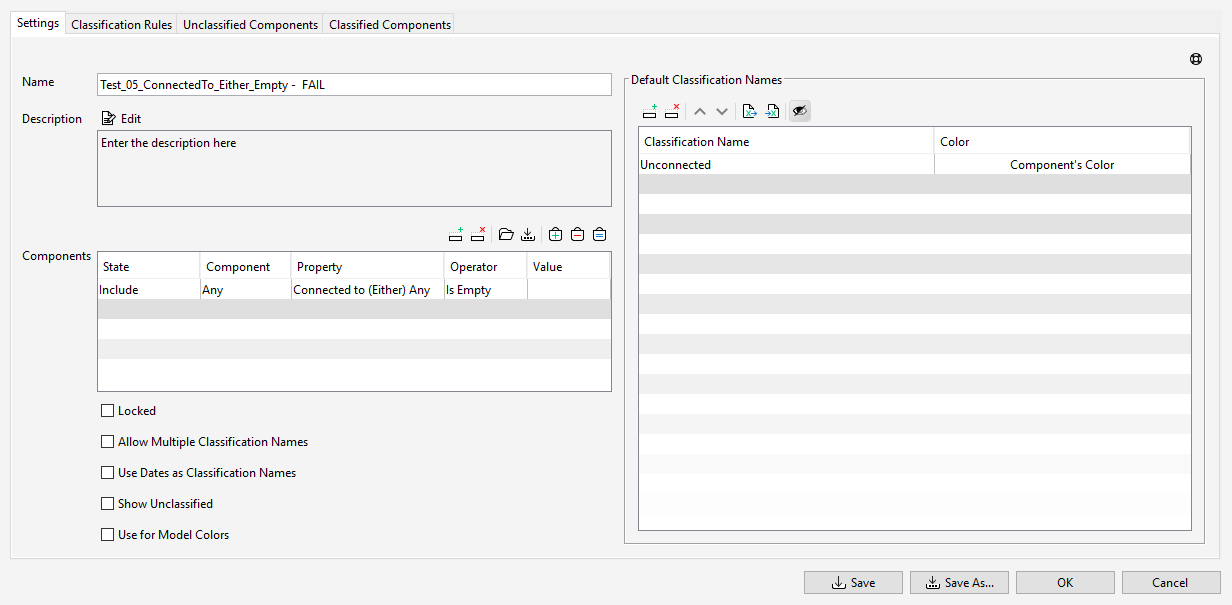
- Test_05 -> ConnectedTo + Either + Empty - classificator doesn’t select elements, so the result it’s not aligned with the required idea.
I share:
- The SMC file
- Screenshots of each test.
Thanks in advance!
kind regards,
Xavier Coll
EiPM
MEP_TEST.smc
-
I wasn’t able to find a way either, which is why I was required to create two classifications.
From my previous post :
You are able to use a classification filter to find a component that has both Forward AND Backward:
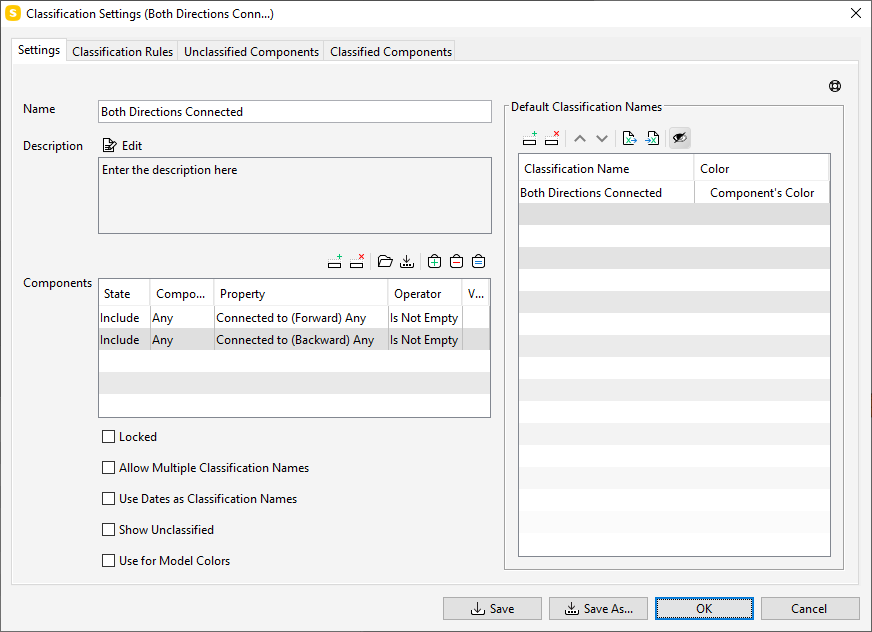
Anything filtered by the classification settings has both directions and is classified as such:
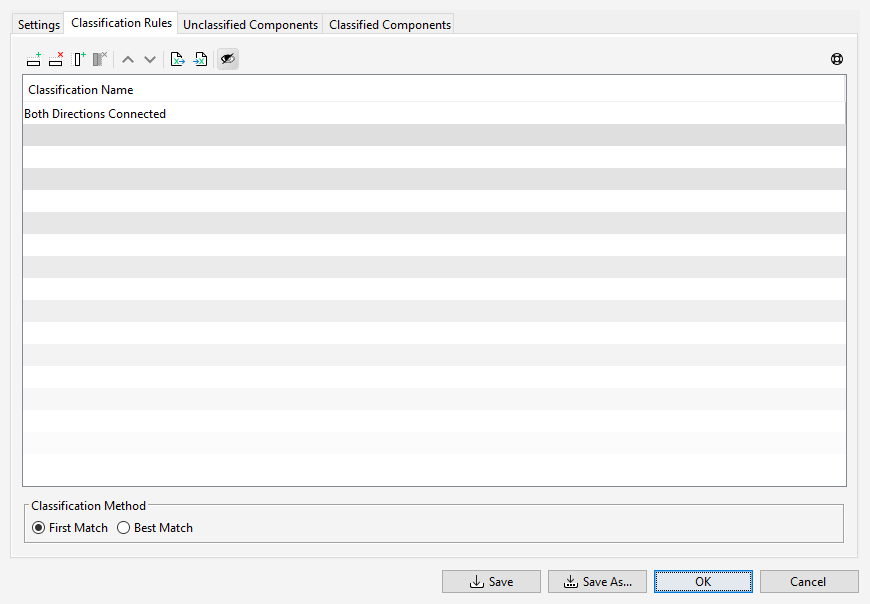
The classification to find missing ones filters any components that has either direction that isn’t empty (at least one direction exists)
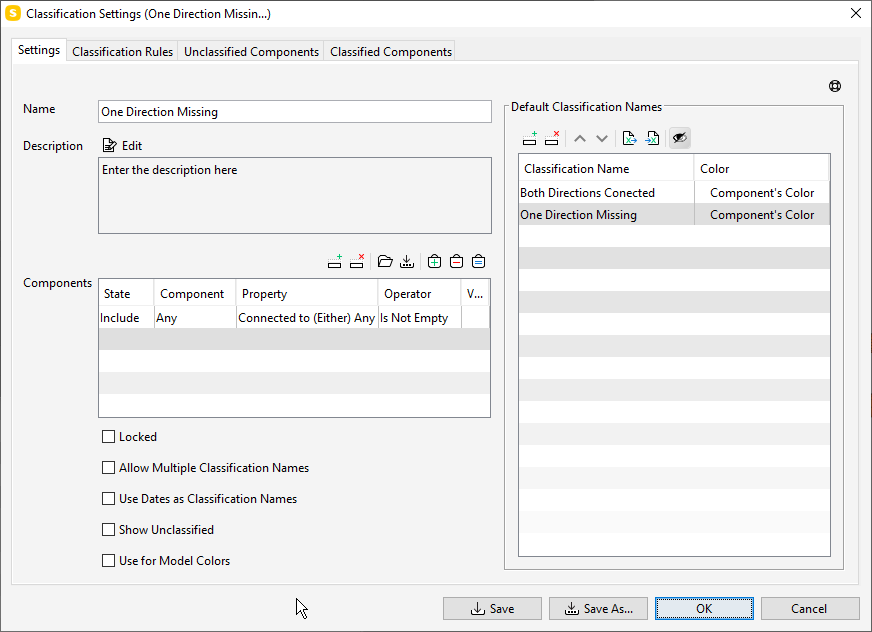
It first checks those components to see if they have both using the other classification. If no, it has to have one missing.
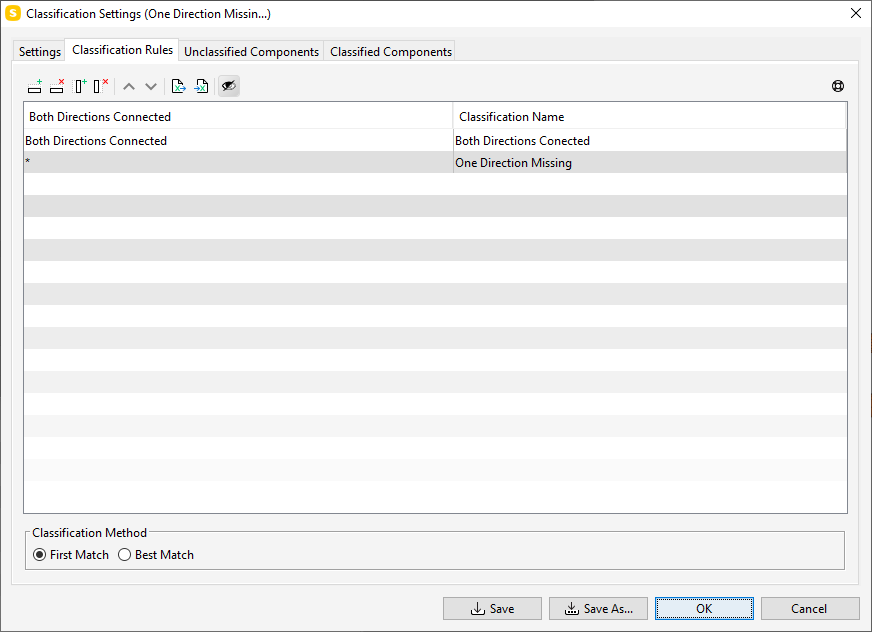
Since there isn’t any method to OR the filters in the settings of the classification, two have to be used. There are enhancement requests logged with development regarding relations in the actual classification rules, which is what would be needed to have only one classification.
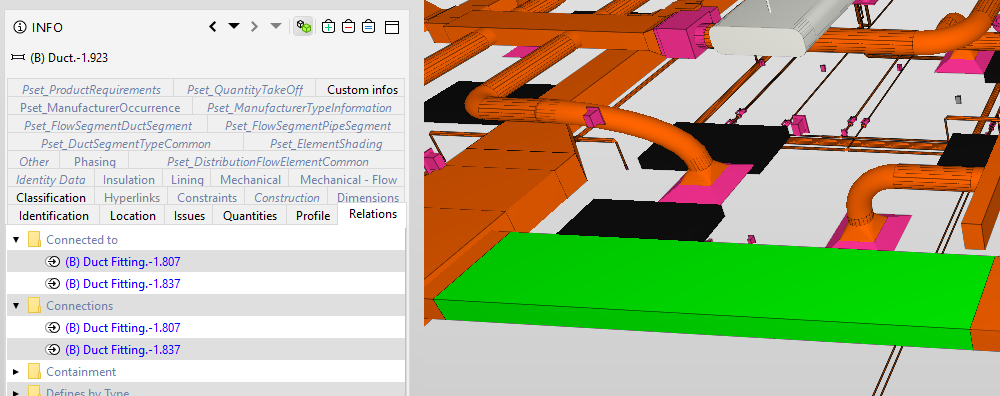
My tests added to mep_test_Support20220516.zip your last file is here:


Copyright © 2025 Solibri Inc. | Powered by NodeBB