
Door Width Consistency
-
Hello,
In regards with SOL/208/1.3 - checking the clear width of doors.
I am trying to figure out how to get consistent results in the width values of my doors.
In the next image you can see that there are differences between Archicad and Solibri Quantities.
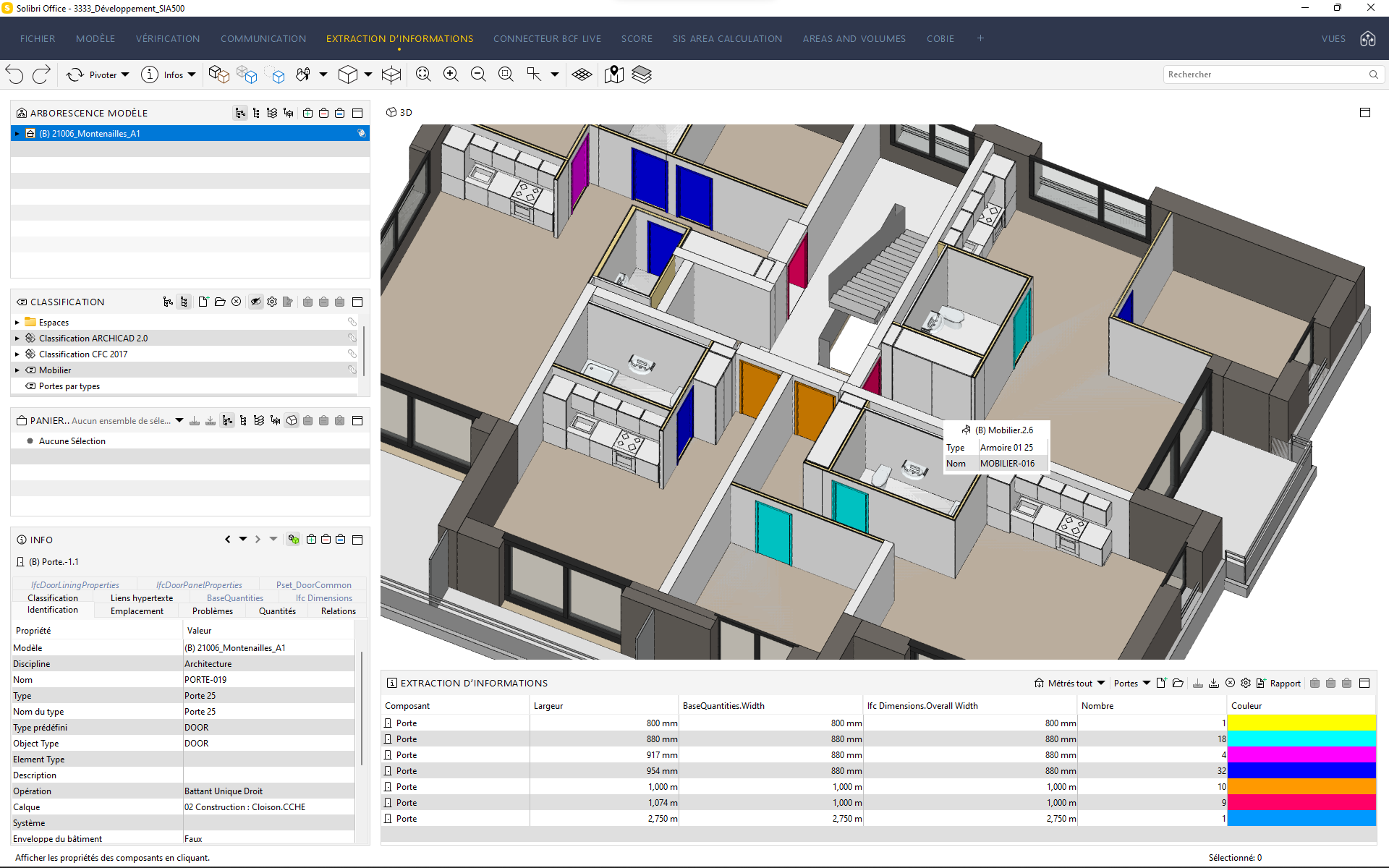
The blue, light blue and pink doors are the same but they get different Solibri Width for an unknown reason.
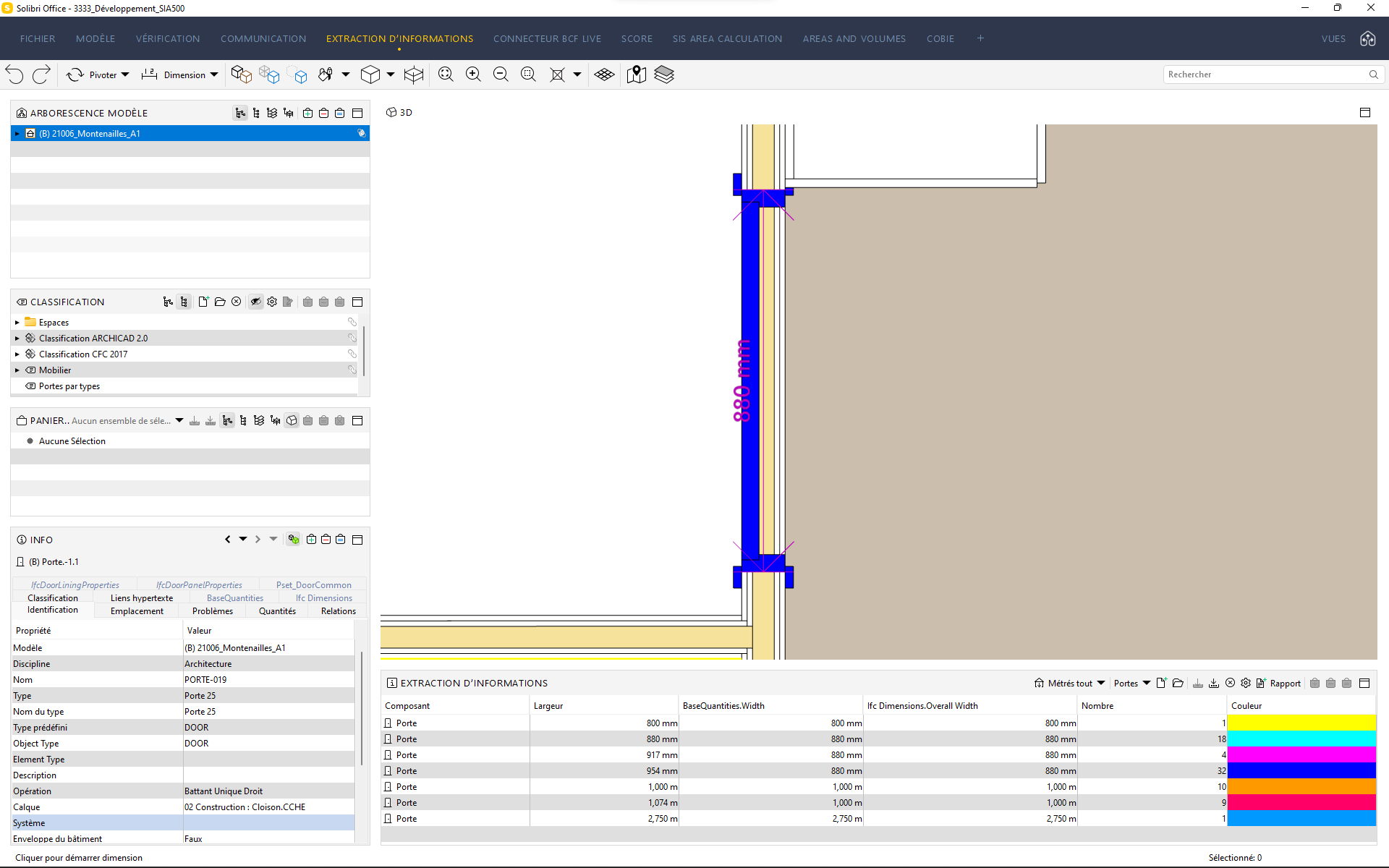
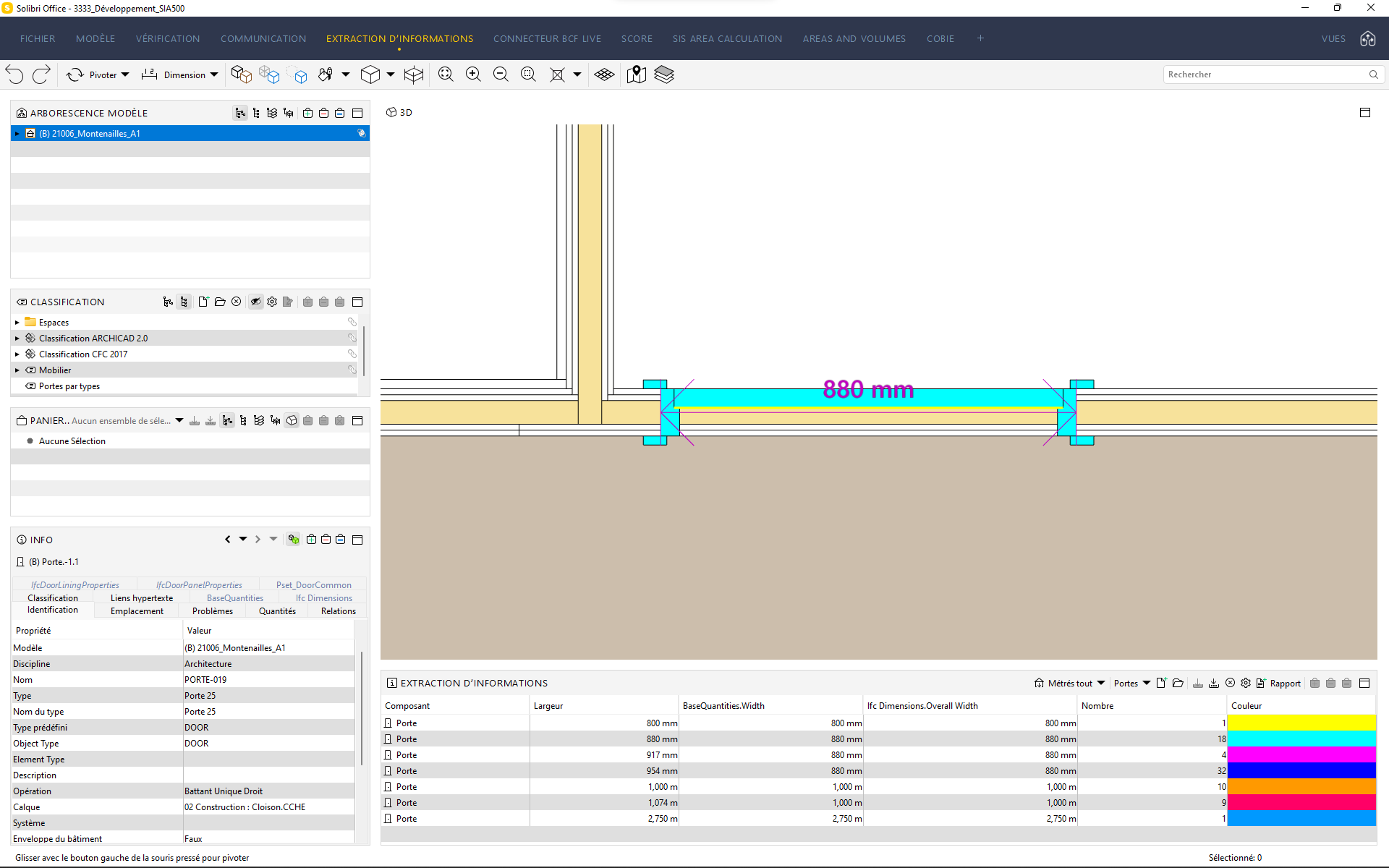
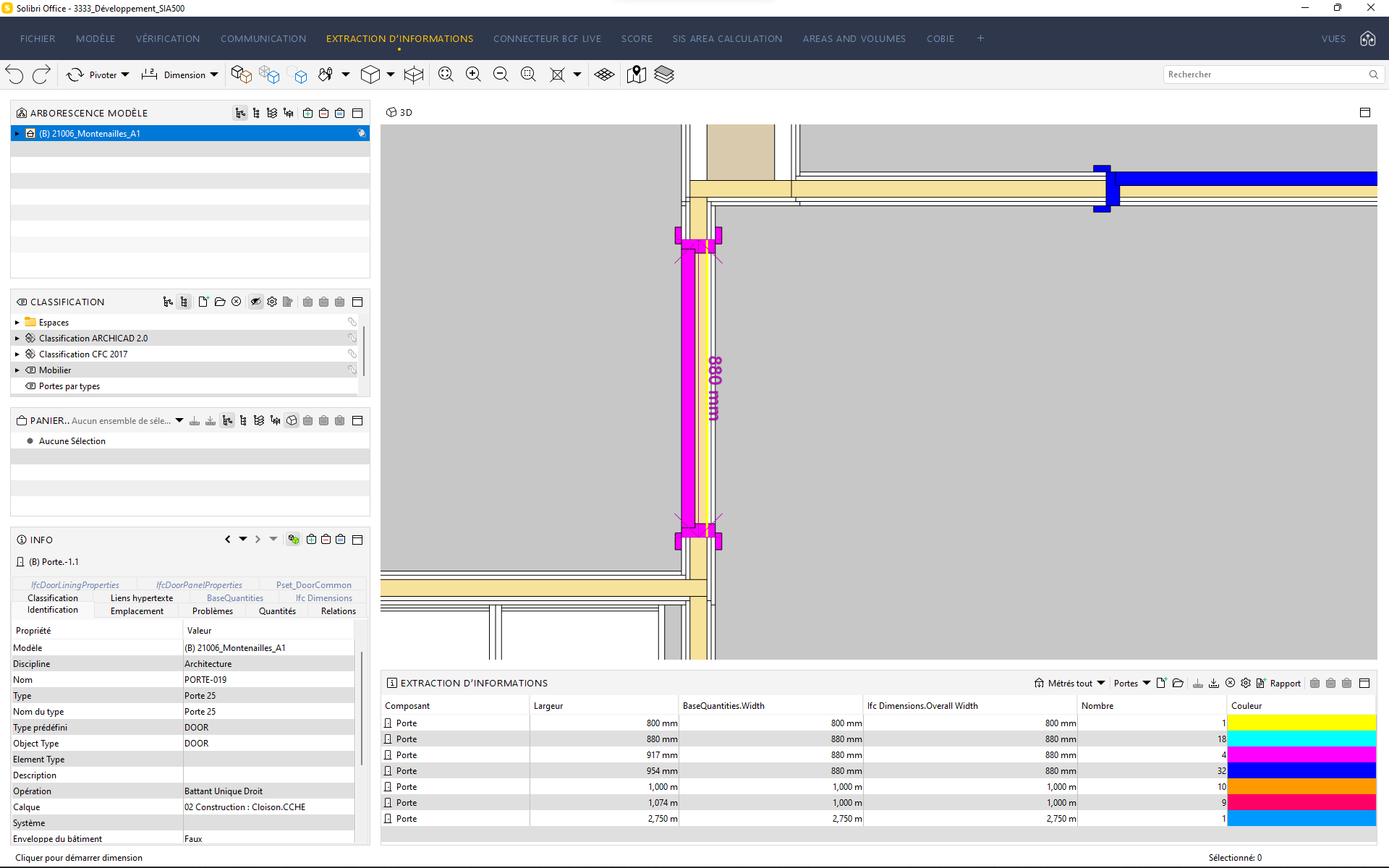
It’s the same with the orange and redish ones.
If we can’t get consistency there, then the door accessibility rule is useless because I cannot choose the width parameter.
Thanks for your help

-
Hi Mathieu,
it’s difficult to check your problem if you don’t send the ifc file

The problem lies probably in the ifc file itself…
When you’re talking about Solibri Quantities: that would be the property “Largueur” I guess?!
I would always use the BaseQuantities if available and only Solibri quantities when necessary.kind regards
-
Hi @mathieu-farine
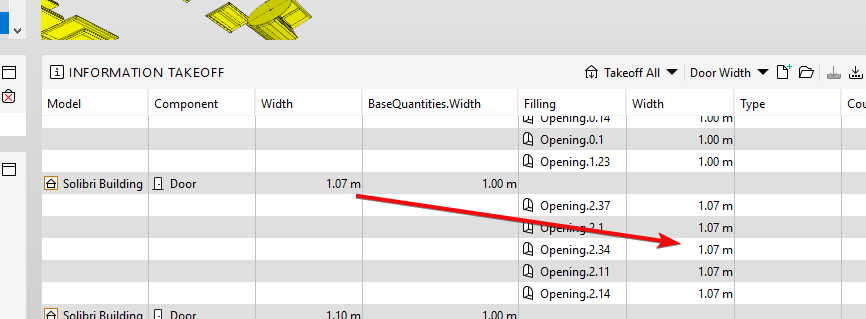
The Quantities.Width value is based on the opening that the door fills. It doesn’t consider the frame thickness. Here is an .smc that demonstrates the difference between the difference between the basequantities and the quantities with the example model
If you append your model and re-run the ITO, I assume the values of the door should match up with the values of the width of the opening.
Unless it is a multi-panel door, the clear width of a door in the accessibility rule takes into consider the frame thickness and panel thickness such that the clear width is meant to check if the door was open 90 degrees. The clear width is the Quantities.Width - (2*Frame Thickness) - Panel Thickness.
-
Hello @john-lipp,
Thanks for your feedback and yes I figured that Quantities.Width was taking the opening of the door fill.
Although, in the presence of a casing, we see that the Quantities.Width is equal to the bounding box of the opening / door.
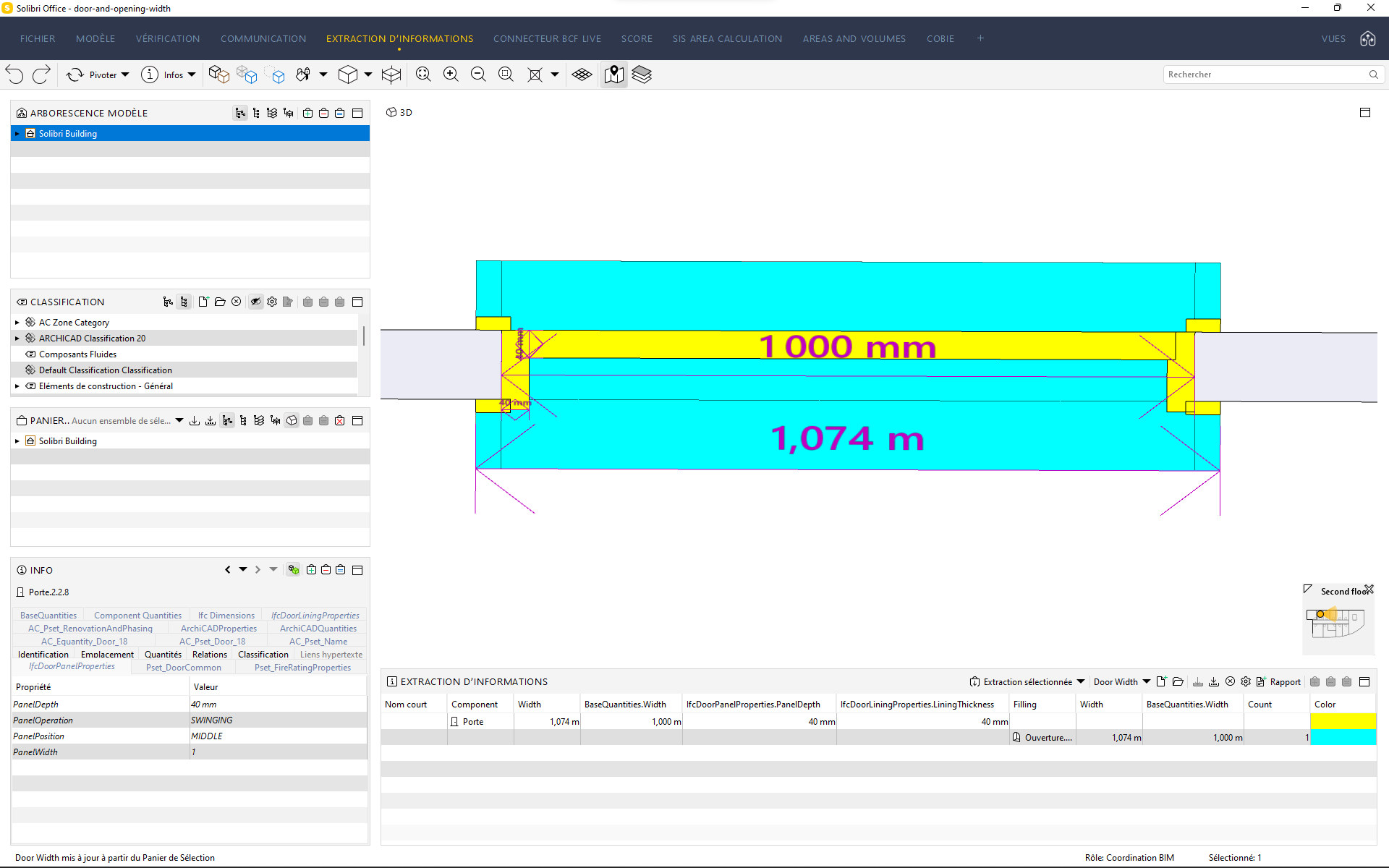
Image issued from your model (1S_V8$Z0T5nuCiOHAxNv9g)In that particular case Solibri should take 100cm as the base Width to then substract the Frame and Panel Thickness.
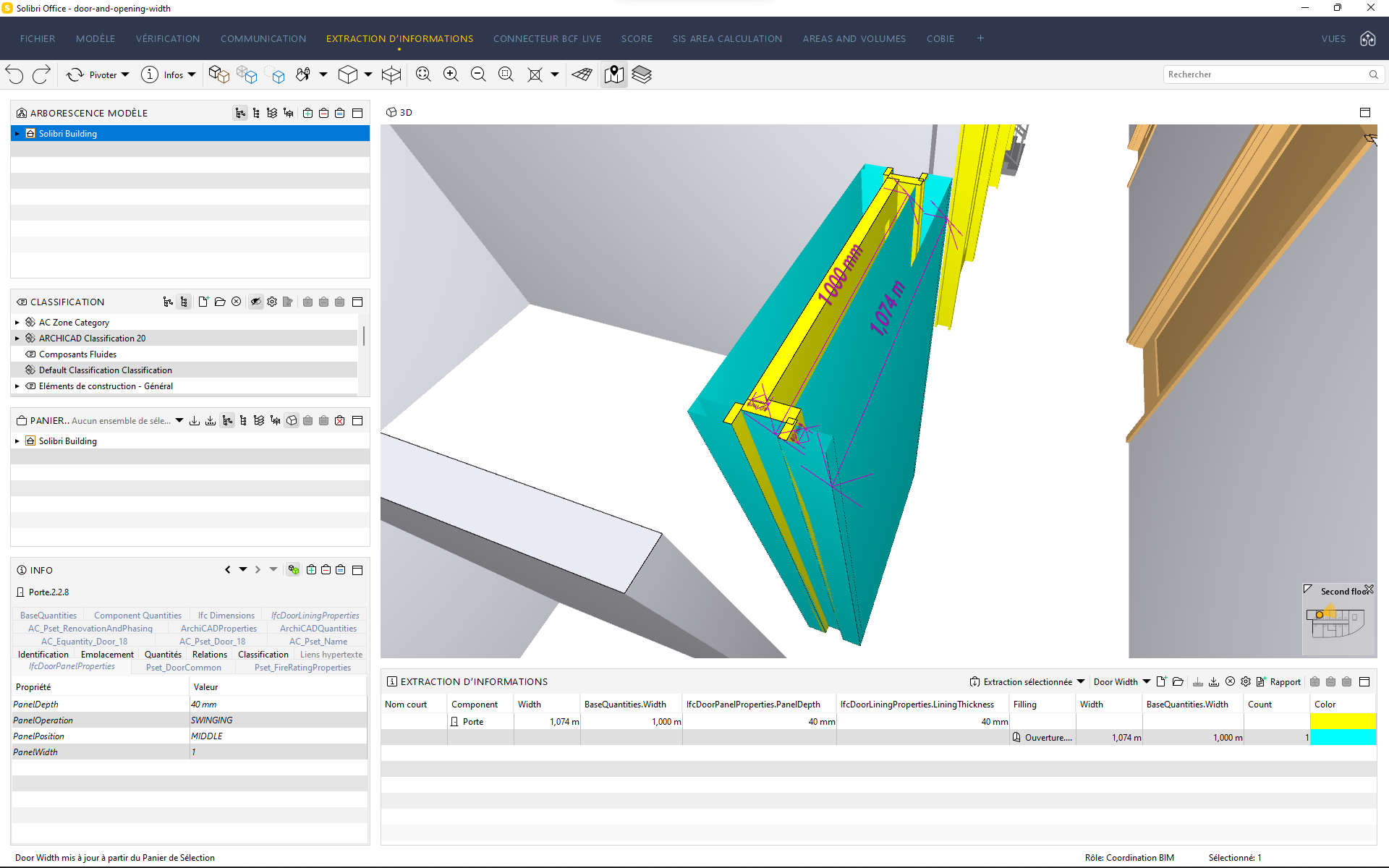
Opening goes along with the doorDo you see what I mean?
If I make 1074 - 2x40 - 40 = 994mm and it is okey but the reality is 1000 - 2x40 - 40 = 880mm which is not. -
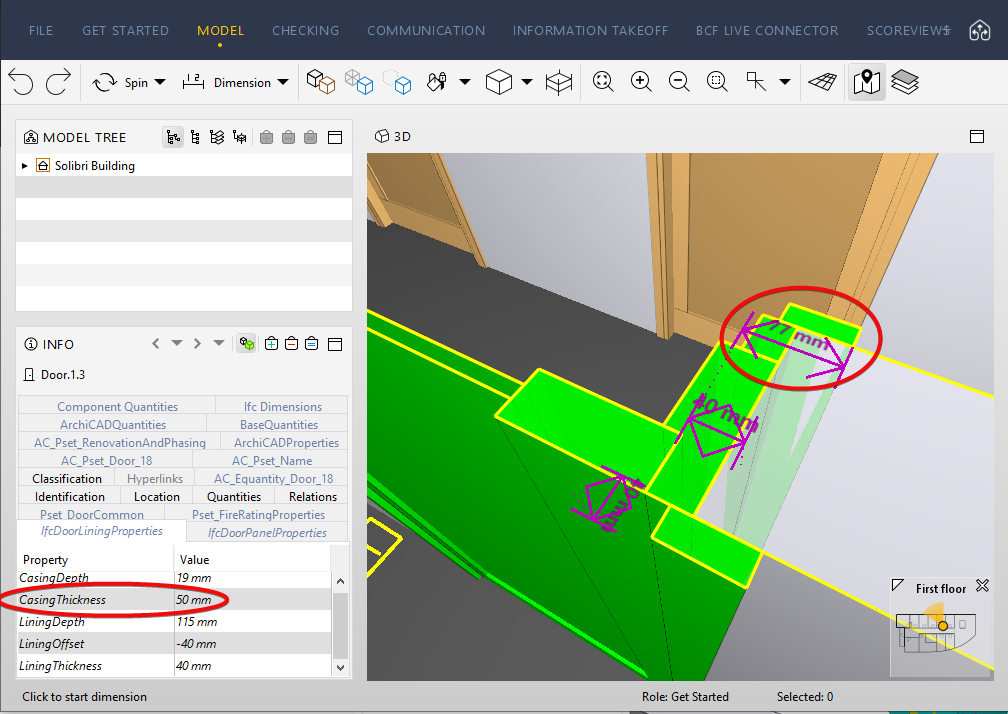
In this specific case, rather than using the lining, the casing thickness should have been used in the equation.
However, the casing thickness 50mm is still incorrect and should actually be 77mm:
As you stated, overriding the complete transparency, you can see its geometry:
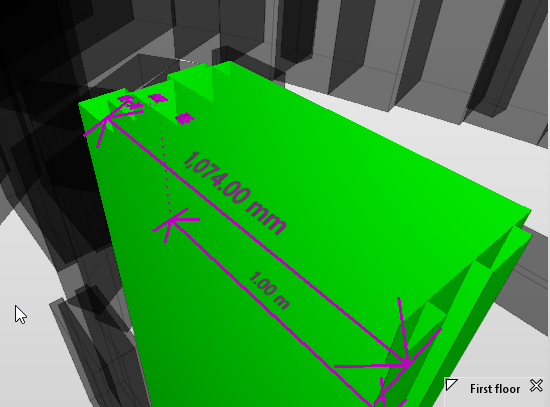
So, you are correct, that these doors aren’t modeled correctly and can’t accurately have their accessible width checked based on how the opening was modeled. The opening should have only gone to 1m without that extra portion for the casing that isn’t actually cutting/voiding the wall.

Copyright © 2025 Solibri Inc. | Powered by NodeBB