Skip to content
  • Categories
Collapse
Solibri Society Forum
  1. Home
  2. Comments & Feedback
  3. Tech Talks
  4. [bug?] ITO not displaying window components correctly when I do a take off

[bug?] ITO not displaying window components correctly when I do a take off

Scheduled Pinned Locked Moved Tech Talks
5 Posts 2 Posters 926 Views
  • Oldest to Newest
  • Newest to Oldest
  • Most Votes
Log in to reply
This topic has been deleted. Only users with topic management privileges can see it.
  • RicardoR Offline
    RicardoR Offline
    Ricardo
    wrote on last edited by
    #1

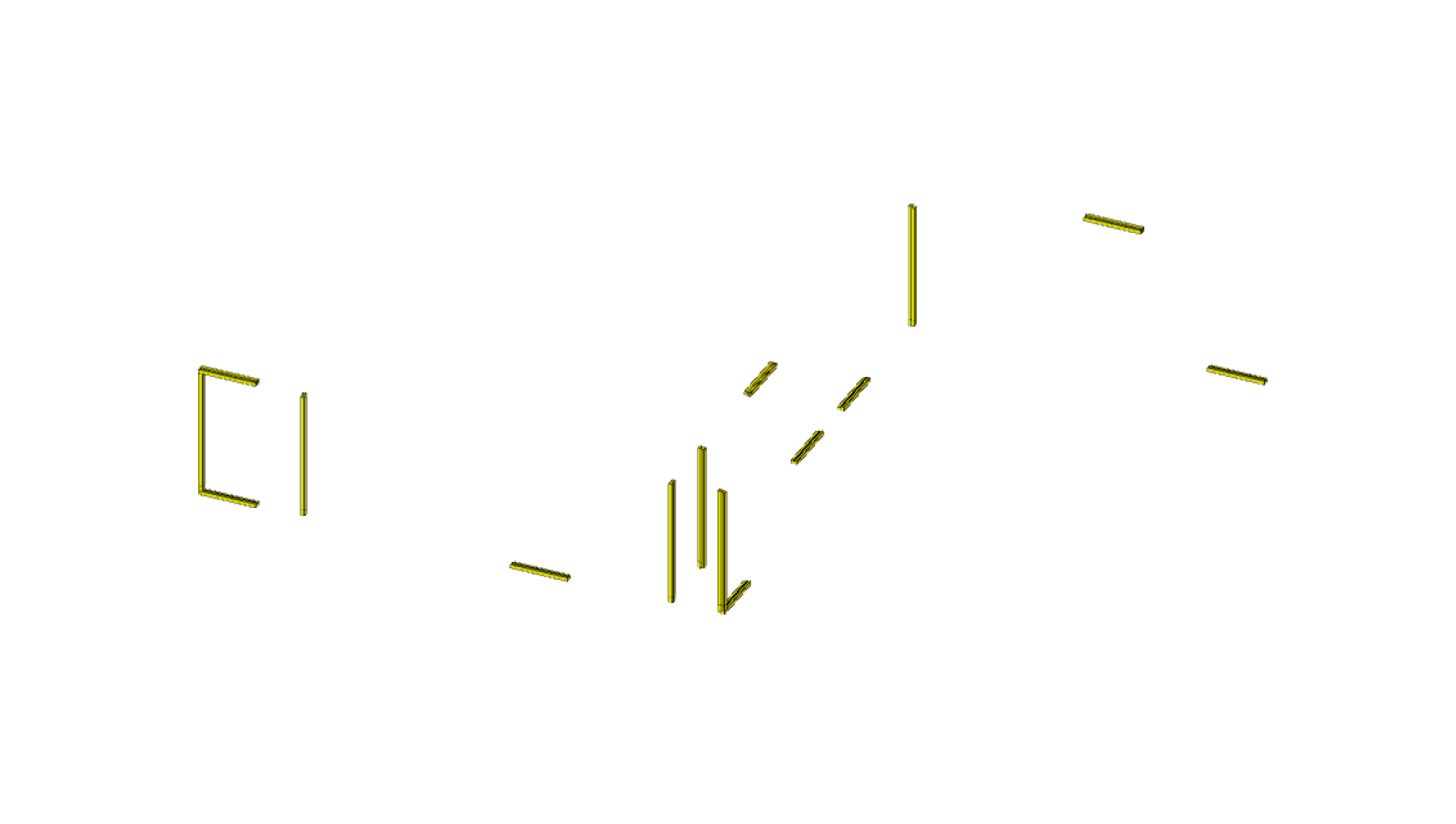
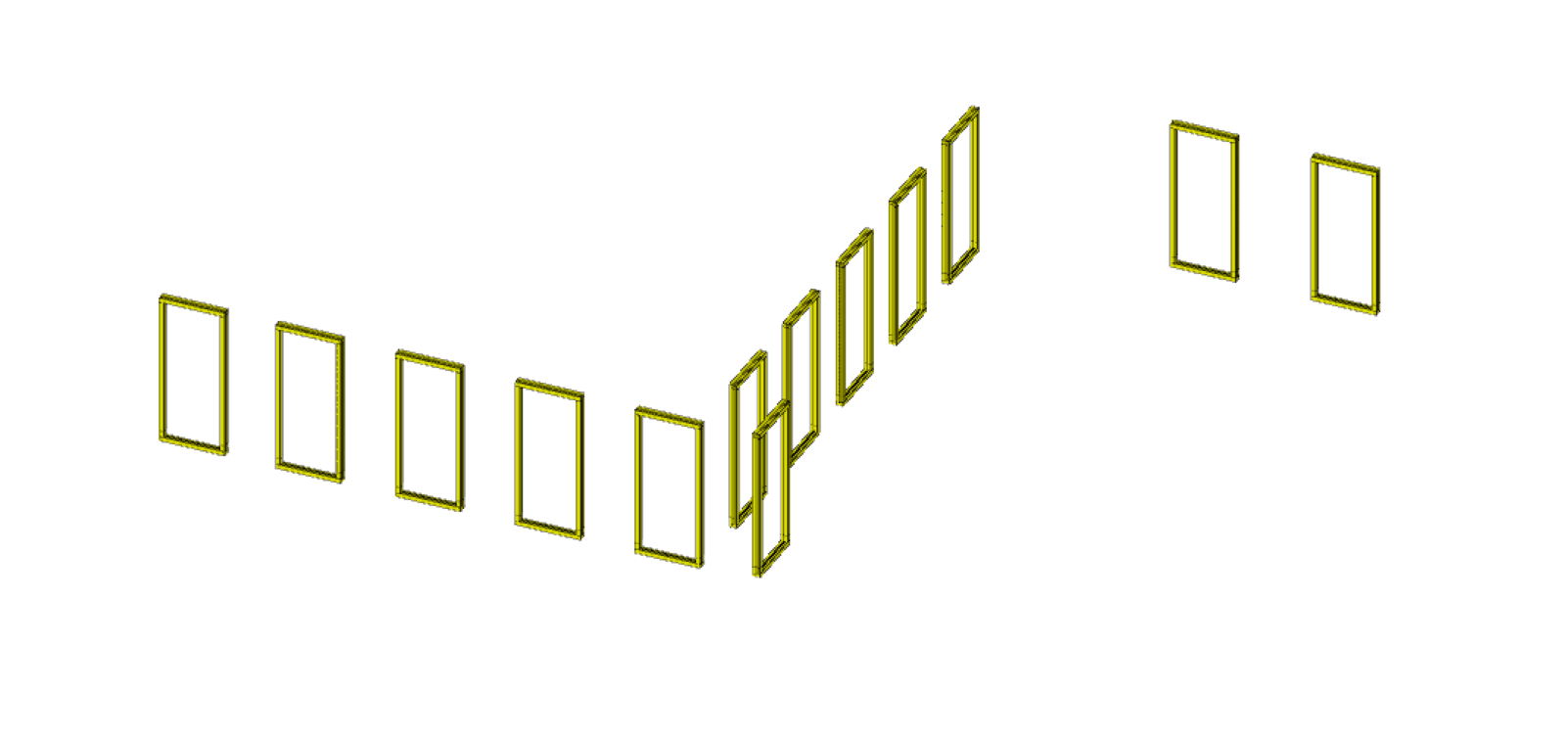
    Recently I have in 2 different smc files that the ITO doesn’t display window components correctly when I do a take off. When I press ‘Takeoff all’ the 2nd time, it useally shows it correctly (like in the 2nd picture).

    Could this be a problem within Solibri, or perhaps some data that is not right in the IFC?
    I used Solibri 9.12.10.20 and 9.13
    e5d75af9-528b-41d1-9f8b-36f44c6c1313-image.png

    7030fe25-3ba6-48b4-a8a7-22bc95a76288-image.png

    MattiM 1 Reply Last reply
    0
    • MattiM Offline
      MattiM Offline
      Matti Solibrians
      replied to Ricardo on last edited by
      #2

      @Ricardo
      This looks like rendering problem.
      Are the windows appearing whikle you rotate?
      Is there the same amount of components listed on both ITO calculations?
      If you select all rows are the all windows appearing normally?

      RicardoR 1 Reply Last reply
      0
      • RicardoR Offline
        RicardoR Offline
        Ricardo
        replied to Matti on last edited by
        #3

        @Matti-Kannala said in [bug?] ITO not displaying window components correctly when I do a take off:

        @Ricardo
        This looks like rendering problem.
        Are the windows appearing whikle you rotate?
        Is there the same amount of components listed on both ITO calculations?
        If you select all rows are the all windows appearing normally?

        Hi Matti,

        To answer your questions;

        • The windows don’t appear or flicker when I rotate the model
        • Yes, the amount of components listed are exactly the same.
        • When I select the rows in the ITO, all the elements will appear correctly.
        MattiM 1 Reply Last reply
        0
        • MattiM Offline
          MattiM Offline
          Matti Solibrians
          replied to Ricardo on last edited by
          #4

          @Ricardo

          After calculation the ITO is visualizing all rows. It seems like 1st time some of the rows are not visualized. We can investigate this.

          RicardoR 1 Reply Last reply
          0
          • RicardoR Offline
            RicardoR Offline
            Ricardo
            replied to Matti on last edited by
            #5

            @Matti-Kannala said in [bug?] ITO not displaying window components correctly when I do a take off:

            @Ricardo

            After calculation the ITO is visualizing all rows. It seems like 1st time some of the rows are not visualized. We can investigate this.

            Would it be helpfull if I share some of these models with you where this has happened?

            1 Reply Last reply
            0

            Copyright © 2025 Solibri Inc. | Powered by NodeBB

            • Login

            • Don't have an account? Register

            • Login or register to search.
            • First post
              Last post
            0
            • Categories