
Which rule to check that a property value doesn't contain a certain letter?
-
I kind of got stuck on this probably super simple thing…
Mats -
230?
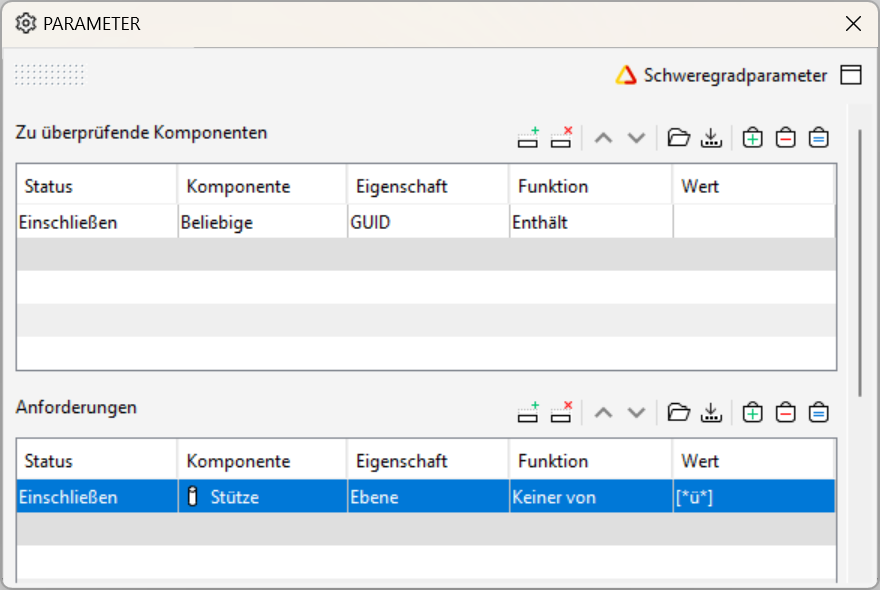
There is no “does not contain” so using “None of” should be the way to go.
However, there is a bug or a feature? Afaik the first time the list entries are created you cannot modify the entries unless you close/open Solibri or the ruleset. Then it should work. @Solibrians are you aware of that?
-
Adding “does not contain” is not a bad idea at all!
-
@JSN said in Which rule to check that a property value doesn’t contain a certain letter?:
230?
There is no “does not contain” so using “None of” should be the way to go.
However, there is a bug or a feature? Afaik the first time the list entries are created you cannot modify the entries unless you close/open Solibri or the ruleset. Then it should work. @Solibrians are you aware of that?
Aha …must be a bug. I got it working…thanks

-
@JSN Hi, regarding this: “Afaik the first time the list entries are created you cannot modify the entries”. Which version of Solibri were you using? Was is 9.13.5 or earlier?
-
@manuel-furia said in Which rule to check that a property value doesn’t contain a certain letter?:
9.13.5
Yes, 9.13.5.12
-
@JSN Can you tell the exact sequence which does not work when you say “Afaik the first time the list entries are created you cannot modify the entries”?
At least I can do the following:
- Press add value
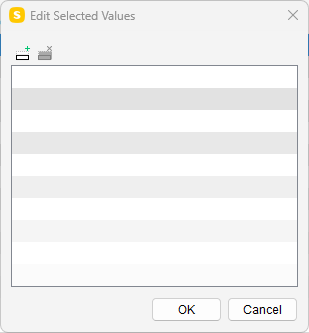
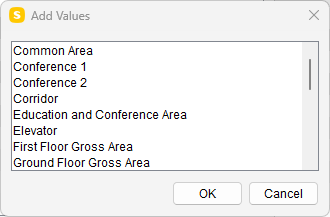
- I need to choose some value from the list to add it to the selected values:
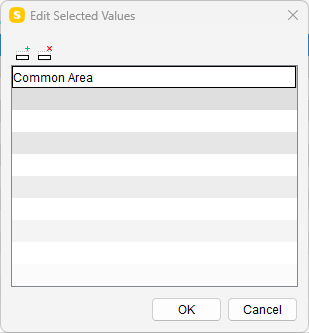
- After that I can go and edit the value as I want (need to double-click on it):
- Press add value
-
-
@JSN @Pasi-Paasiala @manuel-furia
Seems that some Properties have this problem and other don’t
Layer, Building, Discipline, Federated Floor (and possible other) are not editable.
Application, Name (and others) are editable.
I will create a ticket for this.



 ,
,
Copyright © 2025 Solibri Inc. | Powered by NodeBB