Skip to content
  • Categories
Collapse
Solibri Society Forum
  1. Home
  2. General Discussion
  3. Sectioning Settings exclude Rooms

Sectioning Settings exclude Rooms

Scheduled Pinned Locked Moved General Discussion
15 Posts 5 Posters 3.0k Views
  • Oldest to Newest
  • Newest to Oldest
  • Most Votes
Log in to reply
This topic has been deleted. Only users with topic management privileges can see it.
  • JSNJ Offline
    JSNJ Offline
    JSN
    wrote on last edited by JSN
    #3
    • Don’t export rooms?
    • Hide the rooms / don’t show the rooms before you make sections?
    • Use a classification as model colors where rooms are not visible/fully transparent?
    • …
    HechtwieFischH 1 Reply Last reply
    1
    • P Offline
      P Offline
      Pasi Paasiala Solibrians
      wrote on last edited by
      #4

      @HechtwieFisch By default rooms are not visible in Solibri. Is there a reason you want to have them visible when doing sectioning?

      HechtwieFischH 1 Reply Last reply
      0
      • HechtwieFischH Offline
        HechtwieFischH Offline
        HechtwieFisch
        replied to Pasi Paasiala on last edited by HechtwieFisch
        #5

        @Pasi-Paasiala No i don´t want them visible 😄
        maybe my workflow is wrong or i´m missing something?

        1. I´m in the results window looking at some clashes
        2. I want to see the clash in the context with the whole architecture model
        3. I create a section
        4. I use the model structure to show the whole architecture model with +
        5. now the rooms are visible and i can´t see anything so I hide them with alt + S

        I know it is only one small step but if it is possible I would like to avoid it

        1 Reply Last reply
        0
        • HechtwieFischH Offline
          HechtwieFischH Offline
          HechtwieFisch
          replied to JSN on last edited by
          #6

          @JSN Thanks a lot for the answers! As I’m not the model author and we need the rooms normally, the first solution is not feasible. The second one I’m already using but wanted to know if there was a way around it. But the third I had thought about but I never try making them fully transparent (as everything lower than 100% is not working)

          1 Reply Last reply
          0
          • P Offline
            P Offline
            Pasi Paasiala Solibrians
            wrote on last edited by
            #7

            @HechtwieFisch Thanks for the workflow.

            1 Reply Last reply
            0
            • Alex.JA Offline
              Alex.JA Offline
              Alex.J
              wrote on last edited by
              #8

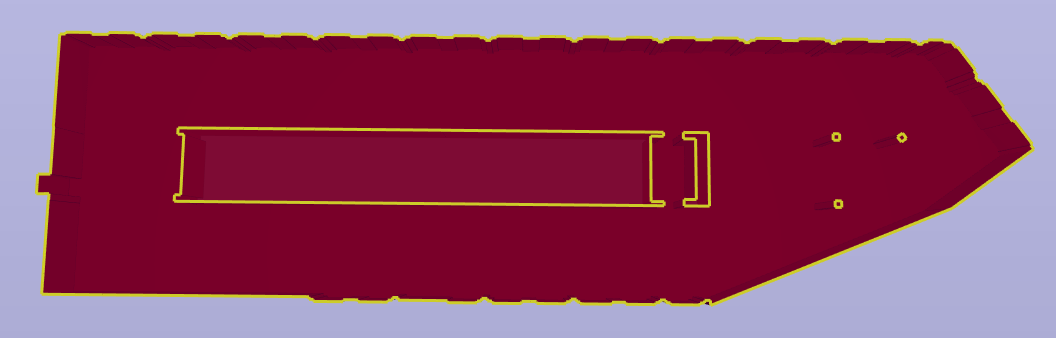
              I have a similar issue where I do want to see the room, but there is not an easy distinction between

              • an enclosed volume (the room)
              • a surrounded empty space surrounded by the room)

              Here is how the IfcSpace looks like:
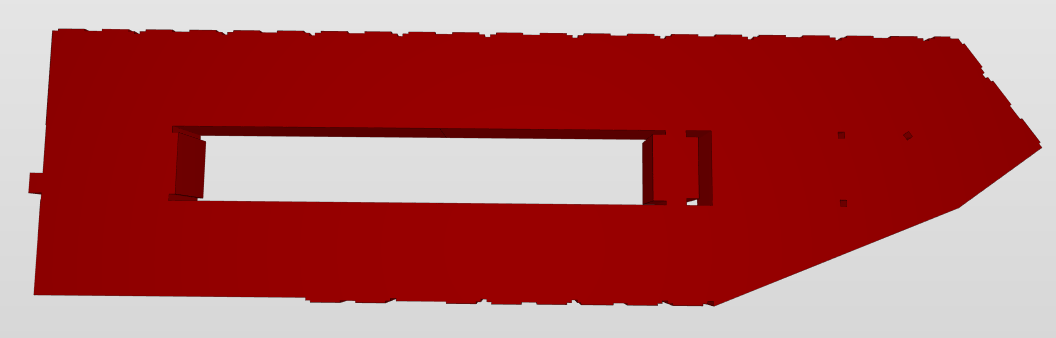
              image.png

              And how it looks when I cut through:
              image.png

              You see a slightly different opacity, but once the rest of the building is in the background this becomes impossible.

              Any way to solve that?

              MattiM 1 Reply Last reply
              0
              • P Offline
                P Offline
                Pasi Paasiala Solibrians
                wrote on last edited by
                #9

                @Alex-J Would it be possible to have a simple IFC file that duplicates this issue?

                Alex.JA 1 Reply Last reply
                0
                • Alex.JA Offline
                  Alex.JA Offline
                  Alex.J
                  replied to Pasi Paasiala on last edited by
                  #10

                  @Pasi-Paasiala I’ll look into it

                  1 Reply Last reply
                  0
                  • MattiM Offline
                    MattiM Offline
                    Matti Solibrians
                    replied to Alex.J on last edited by
                    #11

                    @Alex-J said in Sectioning Settings exclude Rooms:

                    You see a slightly different opacity, but once the rest of the building is in the background this becomes impossible.

                    Any way to solve that?

                    The holes are filled in sections ATM. We have not yet implemented this.

                    Alex.JA 1 Reply Last reply
                    0
                    • Alex.JA Offline
                      Alex.JA Offline
                      Alex.J
                      replied to Matti on last edited by
                      #12

                      @Matti-Kannala said in Sectioning Settings exclude Rooms:

                      The holes are filled in sections ATM. We have not yet implemented this.

                      Do you still need a test file then @Pasi-Paasiala ?

                      P 1 Reply Last reply
                      0
                      • P Offline
                        P Offline
                        Pasi Paasiala Solibrians
                        replied to Alex.J on last edited by
                        #13

                        @Alex-J Test model certainly doesn’t harm.

                        1 Reply Last reply
                        0
                        • Alex.JA Offline
                          Alex.JA Offline
                          Alex.J
                          wrote on last edited by
                          #14

                          @Pasi-Paasiala said in Sectioning Settings exclude Rooms:

                          @Alex-J Would it be possible to have a simple IFC file that duplicates this issue?

                          Here it is, I finally got around to find a nice example
                          TestFile_RoomSection.ifc

                          1 Reply Last reply
                          0
                          • Alex.JA Offline
                            Alex.JA Offline
                            Alex.J
                            wrote on last edited by
                            #15

                            Hi @Pasi-Paasiala,
                            just to let you know this issue is still cumbersome.

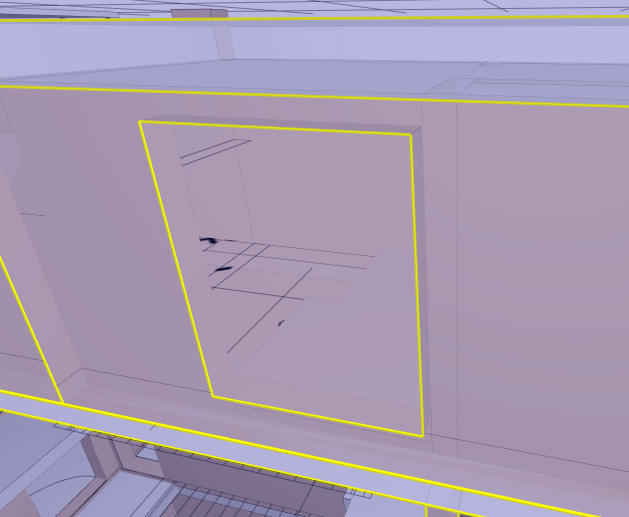
                            Here’s another example with a wall opening:

                            cutting in front of it:
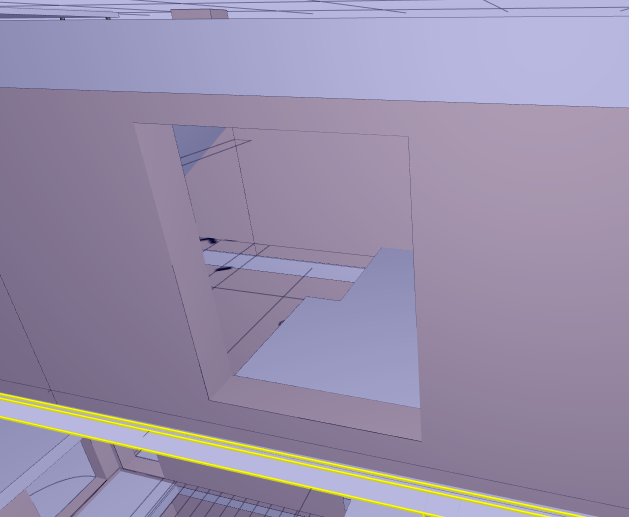
                            image.png

                            cutting through it:
                            image.png

                            You can see the visibility is quite bad when the plane goes through it.

                            1 Reply Last reply
                            0

                            Copyright © 2025 Solibri Inc. | Powered by NodeBB

                            • Login

                            • Don't have an account? Register

                            • Login or register to search.
                            • First post
                              Last post
                            0
                            • Categories