
Model Comparison errors
-
I noticed that the Model Comparison is behaving weirdly.
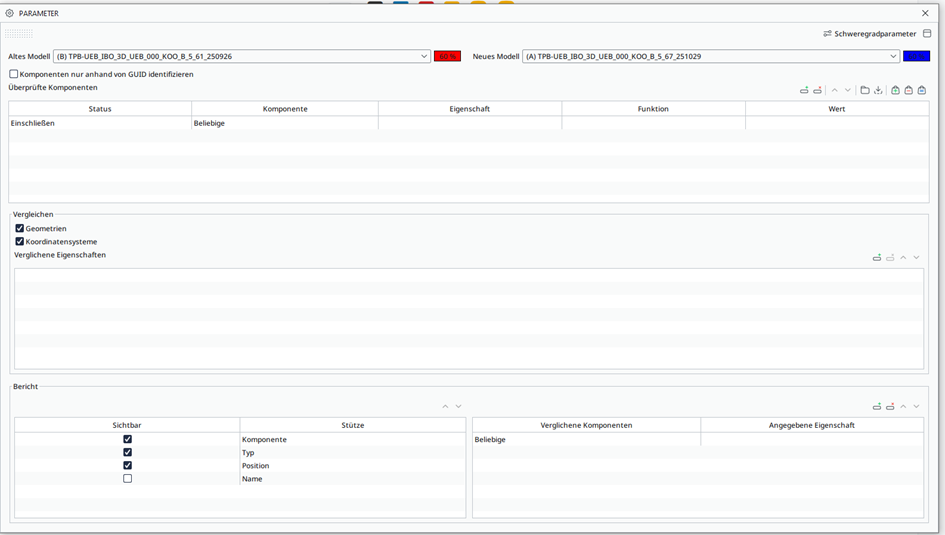
- When the rule is run with the standard rule config the results seem to be incomplete. (Picture 1 and 2)
Some fittings have changed in size which I would think fall under changed “geometry” but those fittings are not displayed in the results.
When I run the rules without the checked “geometry” option but choose to compare the bounding box properties these fittings show up in the results. (Picture 3 and 4)
I thought that the check geometry option would look for exactly these kind of changes. Is this assumption incorrect?
Picture 1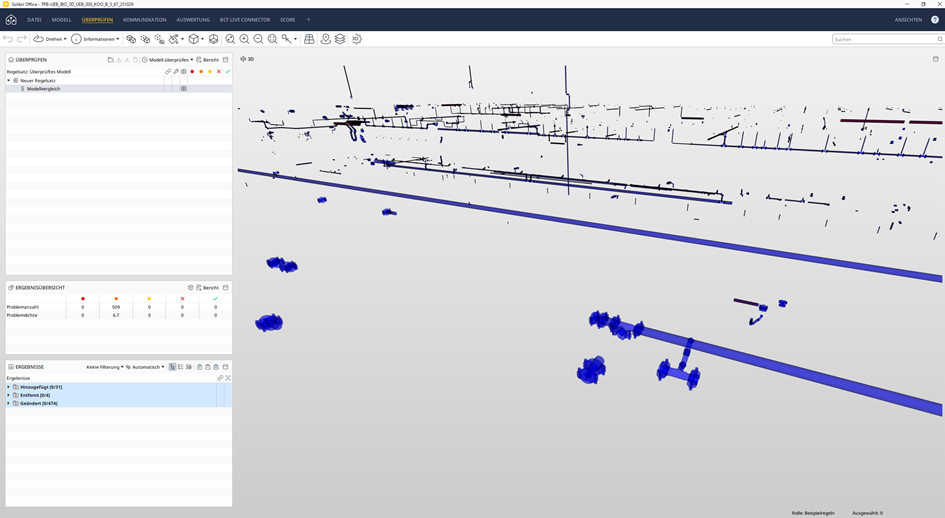
Picture 2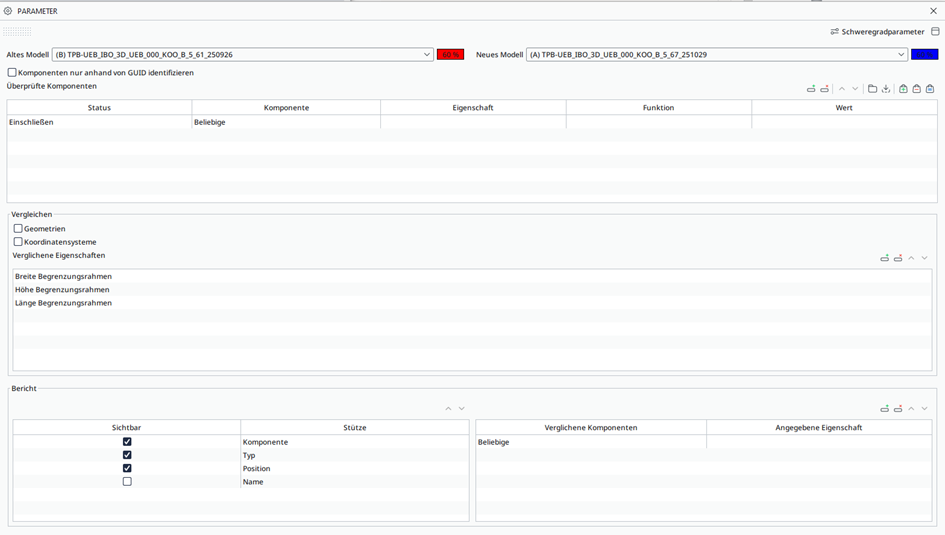
Picture 3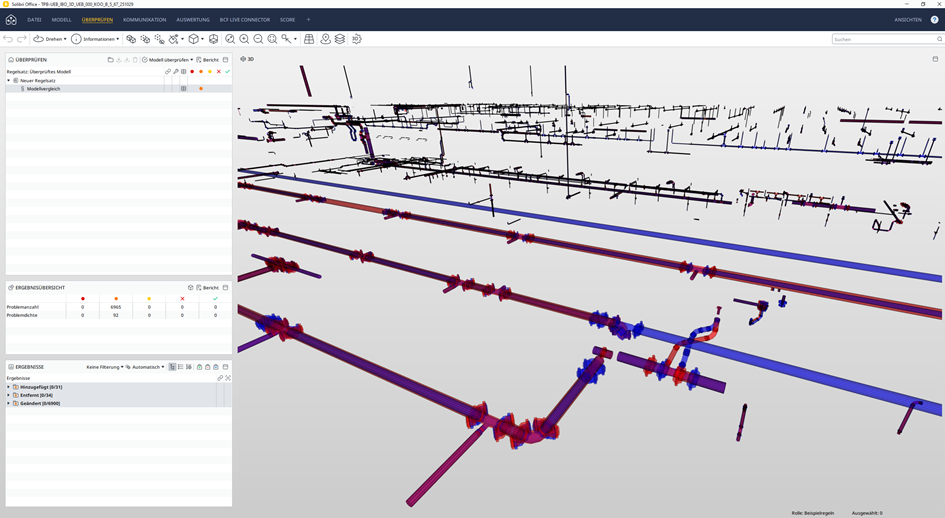
Picture 4- When I run the standard rule config I get a certain amount of results. (Picture 5) When I run the rule again without changing anything in the rule set up the amount of results change. (Picture 6)
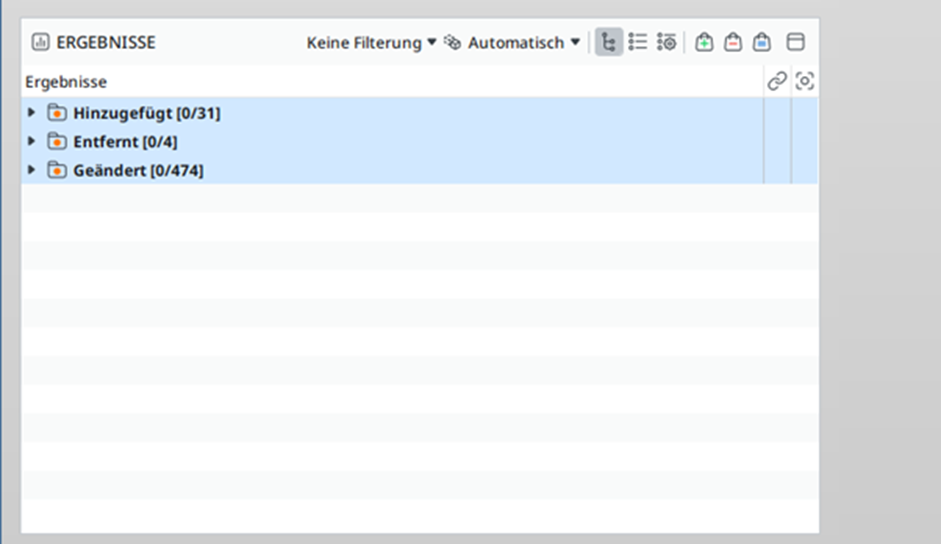
Picture 5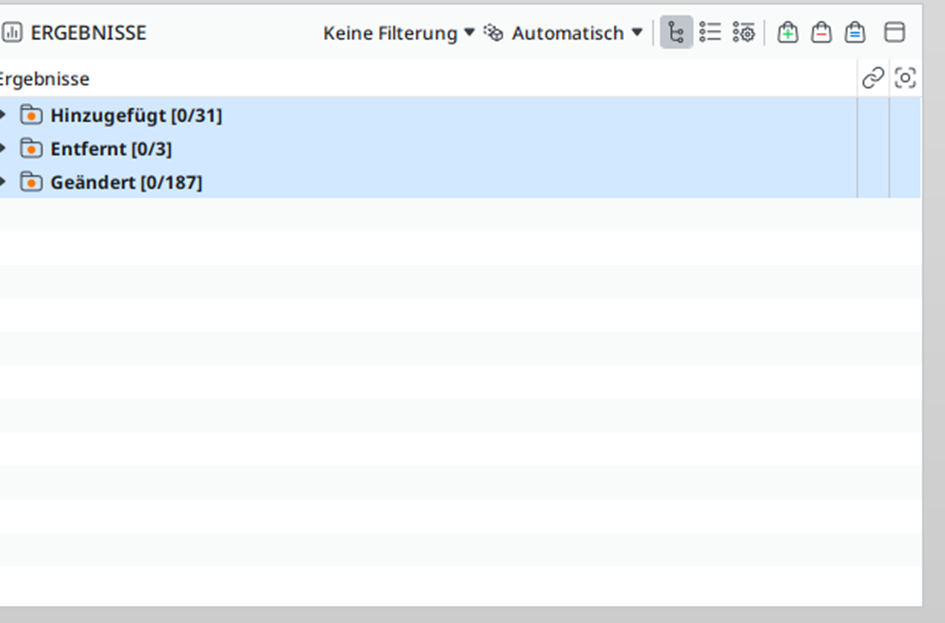
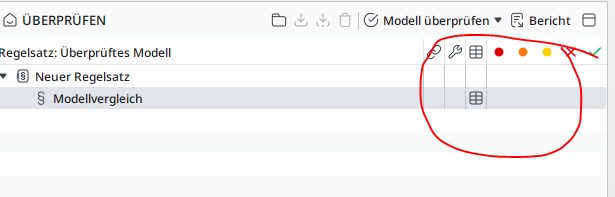
Picture 6- Sometimes after the rule is finished, the ui doesn’t display the colored dots for the severity of the problem.
- When the rule is run with the standard rule config the results seem to be incomplete. (Picture 1 and 2)
-
I have noticed the same thing. It seems that for 25.9 and 25.12 results seems to be missing. I have not tested 25.6. It seems to work fine for 25.3.
Picture of the exact same models and rule ran on both Solibri 25.3 and 25.9 without changing anything. There are results missing for 25.9.
(Seems like something is wrong with posting images at the moment)
Copyright © 2025 Solibri Inc. | Powered by NodeBB