
Hyperlinks through classification/ITO
-
Interesting feature to use classification for that…
-
@Lauri-Luoma said in Hyperlinks through classification/ITO:
Dear Society Members,
Are you using hyperlinks in your BIM models to connect elements to documents?
There are 2 ways to give the hyperlinks to the elements:Using the hypelink tool (static):
- Using the classification rules to give the hyperlink with ITO (dynamic):
You can create a hyperlink to a document stored on your local drive, but also to a document on a website (e.g. CDE).
Interested to hear your opinions on this and if you find this useful,
Br,
Lauri on behalf of Solibri TeamReally nice and helpful feature!
-
I love that workflow!
It also gives more reason for the need to export IFC Models from Solibri…
see https://society.solibri.com/topic/342/connection-with-3rd-party-bim-applications-ifc-export-from-solibri -
If you use the second option by using classifications…
I can open the hyperlink only from the ITO list.
Is that correct?
Would be handy if I could open the link also from the information Tab onder classification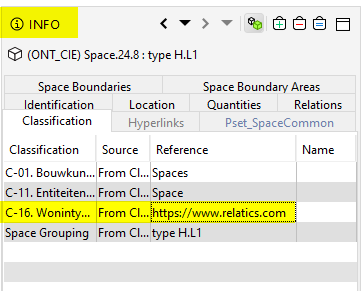
-
That is correct. Using the classification for hyperlinks allows you currently to access it only through ITO. Maybe something you can add to feature request list: Feature requests
Would be good to understand how the hyperlinks are being currently used and how we could possibly improve their usage.
-
Thx!
-
@Lauri-Luoma said in Hyperlinks through classification/ITO:
Would be good to understand how the hyperlinks are being currently used and how we could possibly improve their usage.
Some time has passed since this came up put wanted to ask what’s the current situation. Recently it worked to open hyperlinks directly from information tab as well …
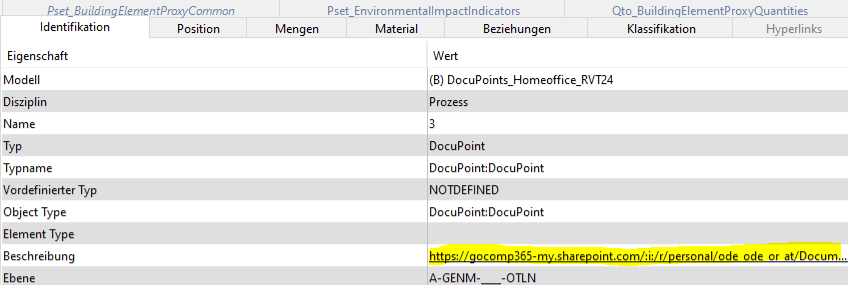
… but not anymore as in the latest version(s) this functionality seems to be gone.
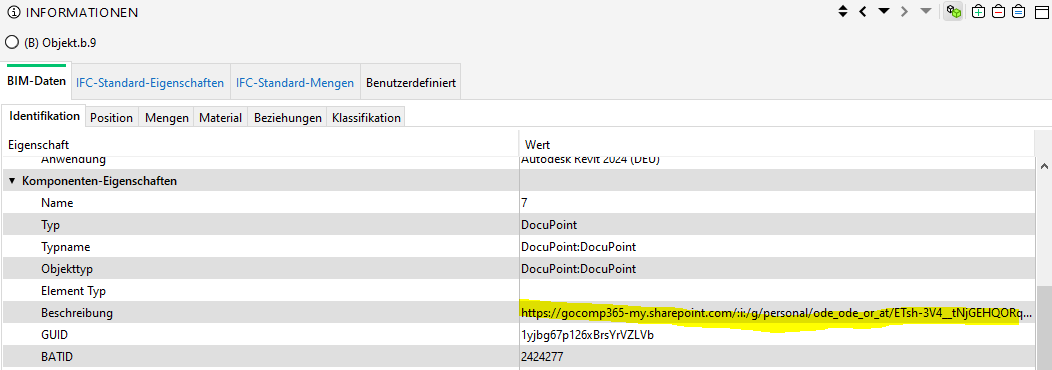
On purpose?
-
Turns out the schema does not matter but it’s the “Description” which seems to be on strike.
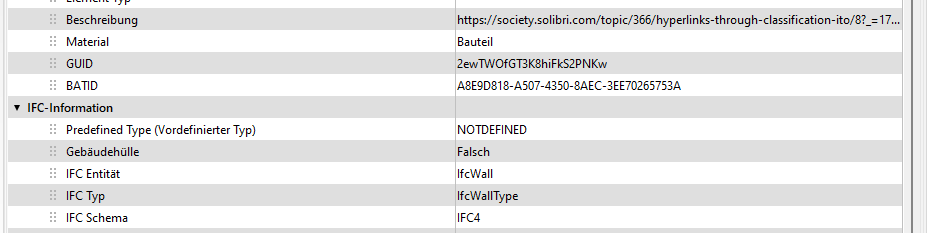
First I thought it might be the data type but there is no issue with individual properties - neither 2x3 nor 4.

-
I’ve also realized that there is an issue if the links contain special symbols like brackets as depicted below …
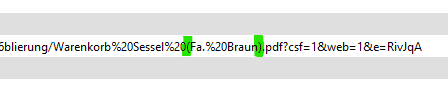
For the record - this link is indeed valid as the filenames indeed contain those brackets but Solibri (and other IFC Viewer) solely allow this link to be clickable if I would (manually) encode those brackets. See below …
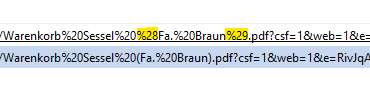
So I am curious if there is a loophole in the URL processing mechanism. How does Solibri detect hyperlinks and can this be adressed so that all links are working or is this an issue outside of Solibri’s scope?
-
 J JSN referenced this topic on





Copyright © 2025 Solibri Inc. | Powered by NodeBB