Skip to content
  • Categories
Collapse
Solibri Society Forum
  1. Home
  2. General Discussion
  3. Clearance in-front of escalators

Clearance in-front of escalators

Scheduled Pinned Locked Moved General Discussion
4 Posts 2 Posters 950 Views
  • Oldest to Newest
  • Newest to Oldest
  • Most Votes
Log in to reply
This topic has been deleted. Only users with topic management privileges can see it.
  • alex.nesbittA Offline
    alex.nesbittA Offline
    alex.nesbitt
    wrote on last edited by
    #1

    Hello everyone.

    I am looking for some advice on creating a check for whether there is a 6m clearance at the top and bottom of escalators to allow for queuing. Hopefully this illustrates what I am looking for:
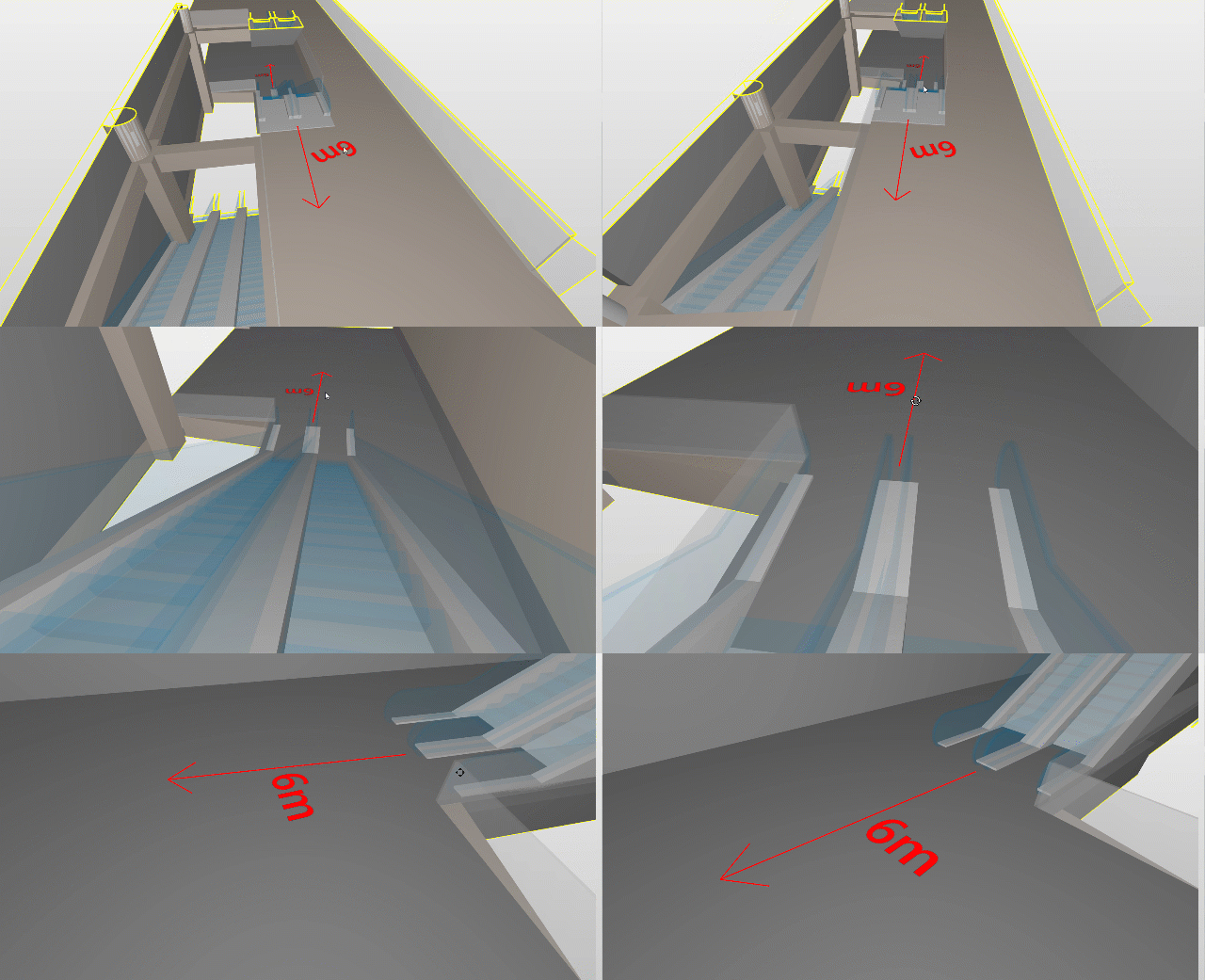
    6m Clearance infront of escalators.gif

    The example I am trying to fail is this instance of an elevator placed 3.35m from the end of the escalator:
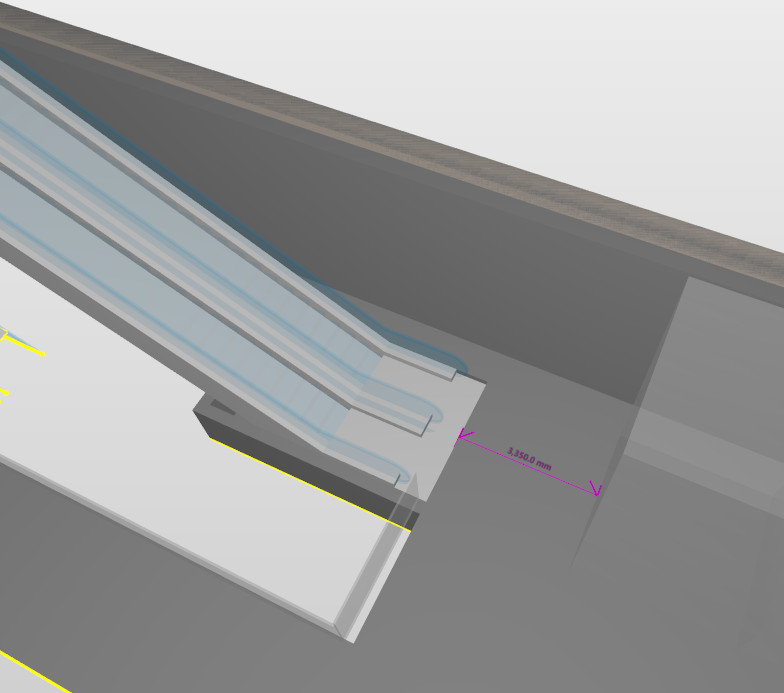
    3d534586-f046-4520-b5bb-01cdb36d3259-image.png

    So far I have tried:

    1. Rule SOL/222/4.2 - Component distance using the “Facing within distance” and “Horizontal distance between footprints” option:
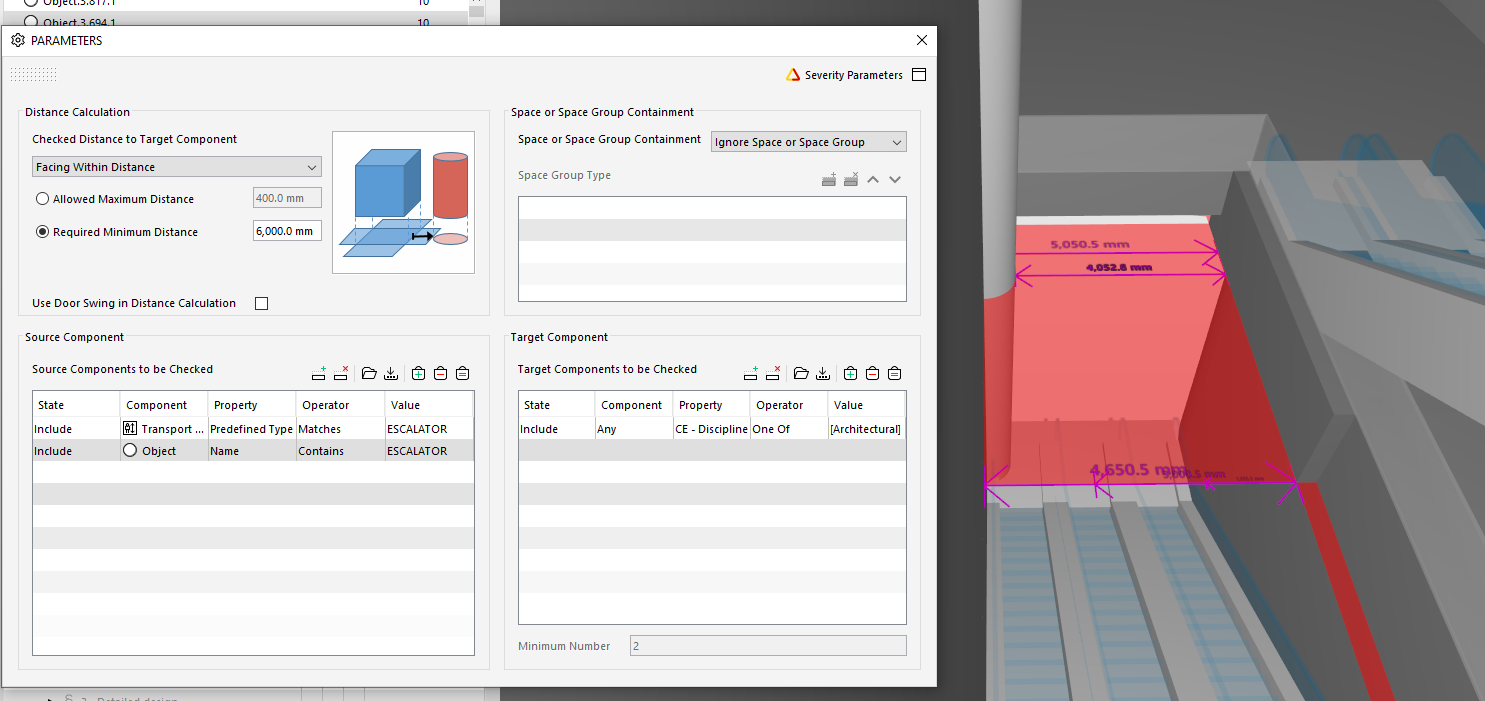
    Facing within distance.PNG

    1. Rule SOL/226/3.0 - Free Area in Front of Components - this failed miserably:
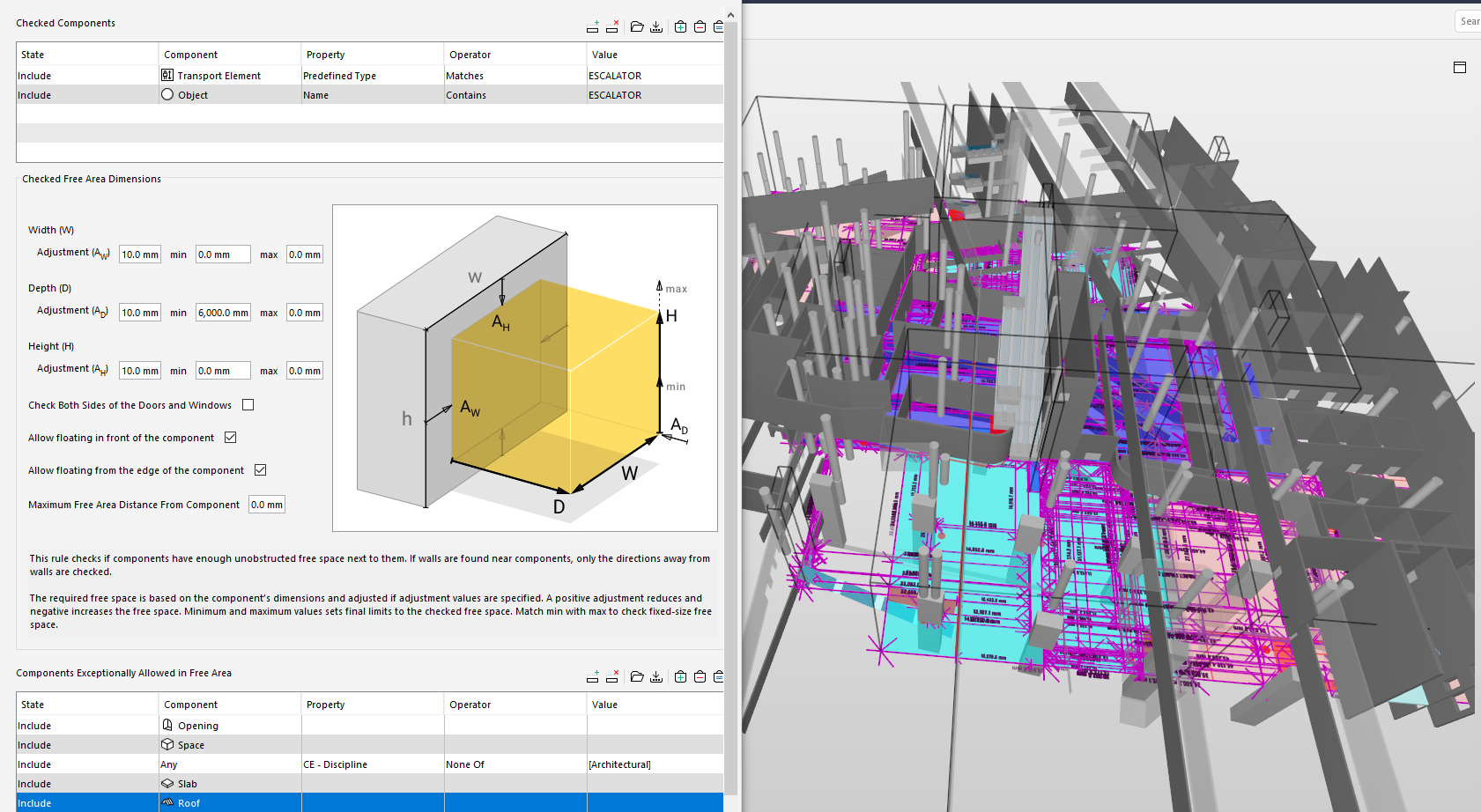
    1e67fdce-3ec8-4a3b-b077-9ce5de35db13-image.png

    My thoughts are we’ll need Solibri to identify the top and bottom of the escalator, determine the correct facing direction and then run a minimum distance check.

    Any other ideas to try?

    1 Reply Last reply
    0
    • Nicola TessaroloN Offline
      Nicola TessaroloN Offline
      Nicola Tessarolo
      wrote on last edited by Nicola Tessarolo
      #2

      Hello Alex 👋

      Maybe the rule SOL/210/3.1 is something that holds the key to your question.
      If you set it up, you can use the classifications to create a group for all those escalators in your model.
      Afterwards, you can define what the minimum of free space at the beginning and at the ending should be.
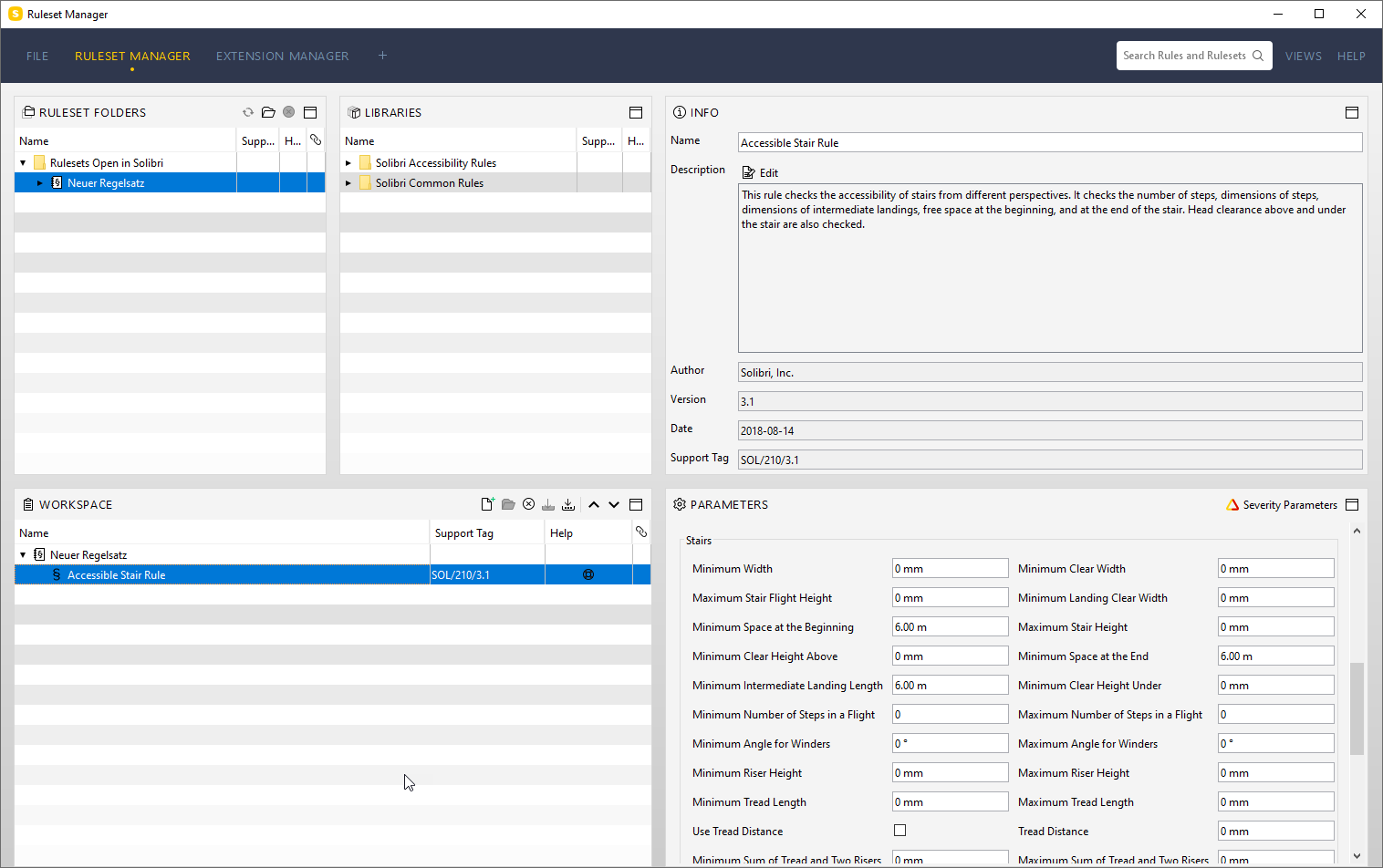
      27-02-_2020_16-24-43.png

      The results should present themselves to you in some way like this:
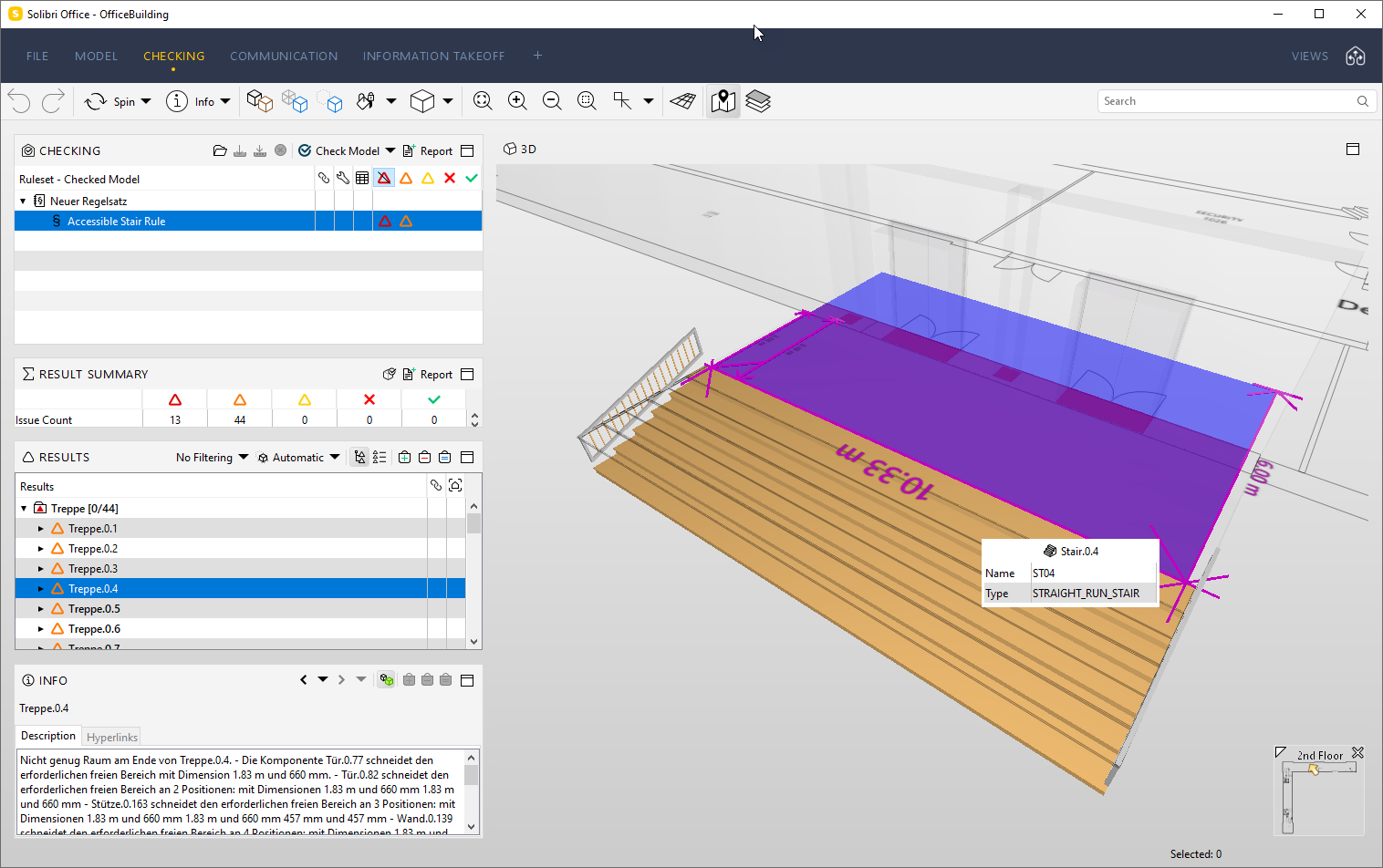
      27-02-_2020_16-25-10.png

      or like this:

      27-02-_2020_16-25-26.png

      Maybe this will help you in achieving your goals! 😄

      Many regards from Switzerland, take care 👋
      Nico

      Nicola Tessarolo

      BIM Consultant
      CAD & Solibri Support / Coach

      IDC AG
      Kägiswilerstrasse 29, 6060 Sarnen

      [email protected]
      Tel.: +41 41 368 20 70
      www.idc.ch

      1 Reply Last reply
      0
      • alex.nesbittA Offline
        alex.nesbittA Offline
        alex.nesbitt
        wrote on last edited by
        #3

        Excellent thank you! Let me give it a go.

        1 Reply Last reply
        1
        • Nicola TessaroloN Offline
          Nicola TessaroloN Offline
          Nicola Tessarolo
          wrote on last edited by
          #4

          You are very welcome, I hope it works the way you wish to! 🙏

          Nicola Tessarolo

          BIM Consultant
          CAD & Solibri Support / Coach

          IDC AG
          Kägiswilerstrasse 29, 6060 Sarnen

          [email protected]
          Tel.: +41 41 368 20 70
          www.idc.ch

          1 Reply Last reply
          0

          Copyright © 2025 Solibri Inc. | Powered by NodeBB

          • Login

          • Don't have an account? Register

          • Login or register to search.
          • First post
            Last post
          0
          • Categories