
Extracting elements (including quantities) by spaces / zones
-
Hi there,
I am looking for the best way to extract elements (including their quantities) by their relationship to a space or zone.
The problem is that in my models there is a wide variety of differrent spaces (rooms / area’s of appartments / gross areas etc.).
So the option “nearest spaces” does not give reilable results.
The goal is to get an ITO of elements and there quantities per space, but only specific spaces (only the area’s of appartments).
Is this possible?
Is there a solution in the use of spacegrouping?
Is it possible to exclude some type of spaces when using “nearest spaces” relationship.Thanks in advance!
Jeroen
-
@Solibrians do you have a any ides?
-
The nearest spaces relation can be viewed and edited manually in custom relations view.
The automatic nearest spaces relation is only done for normal spaces . Not for the space groups.
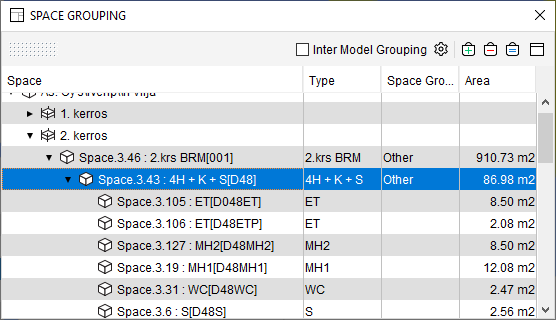
Space grouping can be affected by modifying the Space Grouping classification.Because of this I would recommend following:
Make sure that the space grouping looks OK. At least you need the apartments and the rooms there.
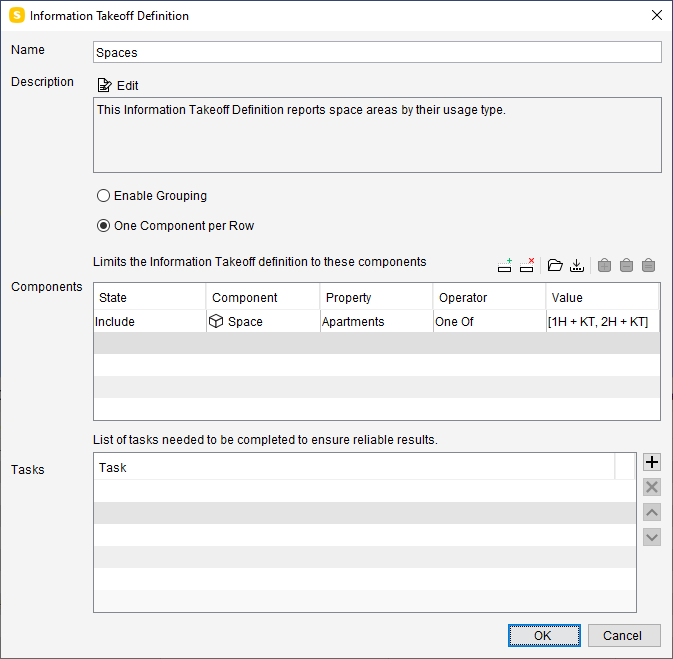
I would do it by listing the apartment spaces that are relevant for your ITO. I’m listing 1 or 2 room apartments only.
List one component per row.
Then add following ITO columns to have nice hierarchical listing for apartments, their rooms and furniture:
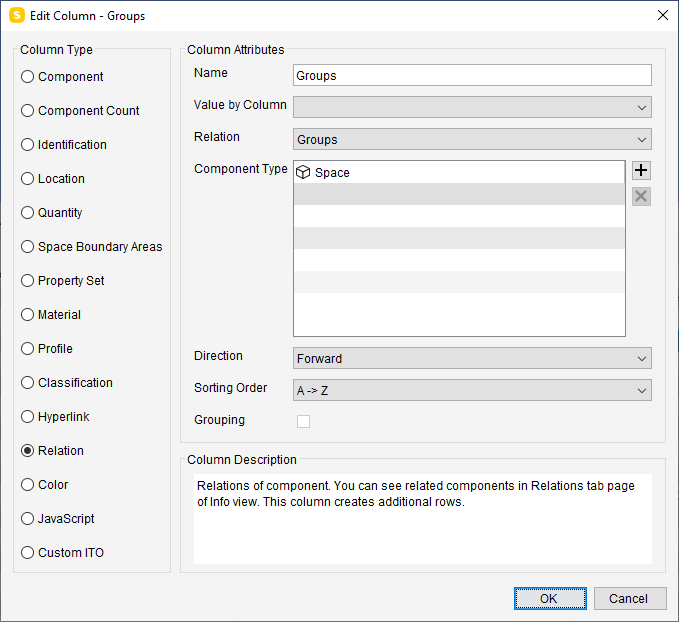
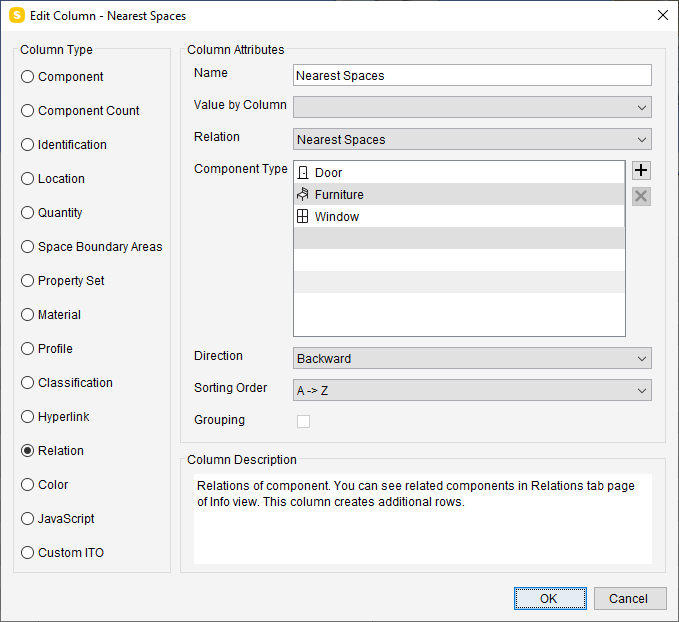
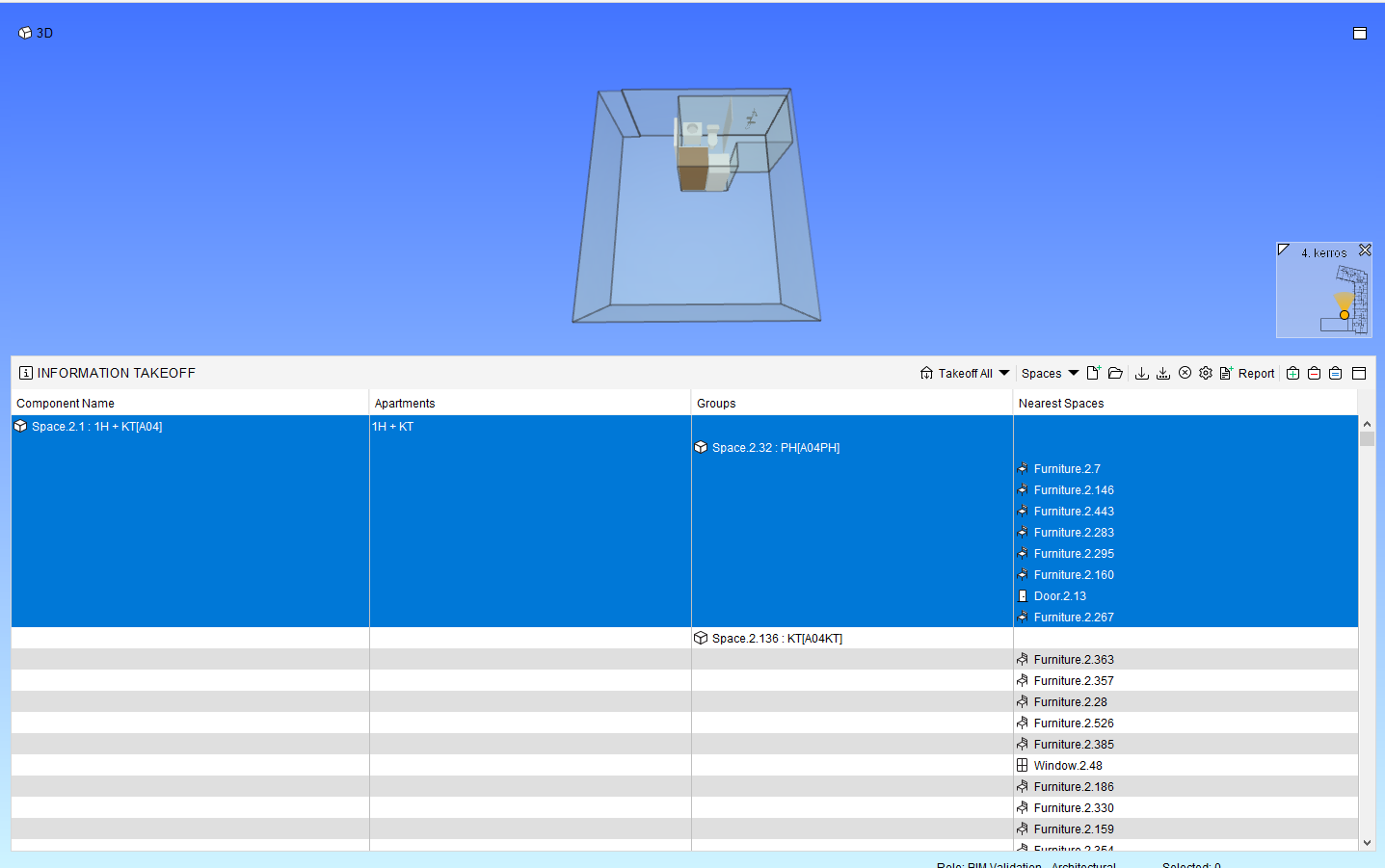
-
Hi @Matti-Kannala
Thanks for your reply.
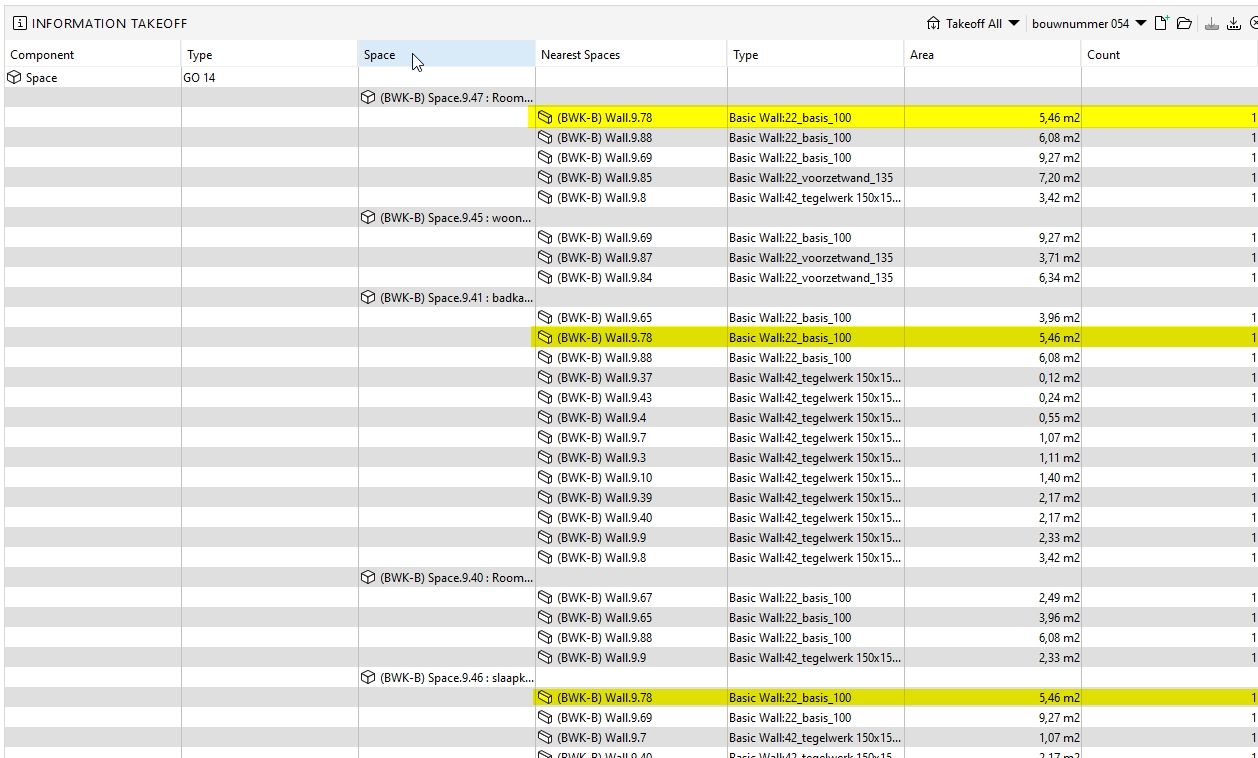
This works for element in that space, but not for walls between spaces but within that appartment.
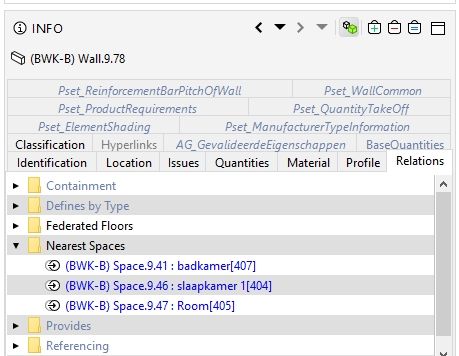
These walls have 2/3 nearest spaces and show up in my ITO more than once…
See picture below with the same wall showing up 3 times.
Is there a way to avoid that?
-
This depends on the modeling. If the walls are long and are near multiple spaces the walls are repeated even more than three times…
If your model has space boundaries that are correctly defined you can use them for calculating wall areas.
This post might give some ideas:
https://society.solibri.com/topic/539/how-to-do-a-information-takeoff-of-the-areas-from-space-boundaries-pset-of-spaces -
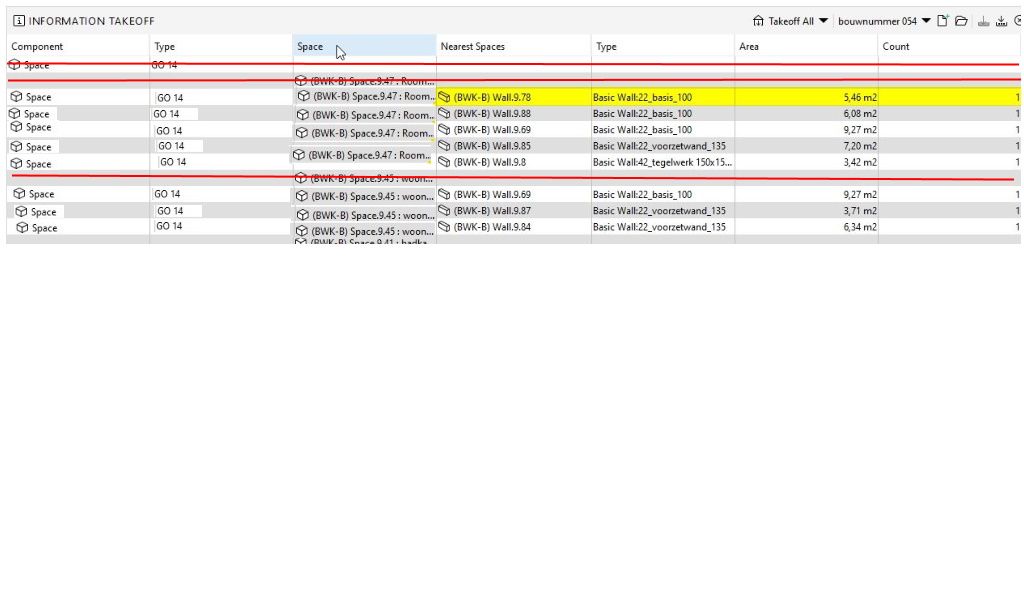
@Matti-Kannala I’ve got a follow-up question on the above. Is there a way to change the format of these relational take off schedules?. I’d like to import the relational take-offs in other software but the format of the relational take-offs make it hard to import in other platforms it needs a lot of rework. For a human this is easy to read but machines don’t really like it. In the example of Jeroen I would like to have the Component, Type and Space value set in front of each Wall. The first 2 rows which only show the Component Type and Space value can be removed. Is this possible?.
-
@ERuifrok said in Extracting elements (including quantities) by spaces / zones:
he example of Jeroen I would like to have the Component, Type and Spac
Could you sketch a picture of the report how it should look. In the report template you don’t need to have all columns (some columns can be dropped out).


Copyright © 2025 Solibri Inc. | Powered by NodeBB