Your browser does not seem to support JavaScript. As a result, your viewing experience will be diminished, and you have been placed in read-only mode.
Please download a browser that supports JavaScript, or enable it if it's disabled (i.e. NoScript).
Hi,
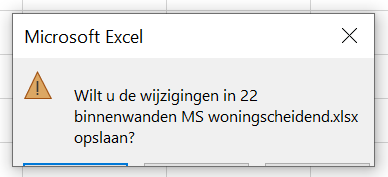
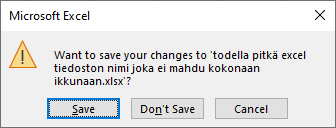
Almost every time when I want to close an Excel report, the pop-up window is cut off at the bottom. Does somebody know what I can do about this? It only happens with Excel files that are made with Solibri.
This must be Excel problem. Might relate to localisation or Windows screen scaling. Please contact Excel support Help->Contact Support in Excel.
Note: On my system the warning icon is a bit different color. You might use older version of Excel.
Thanks for the tip. I have an older laptop lying around with a lower resolution. I can test if the same problem will occur there.
Copyright © 2025 Solibri Inc. | Powered by NodeBB