
Nearest space relation in classifications
-
Dear Solibri team
I have a question and request regarding the “Nearest Space” relation. I was making a classification that would assign an area code to objects based on the space they are located in, as each floor in my project is divided into smaller areas or space groups. To do so, I was using the “Nearest Space” relation which worked as intended for most components, but some components seemed to be related to a space next to the space the component is located in or a space on a different floor.
In my efforts to figure out why, I discovered that there are two different parameters named “Nearest space”. One is located in the “Location” property set and the other one in the “Relation” property.
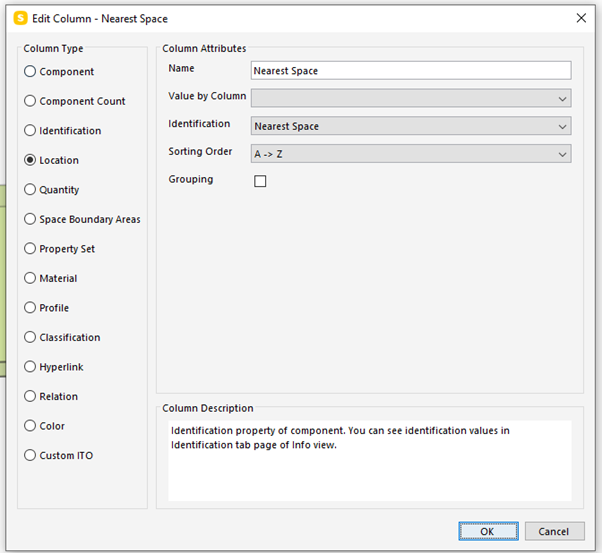
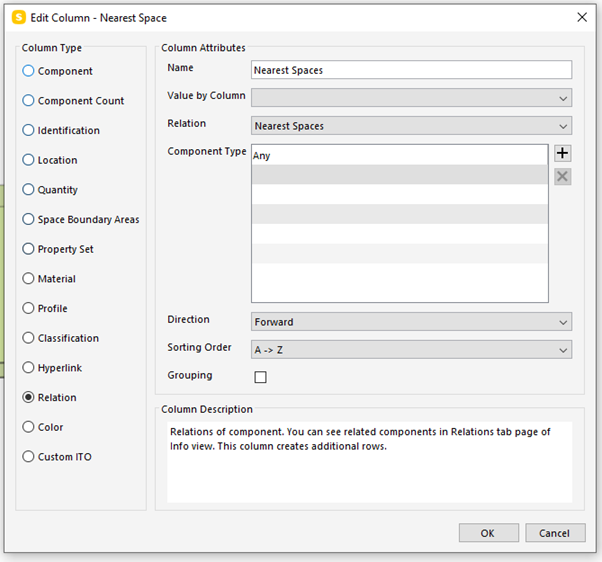
These return different spaces for the same component. As you can see below, the “Nearest Space” in the “Relation” property set returns the 2 spaces that the component is located in (the same 2 spaces which is listed when you look in the “Info” view for the component) while the “Nearest Space” in the “Location” property set returns a different space.
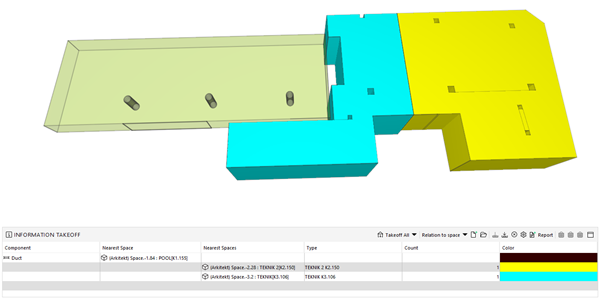
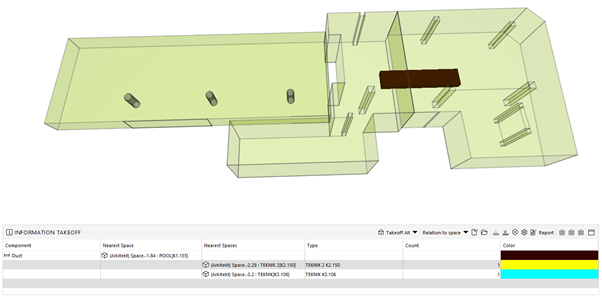
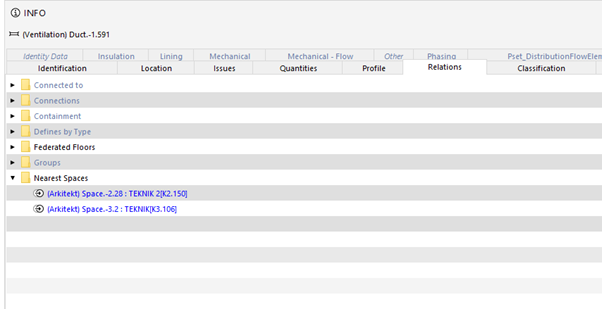
If I were to only make an ITO I could just use the “Nearest Space” from the “Relations” property set to get the right spaces, but when making an classification it is not possible to select that property set.
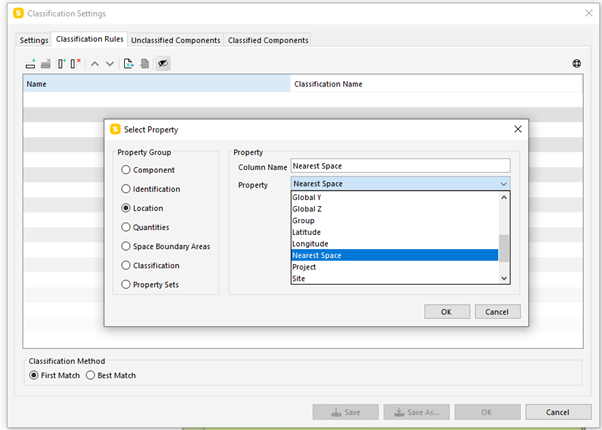
Can you please explain and help me understand why there is a difference between the two “Nearest Space” parameters and what the difference is? Maybe elaborate on which parameters are evaluated when defining the “Nearest Space” relation.
Best regards,
Mikkel -
For reference: https://www.solibri.com/learn/the-custom-relations-view-in-smc-v9-7 has the original announcement of nearest spaces calculation.
There does not seem to be well-defined public definition, but like the announcement says for the relation it is calculated from position of the given component and spaces in the model and relations are created and added to the model.
For Nearest spaces in Location we have some special cases, for space it would return the space itself, for space boundary it should return the space the space boundary is bounding. And then for all other components, the return value should be similar to the relation.Based on the code there might be multiple nearest spaces relations, but location always returns a single one, so that might be a source of some differences.
-
Hi Lasse
Thank you for you quick reply!
I get that the “Nearest Space” returns 1 space in “Locations” and can return multiple spaces in “Relations”, and that you manually can assign space relations to objects. In my example above, I get a space from “Location” which is not listed in the “Relations” tab. The return value should be similar to one of the spaces listed in “Relations” but in this case is is not. Are there other special cases that might be the reason for this?
In a different example I have 3 columns in the same space. All have the same “Nearest Space” both in “Location” and in “Relations”, but when i make a classification based on their nearest space, only 2 out of the 3 are classified (the red ones) despite all 3 having the same relation to the space. Do you have any idea why that is?
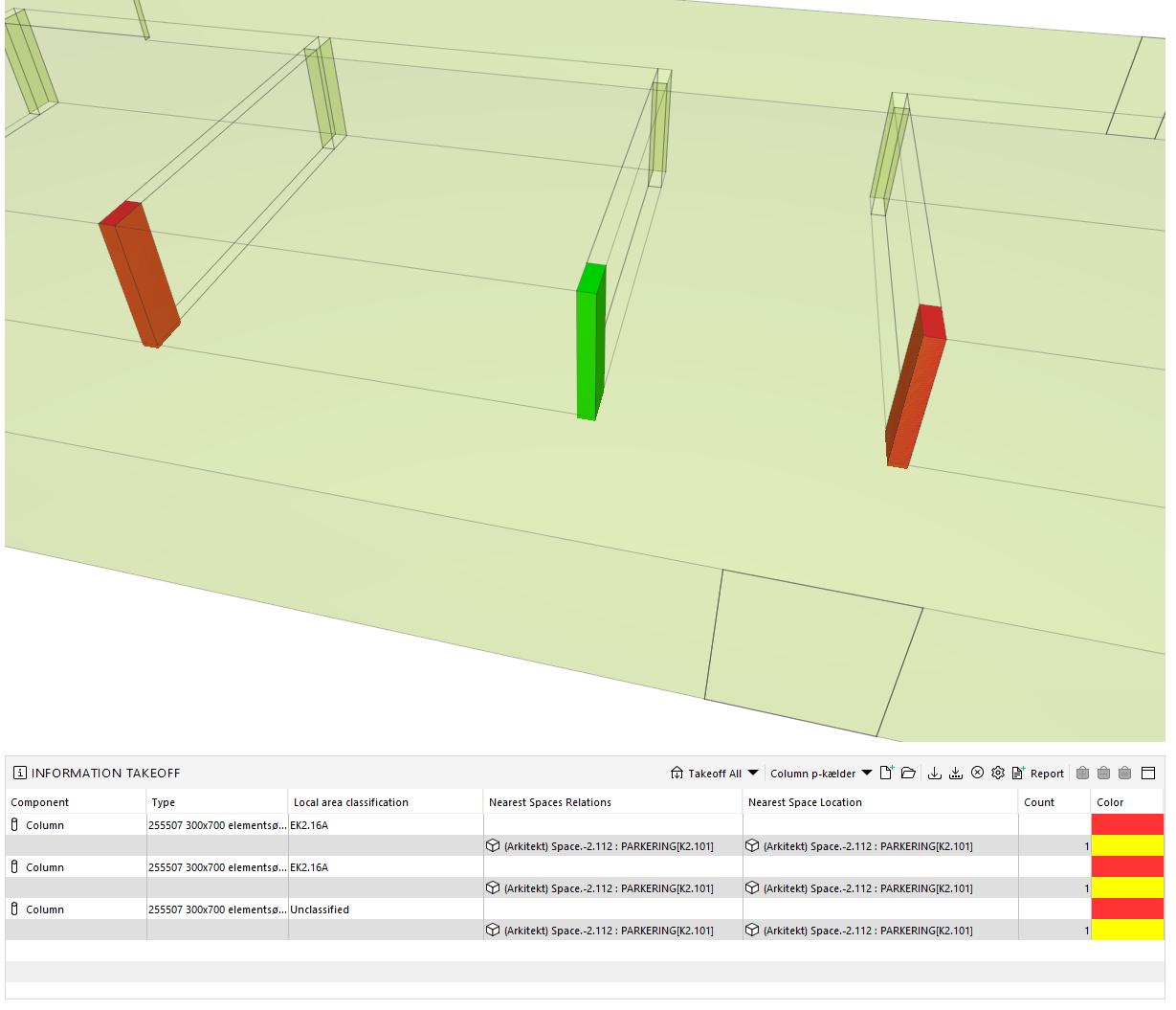
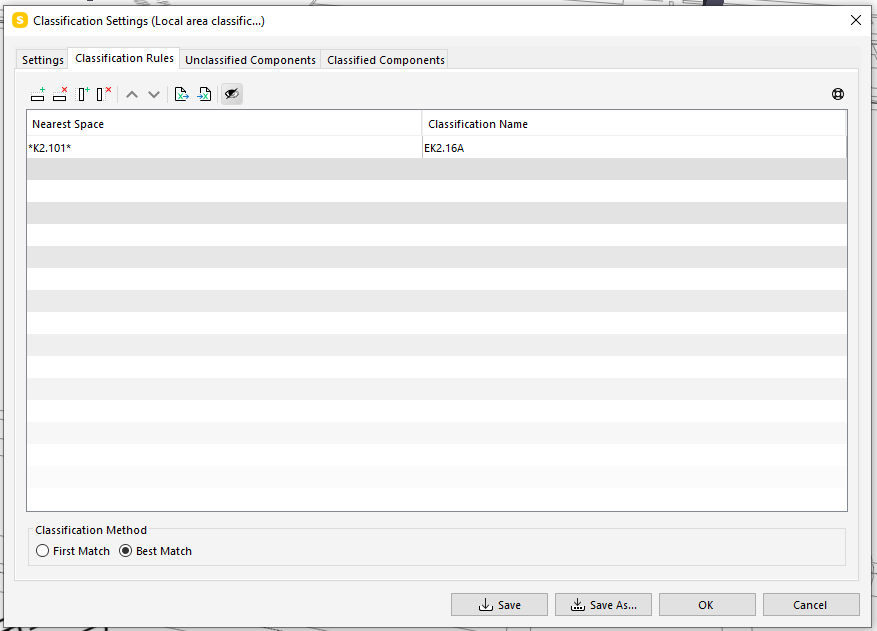
Thank you in advance!
-
I think solving this is easiest if you are able to send the model via support or directly to [email protected]. Otherwise it is a bit of guesswork only.
Copyright © 2025 Solibri Inc. | Powered by NodeBB