Skip to content
  • Categories
Collapse
Solibri Society Forum
  1. Home
  2. General Discussion
  3. Problem with the Map view

Problem with the Map view

Scheduled Pinned Locked Moved General Discussion
5 Posts 3 Posters 746 Views
  • Oldest to Newest
  • Newest to Oldest
  • Most Votes
Log in to reply
This topic has been deleted. Only users with topic management privileges can see it.
  • D Offline
    D Offline
    DoPay
    wrote on last edited by
    #1

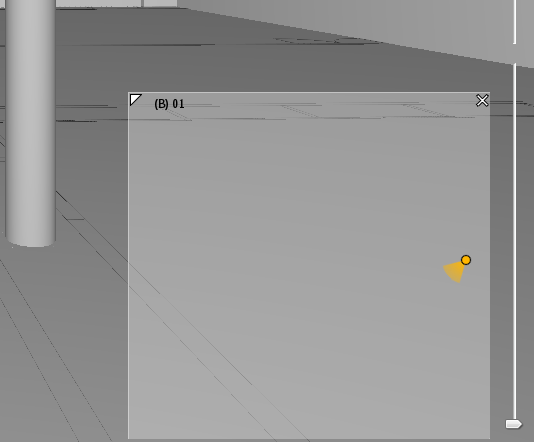
    With the 9.12 version, I have the yellow dot but I don’t have the plan view.!
    [alt text]2020-11-13_11-44-48.png

    1 Reply Last reply
    0
    • D Offline
      D Offline
      DoPay
      wrote on last edited by DoPay
      #2

      Bonjour,

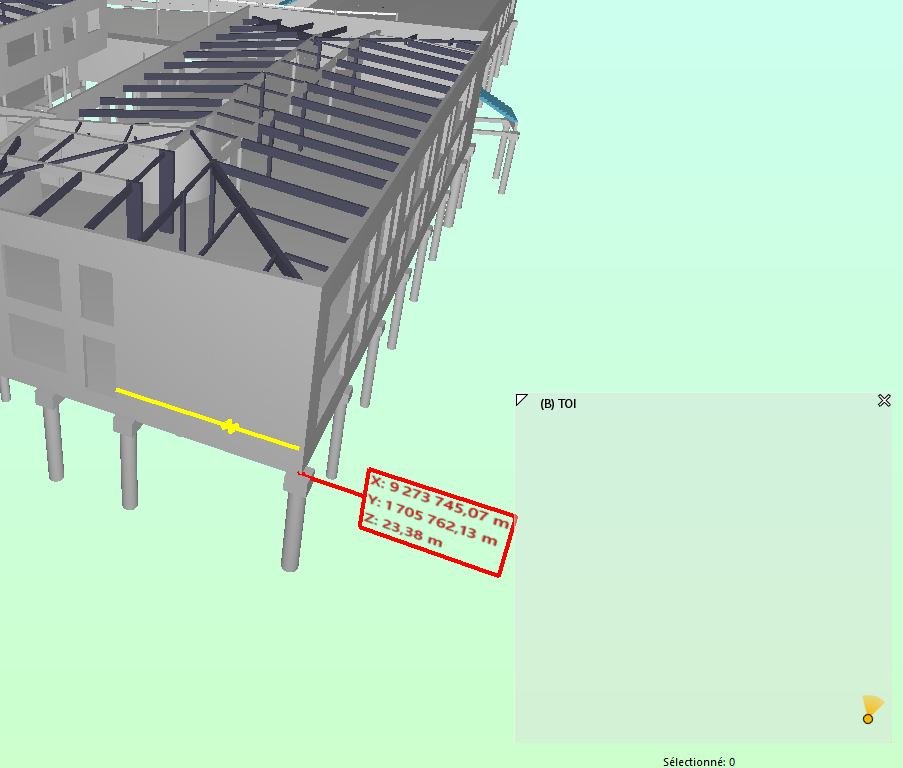
      With v.9.12.3 I still have the same problem with the navigation map. Do you think it’s a georeferencing problem?

      Navigation Map.png

      chrisC agroniA 2 Replies Last reply
      0
      • chrisC Offline
        chrisC Offline
        chris
        replied to DoPay on last edited by
        #3

        @dopay of course it is😉

        1 Reply Last reply
        0
        • agroniA Offline
          agroniA Offline
          agroni
          replied to DoPay on last edited by
          #4

          @dopay
          sorry to say, but the only thing that is correct in those coordinates is the “Z”.
          Many BIM guidelines enforce the usage of small coordinates.

          AllesWirdGut Architecture
          www.awg.at

          1 Reply Last reply
          0
          • D Offline
            D Offline
            DoPay
            wrote on last edited by DoPay
            #5

            @chris For me the geolocation of the models imposes in Revit and in Archicad that the models are close to the points of origin of Softwares, but that it is the coordinates (Data) of the Reference Point of Localization in Archicad and the Base Point in Revit which are informed…
            Tell me if I am wrong.

            @agroni you said : "Sorry to say, but the only thing that is correct in these coordinates is the “Z”.
            Reluctantly I I tried to leave the buildings close to the X,Y = 0 coordinates and keep the elevation relative to sea level in Archicad and Revit, but even doing this the Solibri navigation map does not adapt itself to the Z of the project:

            Example 1: if I put myself at N02 in the map, the 3D view shows me the basement!
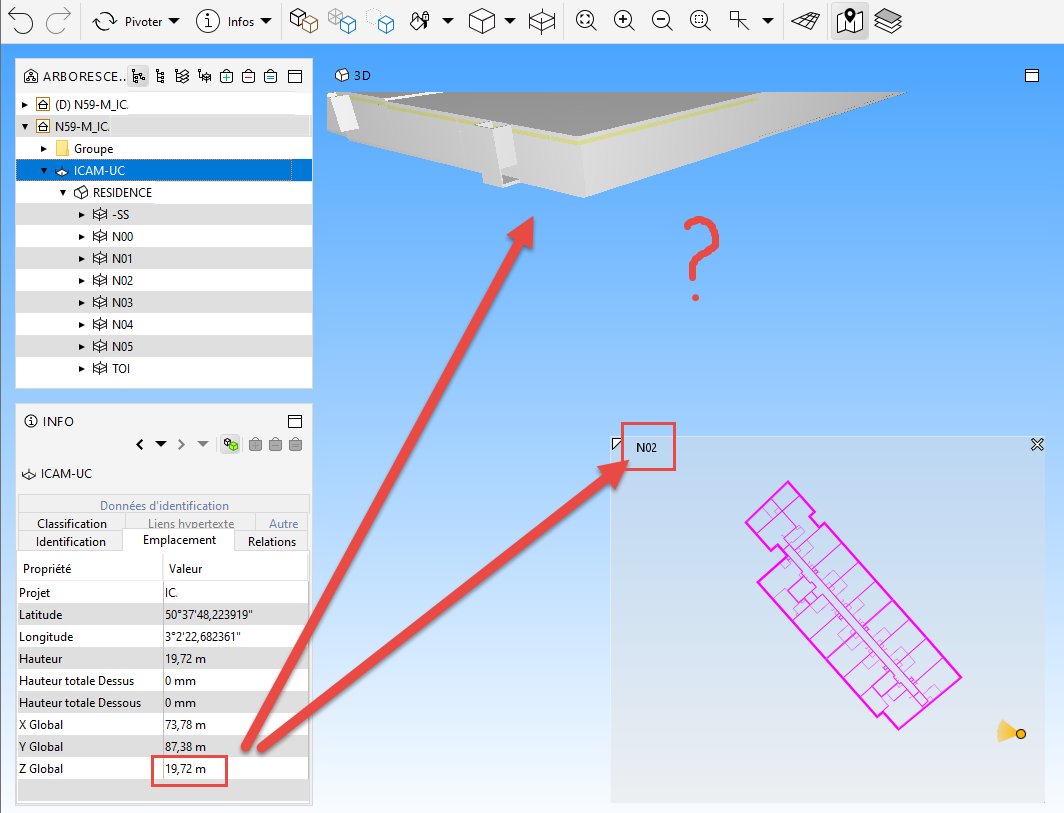
            Vue Map.png

            Example 2: If I approach of N02 in the 3D view, the navigation map shows me the roof level rather than N02. Is this normal ?
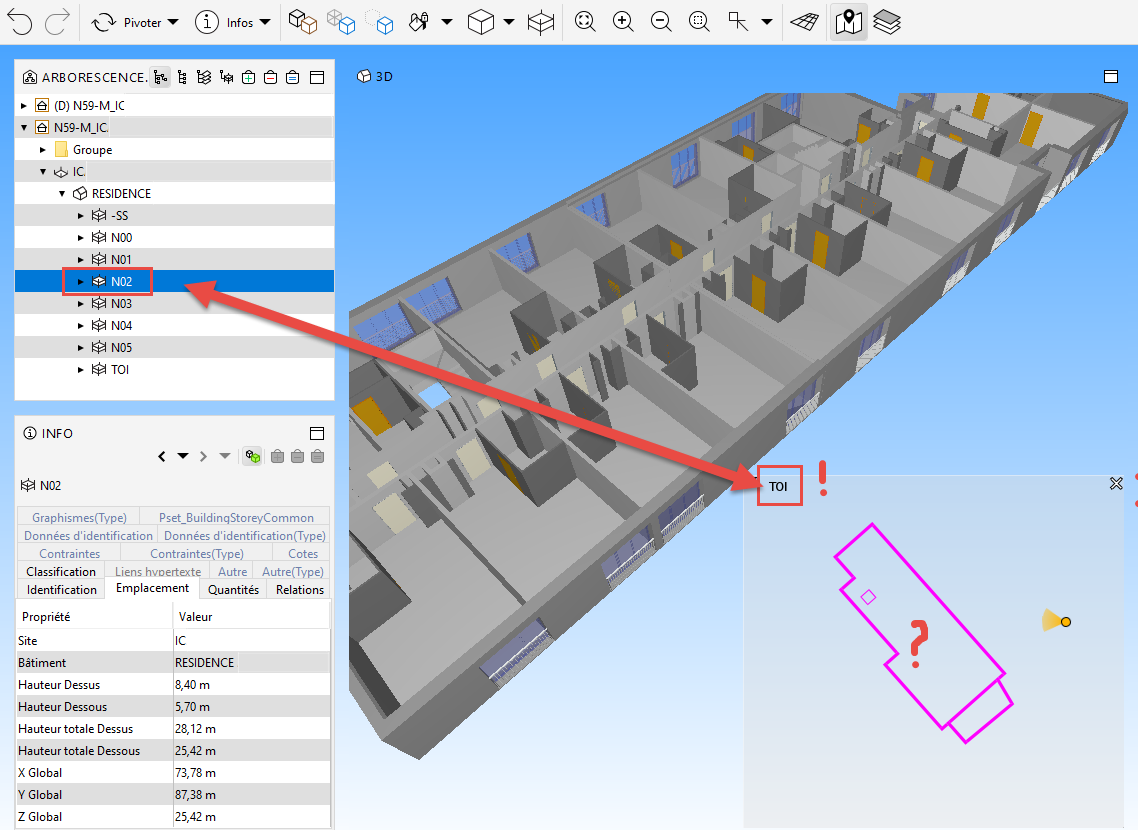
            Vue 3D.png

            Question:
            Wouldn’t it be possible to manage in the Solibri parameters the insertion point of the IFCs files at (choice) :

            • coordinates 0,0,0, of Solibri, or

            • real coordinates of IFC

            1 Reply Last reply
            0

            Copyright © 2025 Solibri Inc. | Powered by NodeBB

            • Login

            • Don't have an account? Register

            • Login or register to search.
            • First post
              Last post
            0
            • Categories