
Calculated space areas (ITO?) not updating
-
I noticed that Solibri does not seem to update all of the calculated values of spaces after updating a model. At least this seems to be true for area and perimeter values, as shown in the screenshots below.
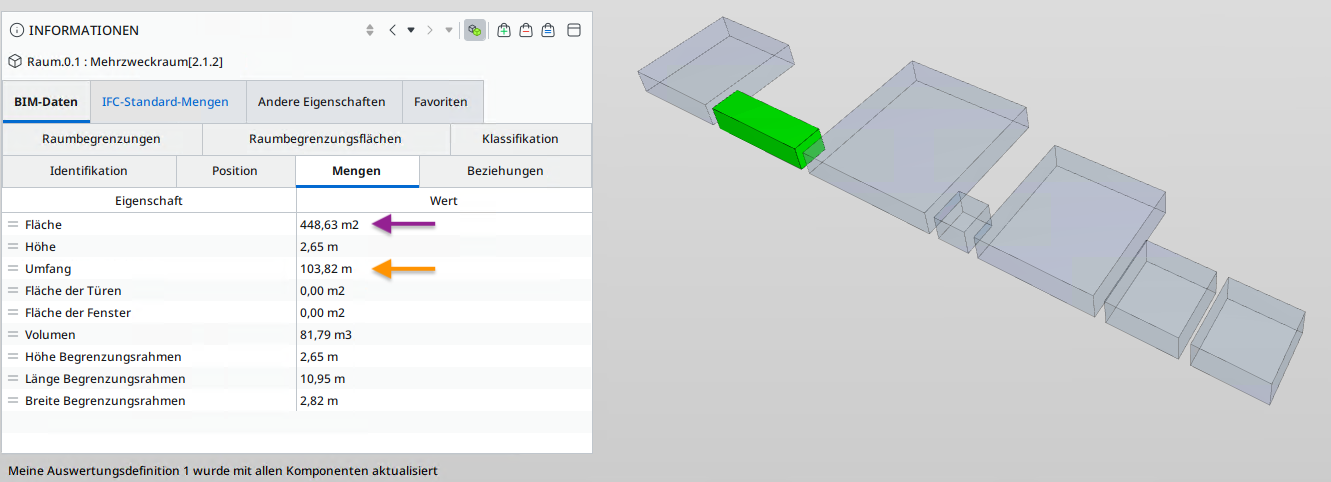
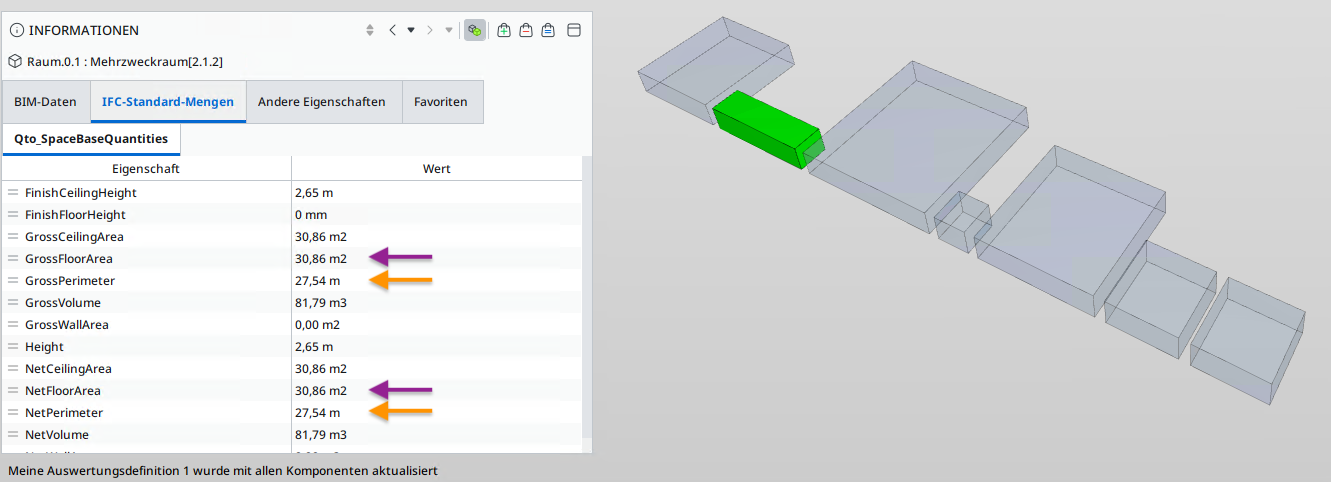
The Qto-values in the second screenshot are correct, the (ITO?)values in the first screenshot show the same values as before updating the model after making changes to the selected space. Takeoffs also show the wrong values. Volume seems to update correctly. To force an update of these I have to close the smc-file and reopen it.
I am trying to use rule #36, which makes use of those area values.
Tested in Solibri Windows 25.6.1.75 & MacOS 25.9.0.82, same behavior.
Is this a bug, a feature or am I doing something wrong? -
Just found this older thread, sounds familiar:
https://society.solibri.com/topic/356/scary-solibri-halloween-story
Copyright © 2025 Solibri Inc. | Powered by NodeBB