
Models real slow, freezes and shutting down
-
@Hartwig said in Models real slow, freezes and shutting down:
Testing the 26.6.0.134-BETA, I also see significant degradations when working with sections. That’s not a small detail, it is a function we need every day hundreds of times. Frankly speaking, all new versions after 25.12.0.84 are not useable for productive purposes. But now we have a KI Assistant and In-app Notifications. Wow.
Hello Hartwig!
Thanks for your feedback, it’s always a pleasure hearing from you.
Could you be a bit more specific on the degradations you’re referring to with Sections? What is it that actually is taking more time in your case?
-
Hi Toni,
simply said, it feels like working on an 80386 machine when trying to move a section plane
In 25.12 everything was fine. Now it is interrupted and feels like bubble gum. While moving the section the program needs nearly 50% of CPU power. What does it do in the background? See the two files attached, I can’t work with this.It seems that it has to do with checking. After opening a file it runs like expected. As soon as you clicked a checking result, Solibri goes to “slow mode”. After that even deleting all rules does not change anything until an app restart.
Regards
Hartwig -
Thanks @Hartwig for the videos, this doesn’t look at all as it should. We haven’t seen such degradation in our test models but we will dig into this right away. You wouldn’t perhaps be able to share that model for testing purposes would you?
-
Have sent you a like, hope it helps. By the way… the new options for sections are really helpful (after fixing the small problem…) Next step should be an option to rename the section. Thanks!
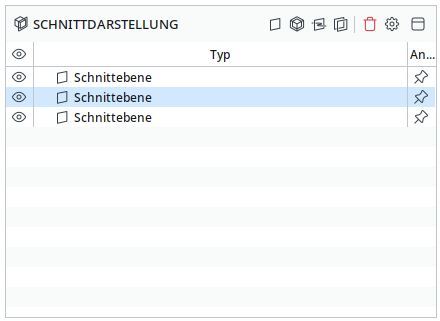
-
This is exactly what we’re experiencing.
It’s already a lot faster than in version 26.4, but it’s certainly not where it needs to be to make working with the models a pleasant experience. -
Would be interesting to know what kind of graphic adapter you’re using. I compared my office machine (Nvidia super expensive, 3 years old) with my private laptop (Intel Iris, 5 years old and not made for 3D jobs). Surprise… in some situations the laptop is smoother when moving section planes.

But Toni is investigating, so we can be hopeful
-
@Hartwig Did you check if Solibri is actually using the Nvidia display adapter?
With our dual GPU laptops, Solibri is defaulting to the integrated display GPU instead of the Nvidia GPU… You have to manually select the GPU in the Nvidia control panel.
It’s probably a Windows (11) bug and not Solibris fault, but F me I am getting so tired of that issue. With new updates the problem comes back.
-
So we’ve done some more digging. Indeed 25.12 is faster for a few reasons, but the most important reason is that it does not include any of the newer options regarding grids, sections and markups.
Our Lead dev has spent some time Friday optimizing the sectioning performance altogether and with the release we’ll have an overall better performing sectioning tool.
-
It’s not just the sectioning.
Browsing through issues in a report (and thus loading the images) takes a long time, especially when an image contains a sectioning.If you turn off the grids in a sectioning and try to move it, the grids will be back on after the immage rebuild. and that takes a really long time.
I hope all of this has been fixed in version 26.6.
In the beta, the issues are still present.


Copyright © 2025 Solibri Inc. | Powered by NodeBB