
Solibri Optimizer problems
-
Hi everyone,
I noticed 2 problems when using Solibri Optimizer and Solibri Office with IFC4 files. (yes I know, IFC4 is not yet certified, but still
 )
)-
Solibri Optimizer doesn’t seem to understand the syntax of the 2nd attribute of the entity IfcIndexedPolyCurve and will delete the “IFCLINEINDEX” and “IFCARCINDEX” parts upon optimization.


Hence, Solibri won’t understand the geometry and won’t import the affected objects. It is basically the same syntax as in the 3rd attribute in IfcPropertySingleValue (which doesn’t cause any problems).
non-optimized file for testing: indexedpolycurve.ifc -
After optimization, Solibri won’t find the thickness of the IfcMaterialLayer anymore and displays 0. This only occurs with an optimized IFC4 file (Allplan) and not with the initial file and not with an optimized IFC2x3 file.
It seems to occur only if the walls and the other objects share the same material and if the walls have only 1 materiallayer.
The same problem occurs when manually changing “FILE_SCHEMA((‘IFC2X3’))” in an optimized IFC2x3 file to “FILE_SCHEMA((‘IFC4’))”, So it seems the problem is specific to IFC4 and Solibri Office and not directly related to IFC Optimizer.

non-optimized files for testing: materiallayerIFC4.ifc materiallayerIFC2x3.ifcto the users : I recommend using Solibri Optimizer with caution, especially Archicad users because Archicad exports IfcIndexedPolyCurve a lot. Just verify if this entity is present in the file before deciding to optimize.
to the solibri team: Is there any plan of updating Solibri Optimizer in the future? There might still be other problems related to IFC4.
kind regards
-
-
Hi, some more problems with optimized IFC4 files from Archicad 23.
Tl;dr: Can’t recommend Solibri Optimizer for IFC4 files
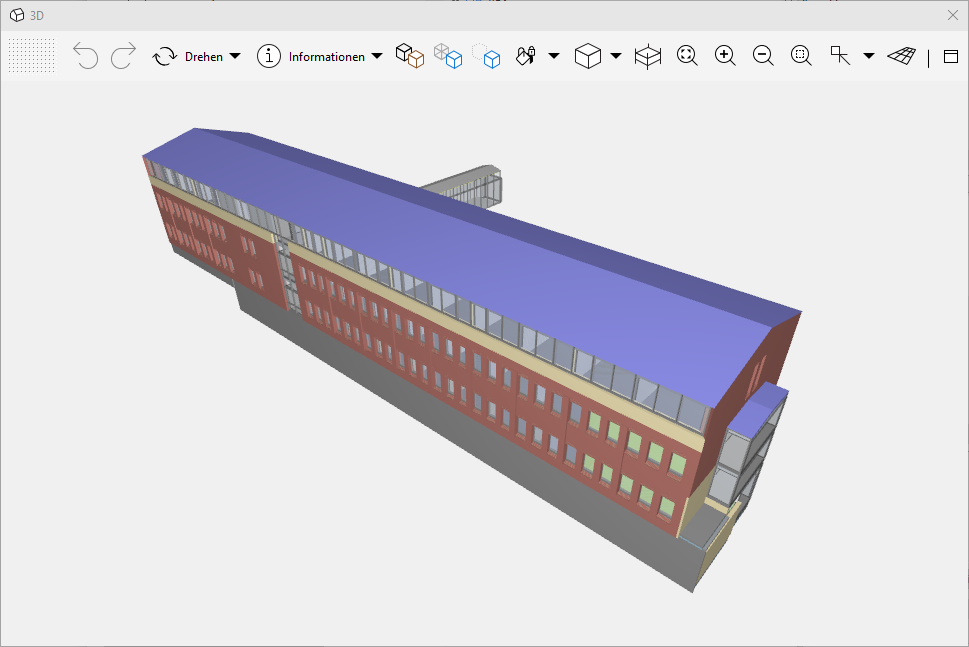
Original file in Solibri:
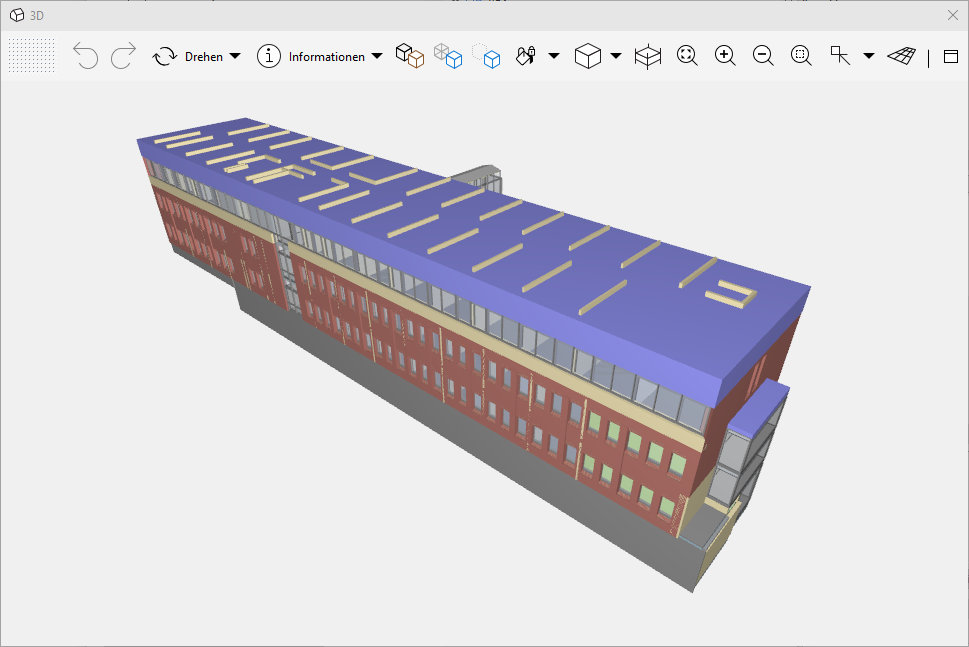
Optimized file in Solibri:
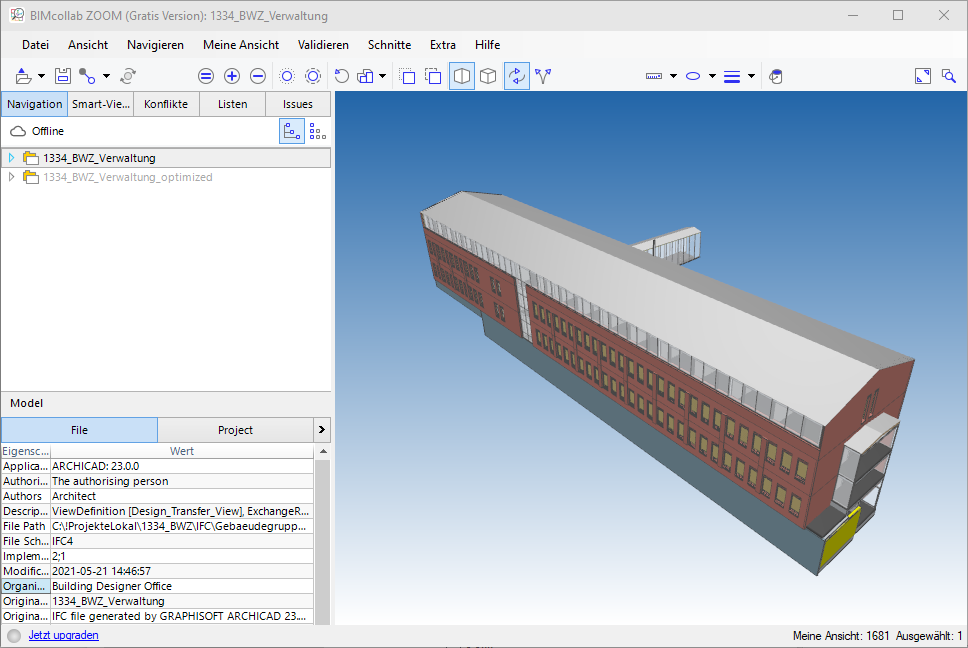
Original file in BIMcollab ZOOM (note element count in status bar):
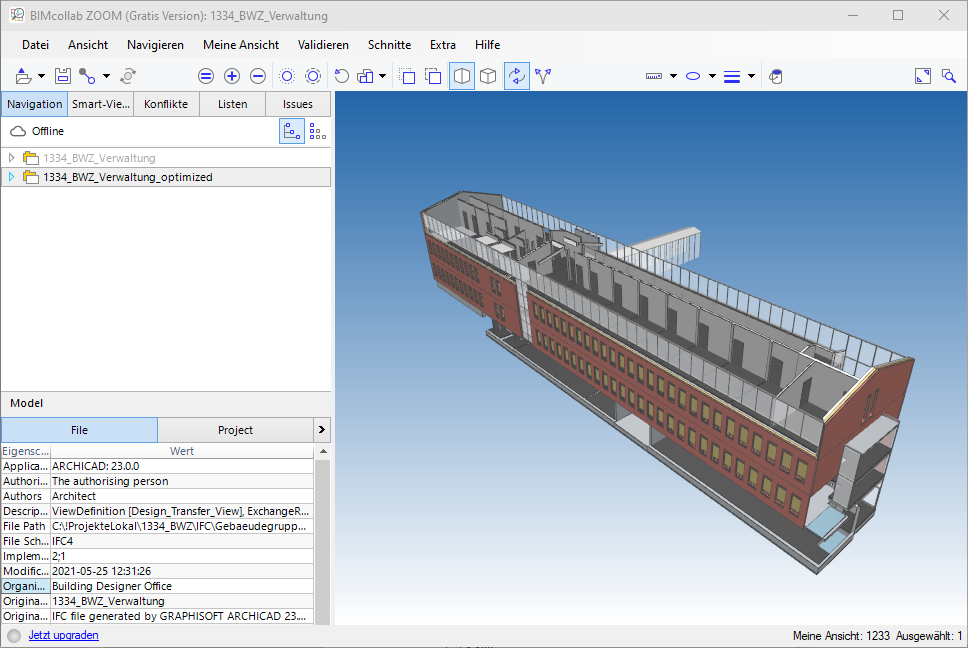
Optimized file in BIMcollab ZOOM:
–
Stefan
Copyright © 2025 Solibri Inc. | Powered by NodeBB