
Classification and Nearest Space
-
I have some troubles regarding nearest space relation in classifications.
As you can see in the picture the marked object clearly har relation nearest space 1A-1205 but my classification sets it to 1A-1105.
The other thing is that the containment is 1A-1105.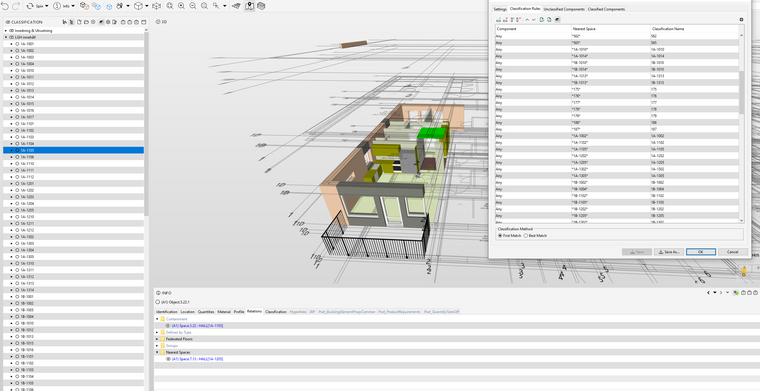
-
@Jim-persson said in Classification and Nearest Space:
As you can see in the picture the
The nearest space relation is not yet available in classification rules. The Nearest Space location field is recommend only in cases where the nearest single space can be determined.
The Nearest Spaces relation
- Result is 0 - 2 Spaces
- Result can be two spaces for components between two spaces (e.g. wall or door)
The Nearest Space location field
- 0 - 1 Space for a component
- Result can be one space randomly selected for components between two spaces (e.g. wall or door)
There is a workaround using ITO:
- Make ITO that reports the nearest spaces for the components. ITO has the relation column.
- Report the ITO to Excel
- Import that Excel as classification rules.
-
Thanks for the Reply.
Is there anywhere you can read the nearest space location exept from when doing a classification.In this case the easiest work around was to manually set the component to the correct classification name.
Is there a way to lock the classification parameters window like all other windows? Or maybe add classification to the custom relations -
@Jim-persson said in Classification and Nearest Space:
Is there anywhere you can read the nearest space location exept from when doing a classification.
In this case the easiest work around was to manually set the component to the correct classification name.
Is there a way to lock the classification parameters window like all other windows? Or maybe add classification to the custom relationsIs there anywhere you can read the nearest space location exept from when doing a classification.
I don’t fully understand this question. Nearest space location field is available in filters, ITO, classification and rules.Is there a way to lock the classification parameters window like all other windows?
One way to edit manually classifications on a docked window is to use ITO:- Add classification column that is editable
- Edit the values by clicking the ITO table cell
-
@Matti-Kannala said in Classification and Nearest Space:
@Jim-persson said in Classification and Nearest Space:
Is there anywhere you can read the nearest space location exept from when doing a classification.
In this case the easiest work around was to manually set the component to the correct classification name.
Is there a way to lock the classification parameters window like all other windows? Or maybe add classification to the custom relationsIs there anywhere you can read the nearest space location exept from when doing a classification.
I don’t fully understand this question. Nearest space location field is available in filters, ITO, classification and rules.So you can’t see this in the info window on the object itself like you can read the relations?
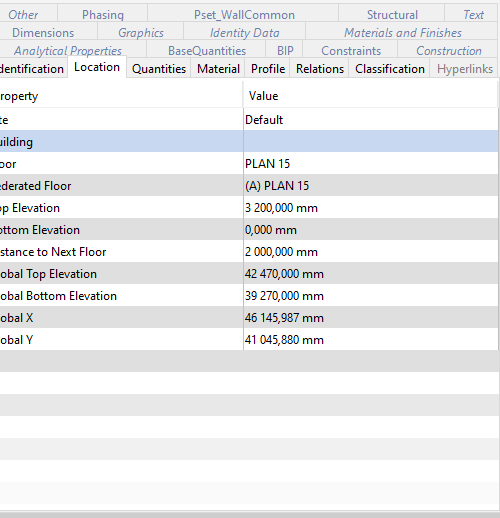
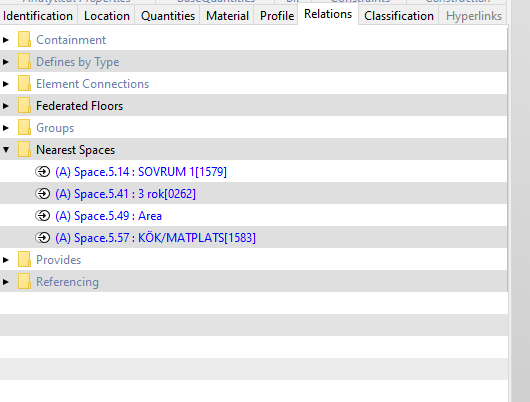
Is there a way to lock the classification parameters window like all other windows?
One way to edit manually classifications on a docked window is to use ITO:- Add classification column that is editable
- Edit the values by clicking the ITO table cell
Prefect i missed that you can make ITO editable complety. that solves this issue
-
@Jim-persson said in Classification and Nearest Space:
Prefect i missed that you can make ITO editable complety. that solves this issue
Editable works only for classification and color column.
Tip: the color column can be set to take the colors from a classification column.

Copyright © 2025 Solibri Inc. | Powered by NodeBB