Skip to content
  • Categories
Collapse
Solibri Society Forum
  1. Home
  2. Comments & Feedback
  3. Tech Talks
  4. Update model not updating component colors

Update model not updating component colors

Scheduled Pinned Locked Moved Tech Talks
13 Posts 8 Posters 2.9k Views
  • Oldest to Newest
  • Newest to Oldest
  • Most Votes
Log in to reply
This topic has been deleted. Only users with topic management privileges can see it.
  • SigneLaksaaS Offline
    SigneLaksaaS Offline
    SigneLaksaa
    wrote on last edited by
    #3

    Does anyone know if this is something they’re working on?

    1 Reply Last reply
    0
    • JeroenKoomenJ Offline
      JeroenKoomenJ Offline
      JeroenKoomen
      wrote on last edited by JeroenKoomen
      #4

      @Solibrians

      I have this problem also… especially with models we use for communicating voids in a structual model…

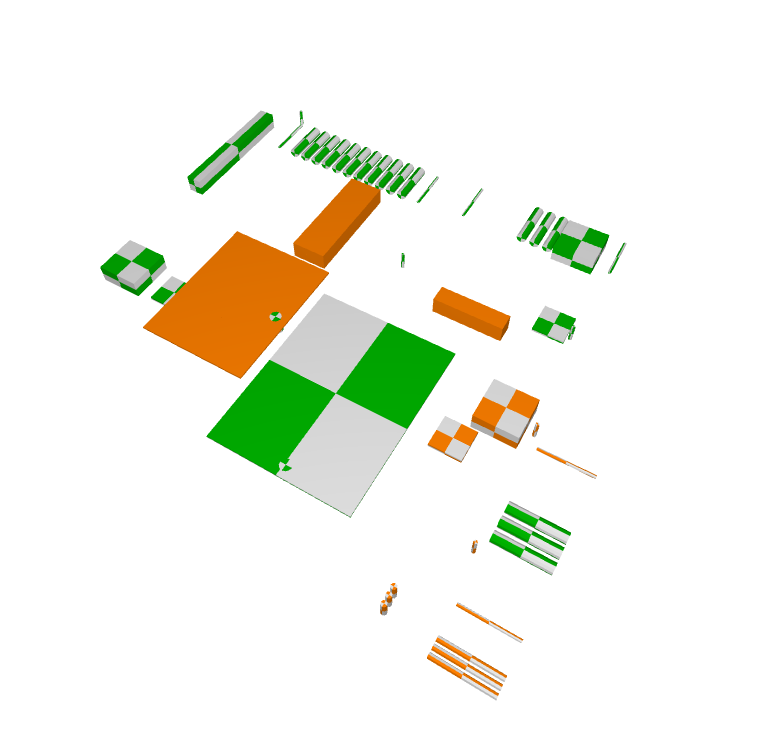
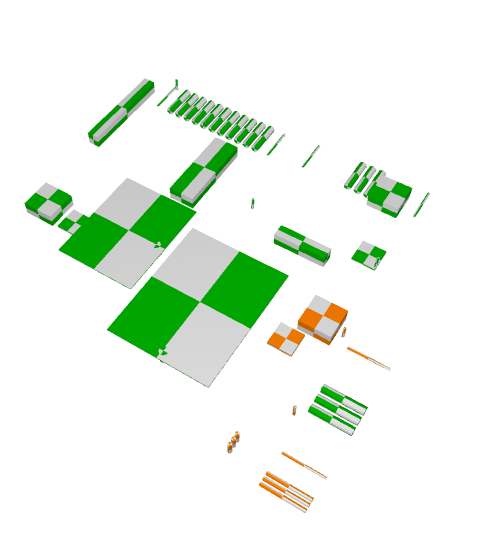
      What sometimes helps: changing the color of the model using colormap. Firts unchecking “Use model colors” and then check “Use model colors” again. Below a model before and after that.
      af6009f2-70a8-4dac-ac63-c71048564265-image.png

      8f9c0b66-d63b-437b-8538-caa88d0bd0bb-image.png

      http://www.linkedin.com/in/koomenjeroen
      https://www.bimloket.nl/BIMbasisILS

      1 Reply Last reply
      0
      • JeroenKoomenJ Offline
        JeroenKoomenJ Offline
        JeroenKoomen
        wrote on last edited by JeroenKoomen
        #5

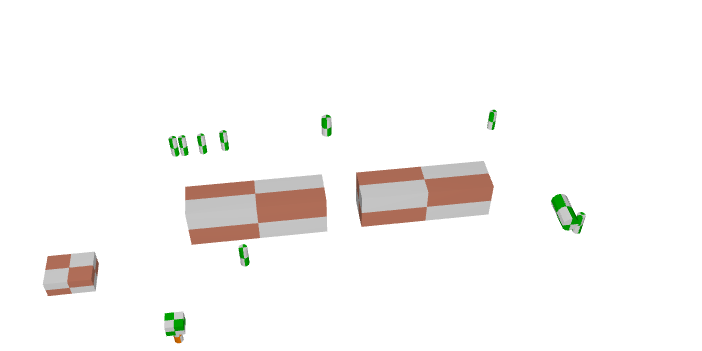
        But this solution does not work allways…

        Below a model which i updated in Solibri…
        f9e1e024-ca3e-48b2-9400-3a23bce3e1ce-image.png

        If i open this one in Solibri in stead of updating the model I see this…

        0abde3a8-5d59-41ab-935c-a0fa5033b072-image.png

        @Solibrians any Idea how to fix this? It is really annoying because the colors are really important because the color represents the status of the void (new / approved / declined etc).

        http://www.linkedin.com/in/koomenjeroen
        https://www.bimloket.nl/BIMbasisILS

        RicardoR 1 Reply Last reply
        1
        • RicardoR Offline
          RicardoR Offline
          Ricardo
          replied to JeroenKoomen on last edited by
          #6

          @jeroenkoomen said in Update model not updating component colors:

          But this solution does not work allways…

          Below a model which i updated in Solibri…

          If i open this one in Solibri in stead of updating the model I see this…
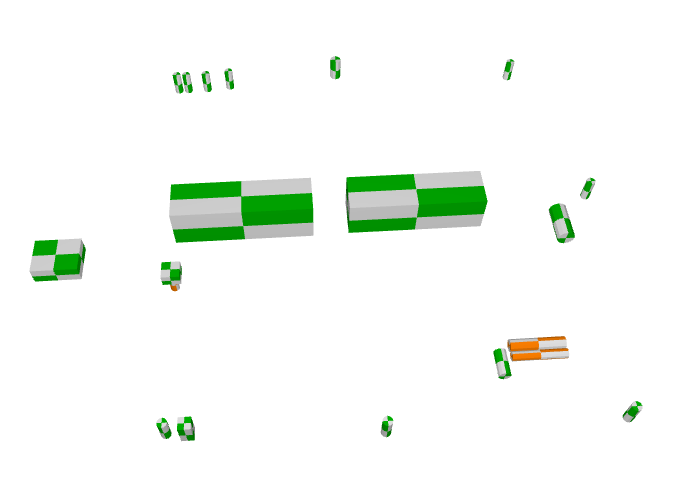
          @Solibrians any Idea how to fix this? It is really annoying because the colors are really important because the color represents the status of the void (new / approved / declined etc).

          Removing the IFC model and adding again worked for me. However that’s not really the right solution…

          JeroenKoomenJ 1 Reply Last reply
          0
          • JeroenKoomenJ Offline
            JeroenKoomenJ Offline
            JeroenKoomen
            replied to Ricardo on last edited by
            #7

            Removing the IFC model and adding again worked for me. However that’s not really the right solution…

            Yes that is not what you want because then you will loose all history of the elements in the old model in rulesets / presentations etc.

            http://www.linkedin.com/in/koomenjeroen
            https://www.bimloket.nl/BIMbasisILS

            MattiM 1 Reply Last reply
            0
            • MattiM Offline
              MattiM Offline
              Matti Solibrians
              replied to JeroenKoomen on last edited by
              #8

              @jeroenkoomen

              could we have these small colorful IFCs for testing?

              JeroenKoomenJ 1 Reply Last reply
              0
              • JeroenKoomenJ Offline
                JeroenKoomenJ Offline
                JeroenKoomen
                replied to Matti on last edited by
                #9

                @matti-kannala said in Update model not updating component colors:

                @jeroenkoomen

                could we have these small colorful IFCs for testing?

                I am sending you IFC / SMC over the mail.

                http://www.linkedin.com/in/koomenjeroen
                https://www.bimloket.nl/BIMbasisILS

                MattiM 1 Reply Last reply
                0
                • MattiM Offline
                  MattiM Offline
                  Matti Solibrians
                  replied to JeroenKoomen on last edited by
                  #10

                  @jeroenkoomen

                  Thanks!

                  1 Reply Last reply
                  0
                  • KevindenToomK Offline
                    KevindenToomK Offline
                    KevindenToom
                    wrote on last edited by
                    #11

                    Is there already a solution for this problem?

                    we have the same problems with visability of the elements they were projected as transperecy but we want to see them as the normal colors.

                    Is there anyone who can help me with this issue.

                    A 1 Reply Last reply
                    0
                    • A Offline
                      A Offline
                      Anees Alomar
                      replied to KevindenToom on last edited by
                      #12

                      Hi @kevindentoom

                      Do you have an issue similar to this one?

                      https://society.solibri.com/topic/1553/how-could-the-aluminum-frames-of-the-windows-be-transparent/2?_=1634567239898

                      1 Reply Last reply
                      0
                      • JSNJ JSN referenced this topic on
                      • P Offline
                        P Offline
                        Patrick
                        wrote on last edited by
                        #13

                        I have the same issue.
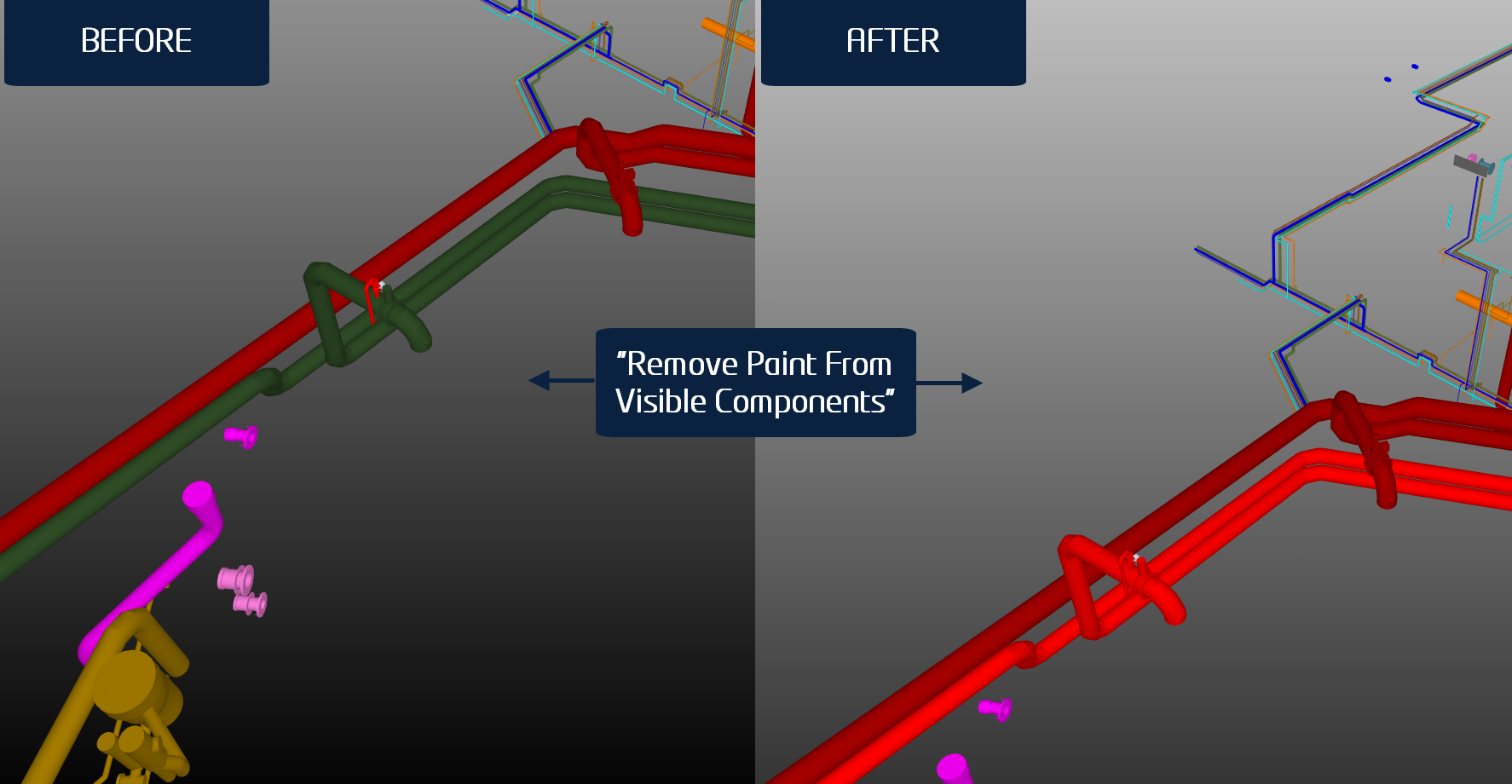
                        Using “Remove Paint from Visible Objects” fixes the issue, even though I haven’t manually added the wrong colors to the .IFC:

                        image.png

                        1 Reply Last reply
                        0

                        Copyright © 2025 Solibri Inc. | Powered by NodeBB

                        • Login

                        • Don't have an account? Register

                        • Login or register to search.
                        • First post
                          Last post
                        0
                        • Categories