
Add product choice to your shortcut
-
Did you know that on Windows Operating System, you can add an argument to the shortcut properties to run Solibri as Office, Site or Anywhere.
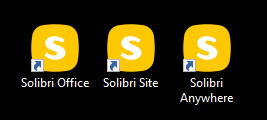
Just right click on the shortcut, go to properties and add an argument:
-office
-site
-anywhere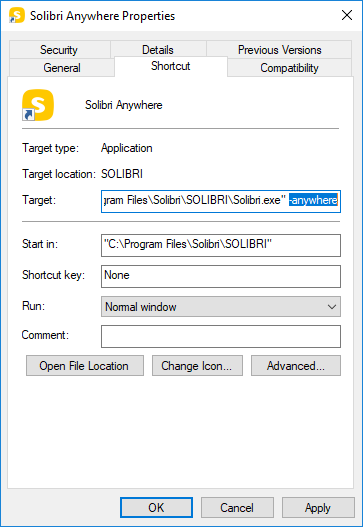
-
Thanks, Nice this is possible.
-
Awesome, thanks for responding regarding this wish !
-
Nice one…
-
Great opprtunity in WIndows.
@Lauri-Luoma do you know how to establish this for an Alias on mac?
-
In macOS it is possible to achieve a similar outcome by creating a launcher app as an AppleScript application.
This can be done using the Script Editor application that’s a standard feature in macOS:
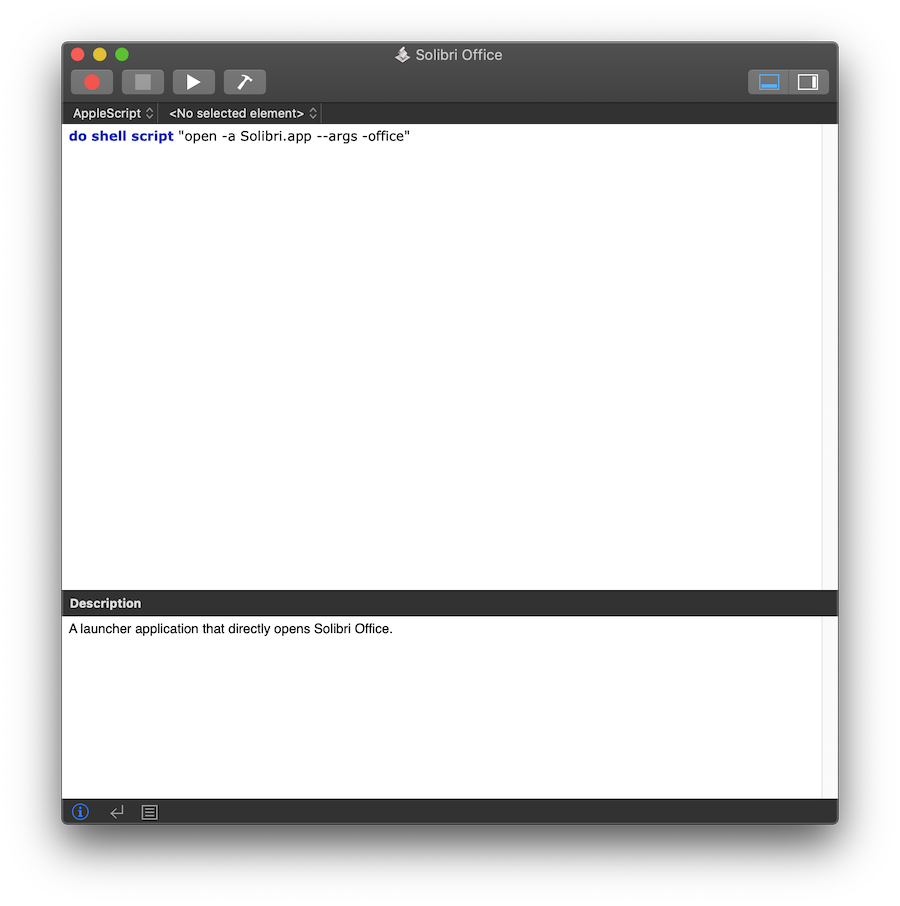
When saving, select Application as the File Format. Now you can directly open Office by double clicking on the application created using the Script Editor. In order to create a launcher for Anywhere or Site, you can replace the argument -office with -anywhere or -site. Note that the launcher application is an independent application and will not have the Solibri icon.
-
@otsob thank you for the additional information.






Copyright © 2025 Solibri Inc. | Powered by NodeBB