
Solibri 9.12.1: In BCF Live Connector, the screenshots of the new Issues disappear
-
@xavier said in Solibri 9.12.1: In BCF Live Connector, the screenshots of the new Issues disappear:
Screenshots dissapear… And this happens with BIMsync and also BIMcollab Live connection…
Speaking for BIMcollab, I made the experience that when adding a new image to an issue in Solibri, it is necessary to always add a comment or the snapshots will be lost. Try it out. (Btw, this is actually a thing they should write somewhere in big bold letters …)
This is actually the case when you want to add further screenshots to existing issues - BimCollab says it works as it should. I doubt it. However, I think it should not happen when you create a new issue - will try that out later.
-
@xavier said in Solibri 9.12.1: In BCF Live Connector, the screenshots of the new Issues disappear:
Thanks for your test. I tried everything, and I tried by adding title, description, status, all. But the problem still here. It’s very strange.
BIMsync and BIMcollab? Are you on the latest version of 9.12.1.9?
For BIMcollab I can at least verify that your first problem - disappering screenshots during a new issue creation in BCF Live - are definitely not happening here, there is something not working correctly for you.
For the second described problem - the loss of screesnhots from existing issues - this might me “normal”, but if you are facing other problems then there might be a relationship too.
Anyhow, I guess this information won’t help you much either, but I am curious what might cause your problems.
-
Hi @Xavier,
There is some issues regarding duplicate components in the viewpoint you were trying to post. That is why the viewpoint is not getting exported. Could you try to reproduce the same behaviour in our latest beta 9.12.2?
As @JSN mentioned, with BIMcollab there is an existing issue that BIMcollab does not show viewpoint in there UI if it does not have any comment attached to it
-
First of all, thanks for yours answers,
This issue happens with Solibri 9.12.1.9, with BIMsync and BIMcollab. The process did it in BCF Live connection is:
- Test always creating a new SMC file
- I created a new isse in Solbri tool “BCFLive” Connection
- I test the same process connecting BIMsync, and BIMcollab (Free and also a Professional accoount).
Later I will try with Solibri Beta version.
Kind regards,
Xavier Coll
EiPM -
Good afternoon @Noushed and @JSN ,
I tested the Solibri Beta 9.12.2, and about the issue of dissapeared images of an issue created in Solibri-BCFlive:
- Test in BIMcollab -> it seems to work
- Test in BIMsync -> it seems to work
Special note:
In the first test, I started synchronizing with BIMsync, and Solibri did something strange:- In Solibri-BCFLive, I created a new issue
- After 1st syncronization, in BCFLive list, a copy of the issue, appeared in the list of issues.
- After 2nd syncronization, in BCFLive list, a 2nd copy of the issue, appeared in the list of issues.
- After 3nd syncronization, in BCFLive list, a 3nd copy of the issue, appeared in the list of issues.
- I decided to close Solibri.
I re-started Solibri again, but this “repeat” issue was not replicated (by now…)
Kind regards,
Xavier Coll -
@xavier said in Solibri 9.12.1: In BCF Live Connector, the screenshots of the new Issues disappear:
Yes! I attach a video.
That’s also good to know.
When you do not add a comment …
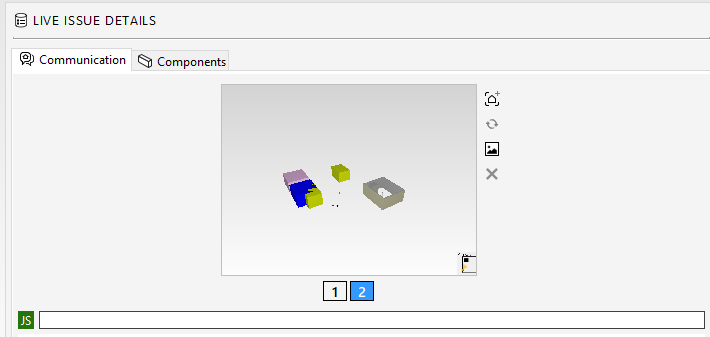
… it wont be visible in the history (as discussed above) …
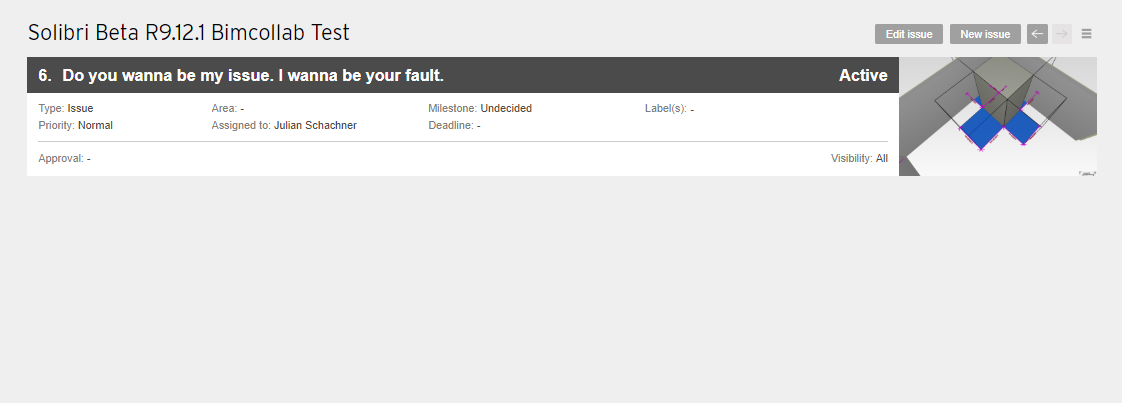
… but you can select it here manually?
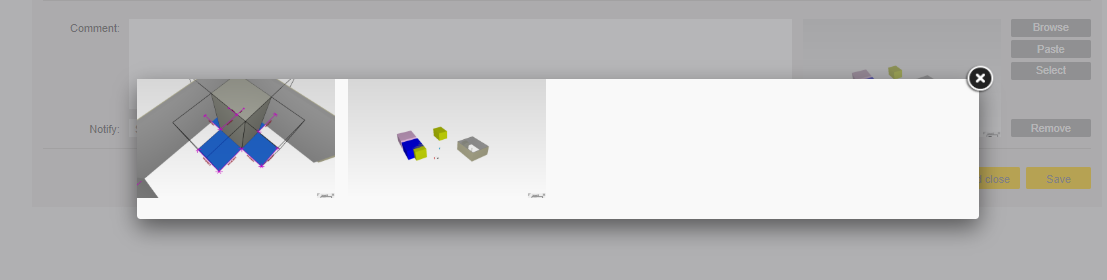
So it indeed get’s synced, but BIMcollab does not want to / or cannot show it in the history itself? For me this makes no sense.



Copyright © 2025 Solibri Inc. | Powered by NodeBB