
Functions in ITO reports
-
Hello @JSN , thanks for the answer, the truth about programming for now I only know a little about Excel and XML, nothing about Java or other languages, so in the short term it would not be applicable, at least in my case.
On the other hand there is also no information on the web specifically for Java on Solibri, at least not free, that I have found. If you know if there is information to be able to learn to program specifically for the Solibri extension, I would be grateful. Greetings.
-
@Bram-0 said in Functions in ITO reports:
On the other hand there is also no information on the web specifically for Java on Solibri, at least not free, that I have found. If you know if there is information to be able to learn to program specifically for the Solibri extension, I would be grateful. Greetings.
You are right the getting started guides could be better, but there are some ressources which can be found here. Anyhow in this specific case I was not refering to the Java API but I menat the JavaScript support for the ITOs which has quite a good quickstart tutorial - check if you have access.
https://society.solibri.com/topic/620/javascript-api-documentation-solibri-version-9-10-8
I only know a little about Excel and XML, nothing about Java or other languages, so in the short term it would not be applicable, at least in my case.
I gues you could also try to use Power Query with the template as a crutch for now to at least automate the splitting.
-
@Solibrians need to give you access privileges
-
@JSN said in Functions in ITO reports:
I gues you could also try to use Power Query with the template as a crutch for now to at least automate the splitting.
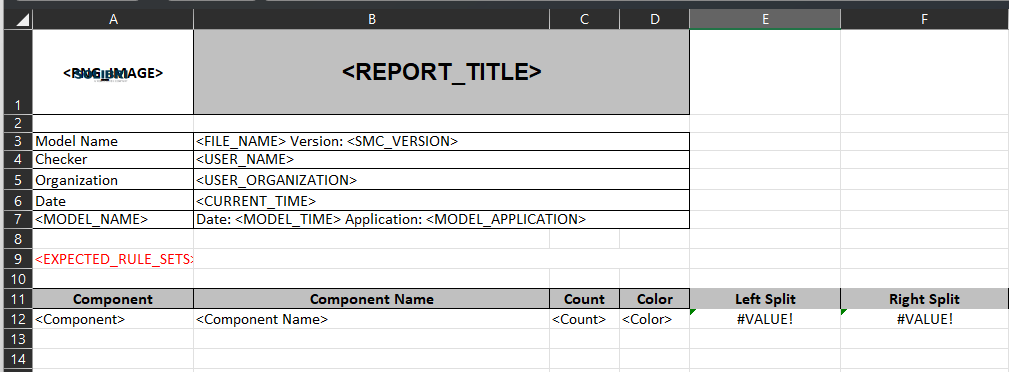
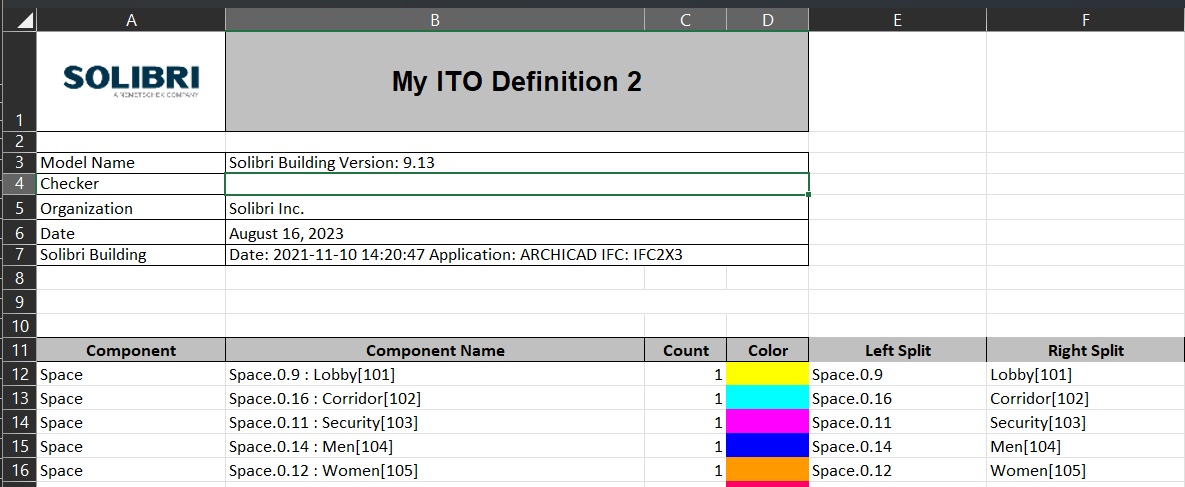
The problem is that the office works with google sheets, and in this case the Querry function is used. What I would like is to do it from the same file or template
-
Hello @Matti-Kannala , very grateful for your answer, I see that it helps me so that everything comes out from the template, but the only details are that if there are blank cells, the value “#VALUE!” remains, on the other hand, it does not recognize the “IFERROR” formula. since all the boxes remain in value “=0”. I’m going to try the “IF” formula to see if I get something. Greetings

-
@Matti-Kannala
We had issues in the past that some formulas or formatings of the report templates are not properly supported. So in some cases there is just nothing happening on a report export. It’s not doing anything until you delete such columns. No errors, no hints, no logs (?), just nothing.
-
@JSN said in Functions in ITO reports:
You are right the getting started guides could be better, but there are some ressources which can be found here. Anyhow in this specific case I was not refering to the Java API but I menat the JavaScript support for the ITOs which has quite a good quickstart tutorial - check if you have access.
https://society.solibri.com/topic/620/javascript-api-documentation-solibri-version-9-10-8
@Solibrians Could you point me towards the current tutorial? Sorry for commenting on a quite old post.
-
@Solibrians Could you point me towards the current tutorial? Sorry for commenting on a quite old post.
Hello!
For JavaScript API the latest documentation is here:
https://society.solibri.com/topic/3368/solibri-api-solibri-javascript-api
Kind regards,
Toni




Copyright © 2025 Solibri Inc. | Powered by NodeBB