Skip to content
  • Categories
Collapse
Solibri Society Forum
  1. Home
  2. General Discussion
  3. Licensing issues

Licensing issues

Scheduled Pinned Locked Moved General Discussion
52 Posts 8 Posters 2.5k Views
  • Oldest to Newest
  • Newest to Oldest
  • Most Votes
Log in to reply
This topic has been deleted. Only users with topic management privileges can see it.
  • P Offline
    P Offline
    Patrick
    wrote last edited by
    #11

    image.png
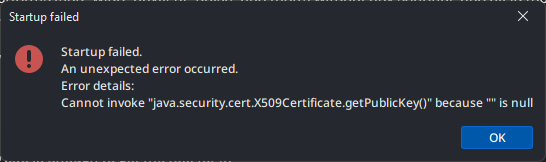
    Still here. Was mostly gone Friday, but appeared again today.

    1 Reply Last reply
    0
    • fmohusF Offline
      fmohusF Offline
      fmohus
      wrote last edited by fmohus
      #12

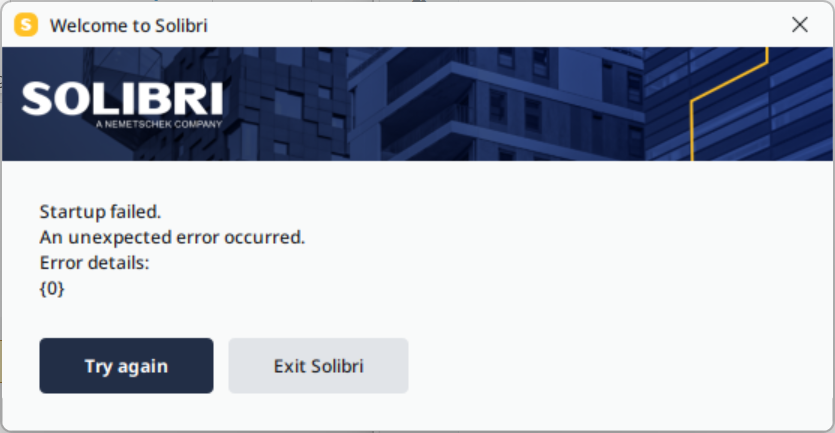
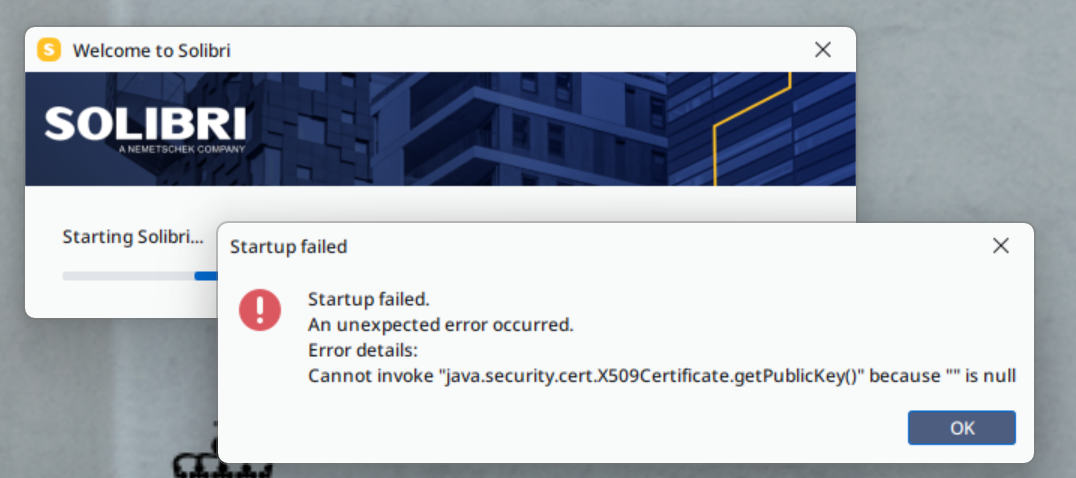
      Same error message here - Solibri Office 26.4.1.108. Persistent error, have tried uninstall and reinstall, same problem. Runtime log attached.

      image.pngruntime.log

      1 Reply Last reply
      0
      • MattiM Offline
        MattiM Offline
        Matti Solibrians
        wrote last edited by Matti
        #13

        Could you test that you are able to load following certs:

        https://api.solibri.com/cert
        should give a page: MIIHBjCCBO6gAwIBAgIQD8dHLMPmUhK…

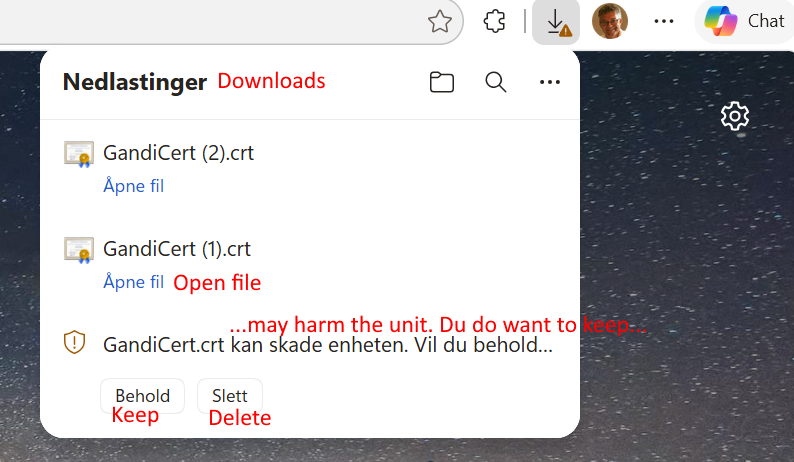
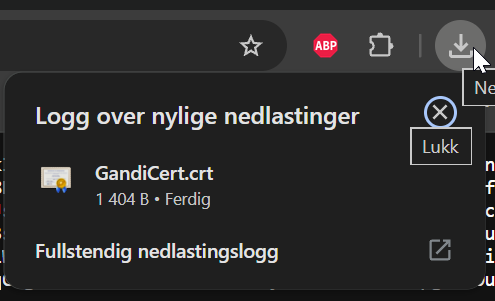
        http://cacerts.digicert.com/GandiCert.crt (copy url to browser)
        should download a crt file size around 2KB

        1 Reply Last reply
        0
        • fmohusF Offline
          fmohusF Offline
          fmohus
          wrote last edited by
          #14

          The first one returns a result as you indicate: MIIHBjCCBO6gAwIBAgIQD8dHLMPmUhKWlpzoDn25RDANBgkqhkiG9w0BAQsFA… etc…

          The second one doesn’t return anything - just gives a timeout.

          1 Reply Last reply
          0
          • MattiM Offline
            MattiM Offline
            Matti Solibrians
            wrote last edited by
            #15

            Try copy the second URL to browser

            L 2 Replies Last reply
            0
            • fmohusF Offline
              fmohusF Offline
              fmohus
              wrote last edited by fmohus
              #16

              Yep, 2kB file.

              image.png

              e6ddf0ed-02de-445c-8234-42855a38484c-image.png

              1 Reply Last reply
              0
              • SigneLaksaaS Offline
                SigneLaksaaS Offline
                SigneLaksaa
                wrote last edited by
                #17

                @Matti - How’s it going with the investigation? We have a lot of people both in COWI and Multiconsult struggeling to open Solibri Office.

                tonigyllenbergT 1 Reply Last reply
                0
                • tonigyllenbergT Offline
                  tonigyllenbergT Offline
                  tonigyllenberg Solibrians
                  replied to SigneLaksaa last edited by
                  #18

                  @SigneLaksaa said in Licensing issues:

                  @Matti - How’s it going with the investigation? We have a lot of people both in COWI and Multiconsult struggeling to open Solibri Office.

                  We are investigating as we speak. Currently this seems to be very focused in Norway. We’ll report back here as soon as we have more information to share.

                  1 Reply Last reply
                  0
                  • tonigyllenbergT Offline
                    tonigyllenbergT Offline
                    tonigyllenberg Solibrians
                    wrote last edited by
                    #19

                    Is there anyone here currently who would be able to connect with us in a call to help investigate directly while logging in?

                    SigneLaksaaS L 2 Replies Last reply
                    0
                    • SigneLaksaaS Offline
                      SigneLaksaaS Offline
                      SigneLaksaa
                      replied to tonigyllenberg last edited by
                      #20

                      @tonigyllenberg you can call [email protected]

                      1 Reply Last reply
                      1
                      • L Offline
                        L Offline
                        LeifHagen
                        replied to tonigyllenberg last edited by
                        #21

                        @tonigyllenberg you can contact me: [email protected] or +4797561599

                        1 Reply Last reply
                        1
                        • L Offline
                          L Offline
                          LeifHagen
                          replied to Matti last edited by
                          #22

                          @Matti e8104d26-3654-4f03-a0da-12fcc61e2ba1-image.png

                          1 Reply Last reply
                          0
                          • L Offline
                            L Offline
                            LeifHagen
                            replied to Matti last edited by
                            #23

                            @Matti First one gives me something like this: MIIHBjCCBO6gAwIBAgIQD8dHLMPmUhKWlpzoDn25RDANBgkqhkiG9w0BAQsFADA1MQswC

                            1 Reply Last reply
                            0
                            • tonigyllenbergT Offline
                              tonigyllenbergT Offline
                              tonigyllenberg Solibrians
                              wrote last edited by tonigyllenberg
                              #24

                              Hello all,

                              As an update on this, investigations on the matter until now have shown that:

                              • For some users the connection to cacerts.digicert.com is blocked.
                              • Allowing outbound HTTP/80 to cacerts.digicert.com should fix the problem.
                              • Connection can be tested by Windows PowerShell command:
                                Test-NetConnection cacerts.digicert.com -Port 80

                              We still do not have information on why the connection is all of a sudden blocked for many Norwegian customers. We are continuing to investigate with our certificate provider and will keep you informed as soon as we have more information to share. We apologize for the inconvenience.

                              1 Reply Last reply
                              1
                              • fmohusF Offline
                                fmohusF Offline
                                fmohus
                                wrote last edited by fmohus
                                #25

                                Windows PowerShell command: Test-NetConnection cacerts.digicert.com -Port 80 returned TcpTestSucceeded : True. …But the problem remains unfortunately…

                                1 Reply Last reply
                                0
                                • MattiM Offline
                                  MattiM Offline
                                  Matti Solibrians
                                  wrote last edited by
                                  #26

                                  @fmohus
                                  Because the Test-NetConnection succeeded,

                                  Try delete .solibri folder in your home directory and start Solibri again
                                  Try adding this line to “C:\Program Files\Solibri\SOLIBRI-26.4.1\Solibri.vmoptions”
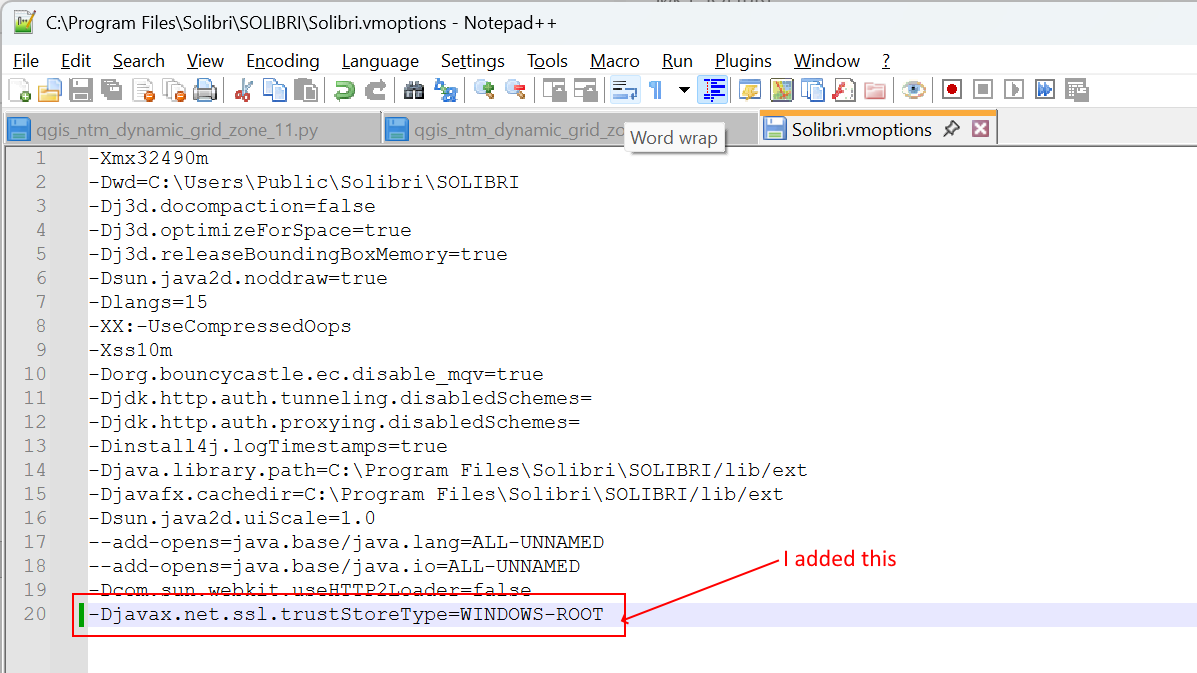
                                  -Djavax.net.ssl.trustStoreType=WINDOWS-ROOT

                                  P fmohusF 2 Replies Last reply
                                  0
                                  • P Offline
                                    P Offline
                                    Patrick
                                    replied to Matti last edited by Patrick
                                    #27

                                    @Matti Worked for me, once, then it suddenly stopped working again.

                                    MattiM 1 Reply Last reply
                                    1
                                    • MattiM Offline
                                      MattiM Offline
                                      Matti Solibrians
                                      replied to Patrick last edited by
                                      #28

                                      @Patrick said in Licensing issues:

                                      @Matti Worked for me, once, then it suddenly stopped working again.

                                      Do you have two versions of Solibri installed? Are the both versions behaving the same way (not starting)?

                                      P 1 Reply Last reply
                                      0
                                      • P Offline
                                        P Offline
                                        Patrick
                                        replied to Matti last edited by Patrick
                                        #29

                                        @Matti Only one version. Also, works again now. 😅

                                        1 Reply Last reply
                                        0
                                        • fmohusF Offline
                                          fmohusF Offline
                                          fmohus
                                          replied to Matti last edited by fmohus
                                          #30

                                          @Matti I tried the following:

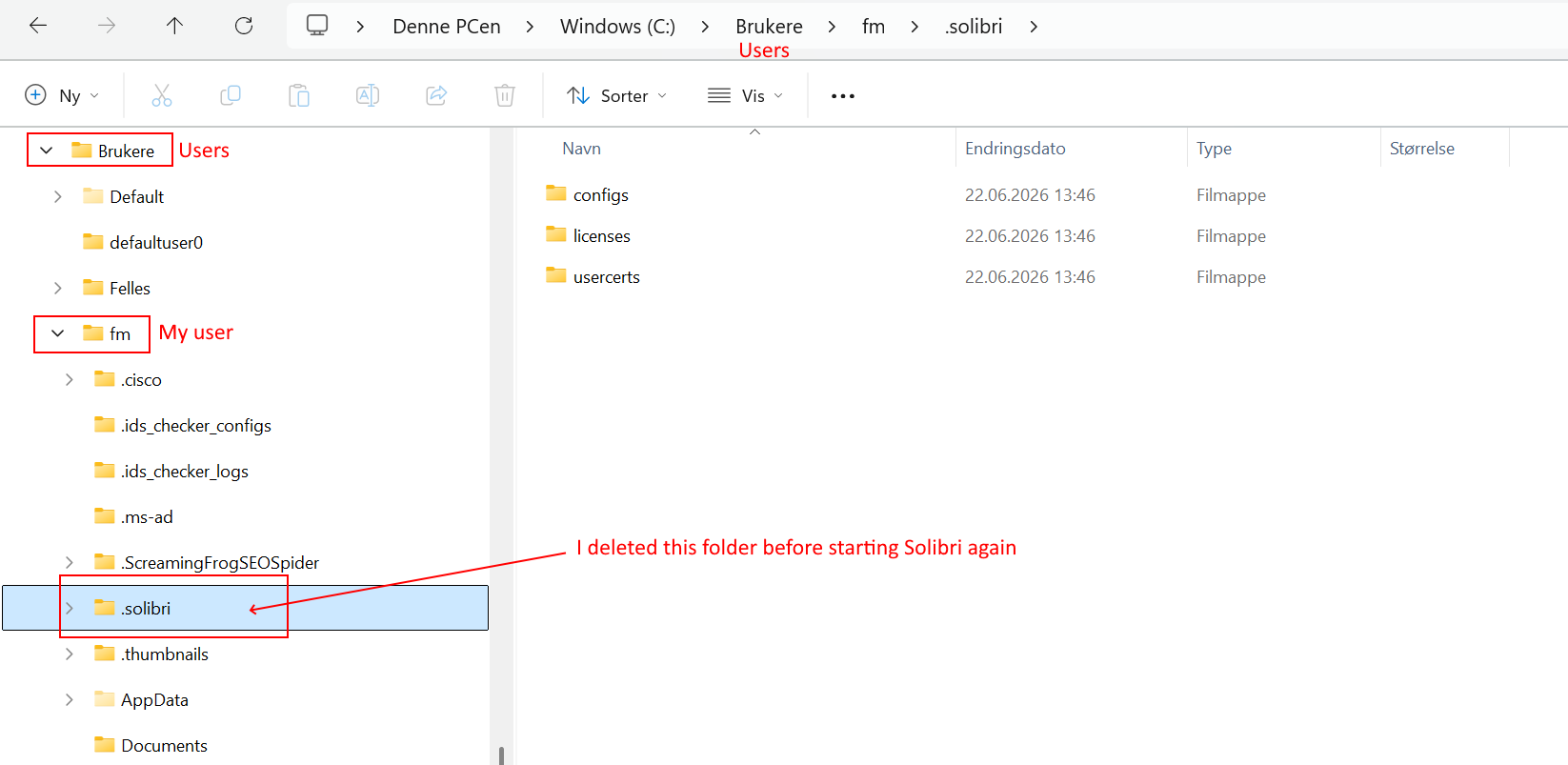
                                          (1) Deleted the folder c:/brukere/fm/.solibri (“brukere”=users in Norwegian Windows version)
                                          (2) Tried to start Solibri - Browser says “You’re logged in” but Solibri still has the same problem
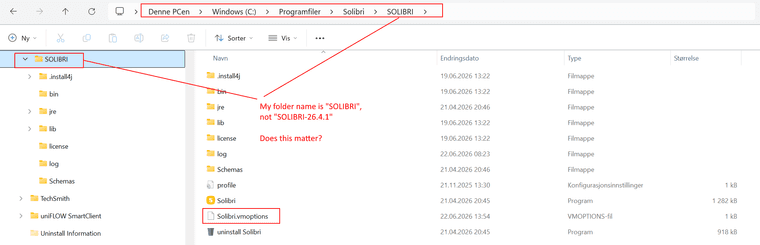
                                          (3) Added -Djavax.net.ssl.trustStoreType=WINDOWS-ROOT to folder C:\Program Files\Solibri\SOLIBRI\Solibri.vmoptions (REMARK: The folder name by me is just “SOLIBRI”, not “SOLIBRI-26.4.1”, does this matter??
                                          (4) Started Solibri again - same problem
                                          (5) Did BOTH point (1) and (3) again, and then started Solibri - still same problem.

                                          Screenshots:
                                          594e23e8-d18a-4797-b1a4-cdd29299f18d-image.png
                                          abe319e2-bd6e-4067-8e98-50feb7877e96-image.png 5d51e809-1e2d-4e96-9c0a-fc405eae705e-image.png 2c7e6627-d6e6-4677-b33e-8637a6482d2a-image.png

                                          1 Reply Last reply
                                          0

                                          Copyright © 2025 Solibri Inc. | Powered by NodeBB

                                          • Login

                                          • Don't have an account? Register

                                          • Login or register to search.
                                          • First post
                                            Last post
                                          0
                                          • Categories