Skip to content
  • Categories
Collapse
Solibri Society Forum
  1. Home
  2. General Discussion
  3. Licensing issues

Licensing issues

Scheduled Pinned Locked Moved General Discussion
52 Posts 8 Posters 2.5k Views
  • Oldest to Newest
  • Newest to Oldest
  • Most Votes
Log in to reply
This topic has been deleted. Only users with topic management privileges can see it.
  • fmohusF Offline
    fmohusF Offline
    fmohus
    wrote last edited by fmohus
    #25

    Windows PowerShell command: Test-NetConnection cacerts.digicert.com -Port 80 returned TcpTestSucceeded : True. …But the problem remains unfortunately…

    1 Reply Last reply
    0
    • MattiM Offline
      MattiM Offline
      Matti Solibrians
      wrote last edited by
      #26

      @fmohus
      Because the Test-NetConnection succeeded,

      Try delete .solibri folder in your home directory and start Solibri again
      Try adding this line to “C:\Program Files\Solibri\SOLIBRI-26.4.1\Solibri.vmoptions”
      -Djavax.net.ssl.trustStoreType=WINDOWS-ROOT

      P fmohusF 2 Replies Last reply
      0
      • P Offline
        P Offline
        Patrick
        replied to Matti last edited by Patrick
        #27

        @Matti Worked for me, once, then it suddenly stopped working again.

        MattiM 1 Reply Last reply
        1
        • MattiM Offline
          MattiM Offline
          Matti Solibrians
          replied to Patrick last edited by
          #28

          @Patrick said in Licensing issues:

          @Matti Worked for me, once, then it suddenly stopped working again.

          Do you have two versions of Solibri installed? Are the both versions behaving the same way (not starting)?

          P 1 Reply Last reply
          0
          • P Offline
            P Offline
            Patrick
            replied to Matti last edited by Patrick
            #29

            @Matti Only one version. Also, works again now. 😅

            1 Reply Last reply
            0
            • fmohusF Offline
              fmohusF Offline
              fmohus
              replied to Matti last edited by fmohus
              #30

              @Matti I tried the following:

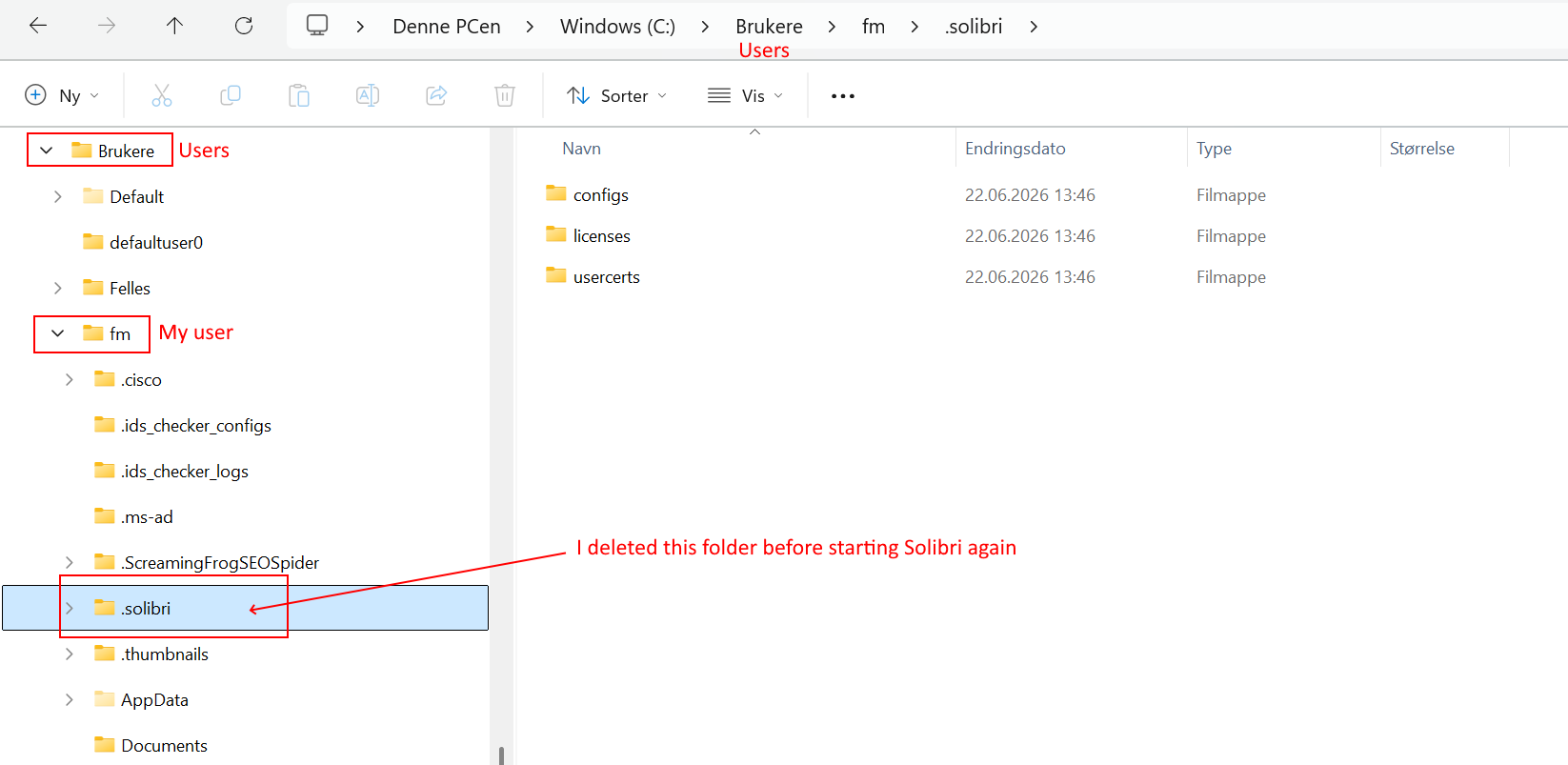
              (1) Deleted the folder c:/brukere/fm/.solibri (“brukere”=users in Norwegian Windows version)
              (2) Tried to start Solibri - Browser says “You’re logged in” but Solibri still has the same problem
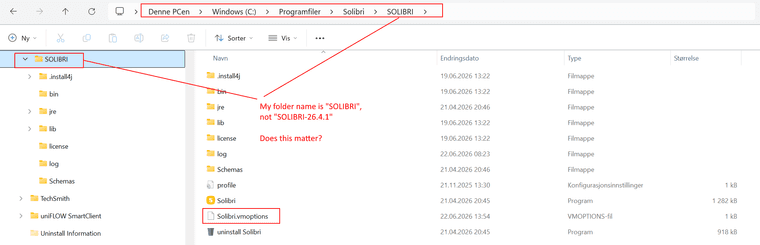
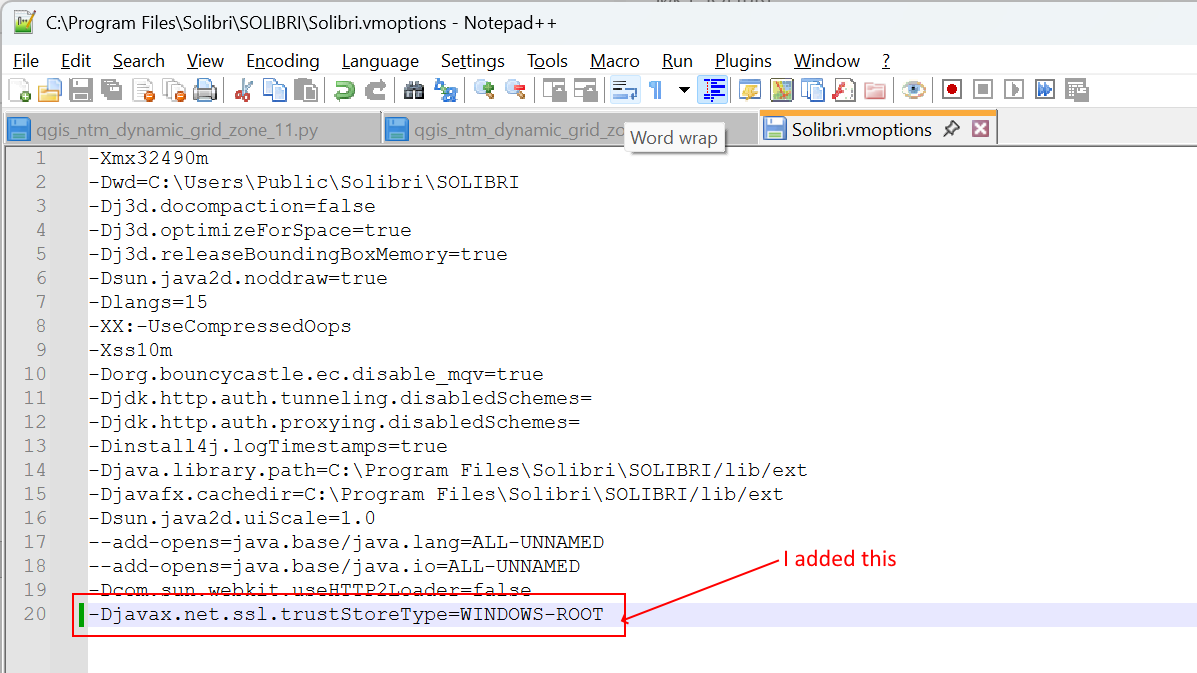
              (3) Added -Djavax.net.ssl.trustStoreType=WINDOWS-ROOT to folder C:\Program Files\Solibri\SOLIBRI\Solibri.vmoptions (REMARK: The folder name by me is just “SOLIBRI”, not “SOLIBRI-26.4.1”, does this matter??
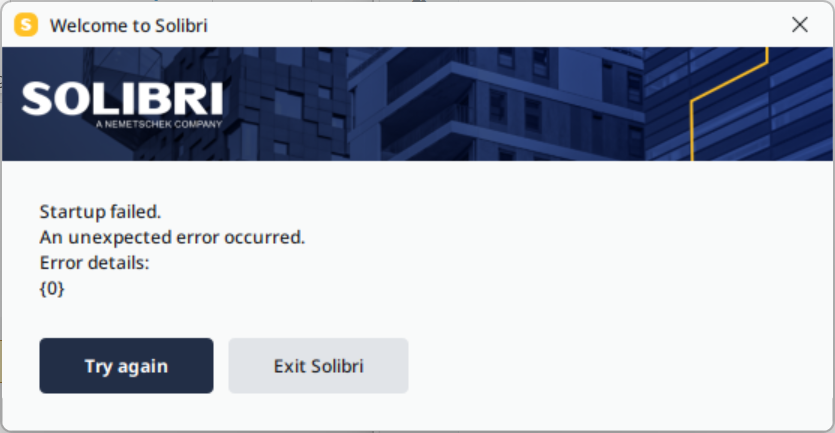
              (4) Started Solibri again - same problem
              (5) Did BOTH point (1) and (3) again, and then started Solibri - still same problem.

              Screenshots:
              594e23e8-d18a-4797-b1a4-cdd29299f18d-image.png
              abe319e2-bd6e-4067-8e98-50feb7877e96-image.png 5d51e809-1e2d-4e96-9c0a-fc405eae705e-image.png 2c7e6627-d6e6-4677-b33e-8637a6482d2a-image.png

              1 Reply Last reply
              0
              • fmohusF Offline
                fmohusF Offline
                fmohus
                wrote last edited by
                #31

                Solibri Office works again at login this morning.

                MattiM 1 Reply Last reply
                1
                • MattiM Offline
                  MattiM Offline
                  Matti Solibrians
                  replied to fmohus last edited by
                  #32

                  @fmohus said in Licensing issues:

                  Solibri Office works again at login this morning.

                  @fmohus, thanks for sharing. How about @Patrick @SigneLaksaa @LeifHagen ?

                  fmohusF 1 Reply Last reply
                  0
                  • fmohusF Offline
                    fmohusF Offline
                    fmohus
                    replied to Matti last edited by
                    #33

                    @Matti Do you have a few words about what fixed it? Something to do with certificate provider in Norway?

                    1 Reply Last reply
                    0
                    • L Offline
                      L Offline
                      LeifHagen
                      wrote last edited by
                      #34

                      We still have the same issues

                      1 Reply Last reply
                      1
                      • SigneLaksaaS Offline
                        SigneLaksaaS Offline
                        SigneLaksaa
                        wrote last edited by
                        #35

                        Problem today as well…

                        1 Reply Last reply
                        1
                        • fmohusF Offline
                          fmohusF Offline
                          fmohus
                          wrote last edited by
                          #36

                          UPDATE: Still seems unstable, the next login failed here as well.

                          1 Reply Last reply
                          1
                          • MattiM Offline
                            MattiM Offline
                            Matti Solibrians
                            wrote last edited by
                            #37

                            You can try following workaround:

                            Solibri installation has a certificate store file. I imported the Digicert certificate into that.

                            1. Take a backup of this file “C:\Program Files\Solibri\SOLIBRI-26.4.1\jre\lib\security\cacerts”
                            2. Replace the file with the one that is inside the attached zip
                            3. Start Solibri
                              cacerts.zip
                            L 1 Reply Last reply
                            0
                            • L Offline
                              L Offline
                              LeifHagen
                              replied to Matti last edited by
                              #38

                              @Matti said in Licensing issues:

                              You can try following workaround:

                              Solibri installation has a certificate store file. I imported the Digicert certificate into that.

                              1. Take a backup of this file “C:\Program Files\Solibri\SOLIBRI-26.4.1\jre\lib\security\cacerts”
                              2. Replace the file with the one that is inside the attached zip
                              3. Start Solibri
                                cacerts.zip

                              Tested now, still no license

                              1 Reply Last reply
                              0
                              • tonigyllenbergT Offline
                                tonigyllenbergT Offline
                                tonigyllenberg Solibrians
                                wrote last edited by
                                #39

                                Hello all!

                                As an update on the situation: Based on the current understanding, the issue seems to be related to Akamai datacenter. This explains why the situation is limited to Norway.

                                For the time being, in order to regain access to Solibri, have your network or system administrator add a static A record on your corporate internal DNS server:

                                Hostname: cacerts.digicert.com
                                IP Address: 23.218.216.34

                                1 Reply Last reply
                                0
                                • L Offline
                                  L Offline
                                  LeifHagen
                                  wrote last edited by
                                  #40

                                  Please inform us when there is a permanent fix for this issue as we wish to roll back the static IP when possible

                                  tonigyllenbergT 1 Reply Last reply
                                  1
                                  • tonigyllenbergT Offline
                                    tonigyllenbergT Offline
                                    tonigyllenberg Solibrians
                                    replied to LeifHagen last edited by
                                    #41

                                    @LeifHagen said in Licensing issues:

                                    Please inform us when there is a permanent fix for this issue as we wish to roll back the static IP when possible

                                    We will make sure to do so. We are awaiting more information from the data center on when the issue is resolved.

                                    Kind regards,

                                    Toni

                                    1 Reply Last reply
                                    3
                                    • P Offline
                                      P Offline
                                      Patrick
                                      wrote last edited by Patrick
                                      #42

                                      Tried 25.12, so far no issues. FYI.
                                      Never mind, still there.

                                      tonigyllenbergT 1 Reply Last reply
                                      0
                                      • tonigyllenbergT Offline
                                        tonigyllenbergT Offline
                                        tonigyllenberg Solibrians
                                        replied to Patrick last edited by
                                        #43

                                        @Patrick said in Licensing issues:

                                        Tried 25.12, so far no issues. FYI.
                                        Never mind, still there.

                                        Yes, the issue with the data center is still ongoing. We are in contact with them however there is so far no updates.

                                        1 Reply Last reply
                                        0
                                        • E Offline
                                          E Offline
                                          EdvinT
                                          wrote last edited by
                                          #44

                                          Hi! I work in IT support in Sweco, and wanted to share a “quick fix”
                                          If you go to C:\Windows\System32\drivers\etc

                                          You will see a file called hosts. If you open it and paste this line at the end of it:
                                          23.218.216.34 cacerts.digicert.com
                                          This will solve the problem on the affected computer.

                                          This will require admin rights. If it doesn’t work for you, open the file and make sure that saving worked properly. You can’t just hit ctrl+S in a protected file.

                                          P 1 Reply Last reply
                                          2

                                          Copyright © 2025 Solibri Inc. | Powered by NodeBB

                                          • Login

                                          • Don't have an account? Register

                                          • Login or register to search.
                                          • First post
                                            Last post
                                          0
                                          • Categories